Tmall Genie Configuration Guide
Materials
Cloud-to-cloud integration paid service notice: https://iot.aligenie.com/cooperation/agreement
Smart Home skill platform: https://iot.aligenie.com/home
Help documentation: https://www.aligenie.com/doc/357554/hf8wog
Configuration Flow
- Register and sign in to the Tmall Genie Open Platform;
- Create a Tmall Genie voice-control skill;
- Create a Tmall Genie voice-control product;
- Create a smart product on the Tmall Genie platform and complete account authorization;
- Configure the Ubases IoT smart product and voice-control settings;
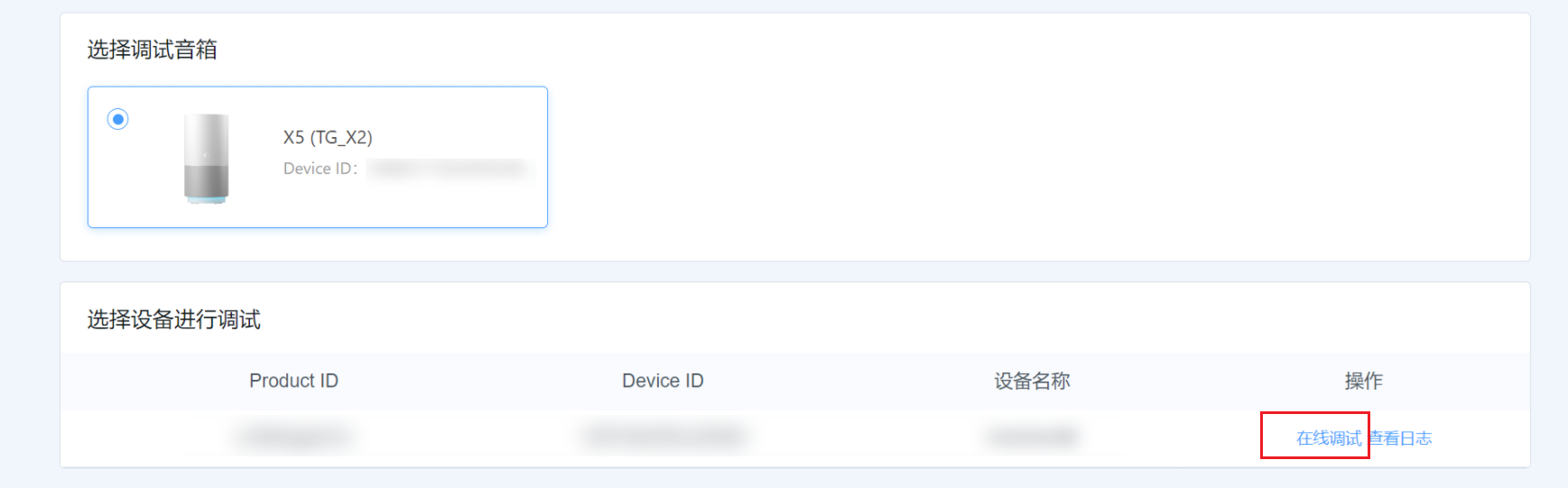
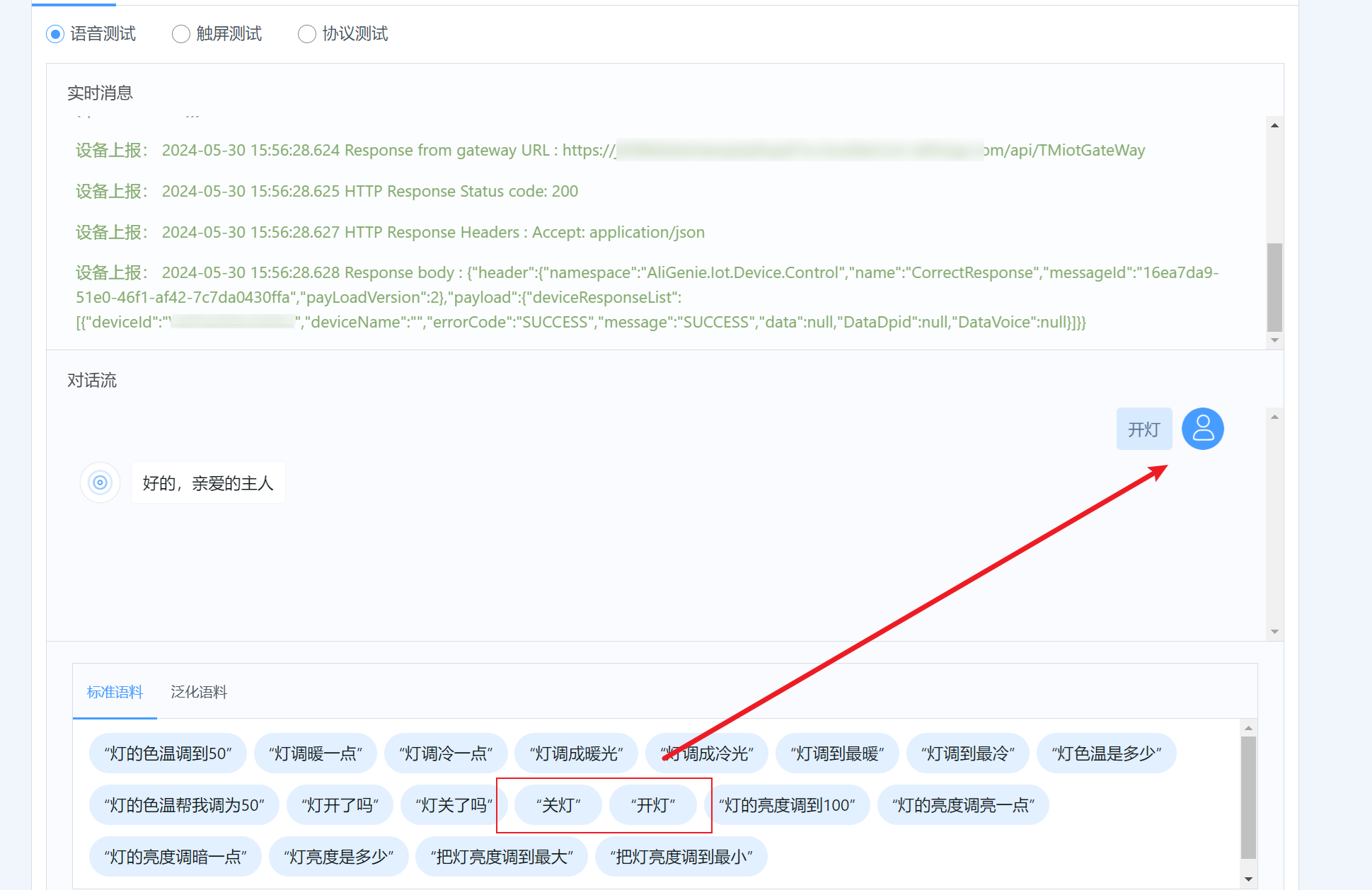
- Device debugging;
Create a Tmall Genie Voice-Control Skill
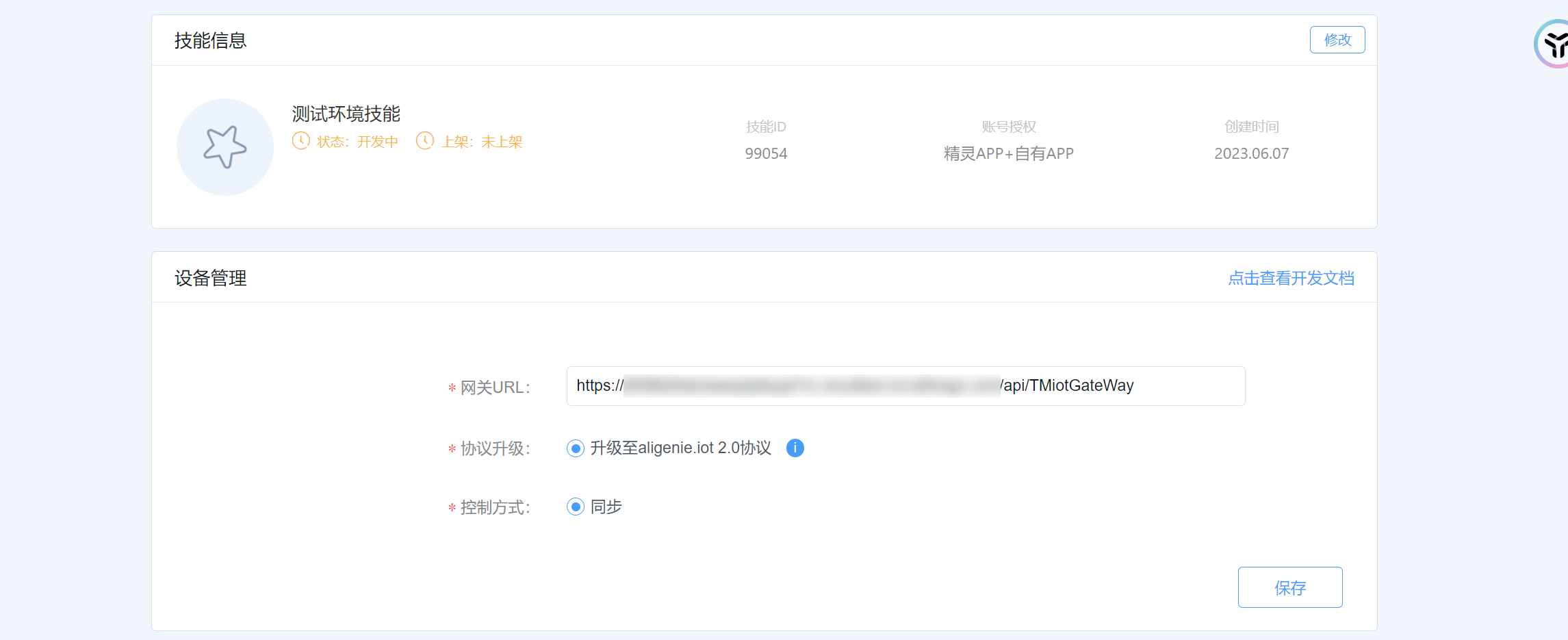
Go to Console → Applications → Cloud Access OAuth Management, and configure the Ubases IoT OAuth 2.0 endpoints so that Tmall Genie can authorize accounts and send device-control requests through OAuth 2.0.
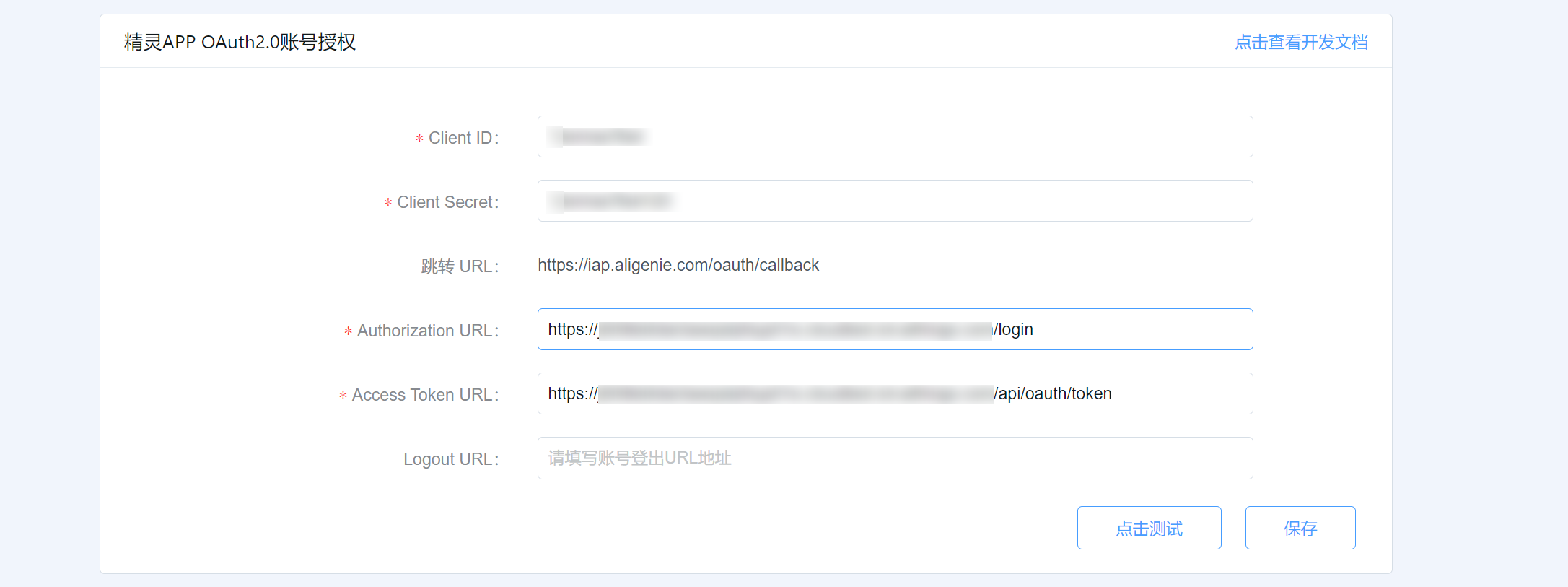
OAuth 2.0 credentials are obtained from the Ubases IoT Open Platform
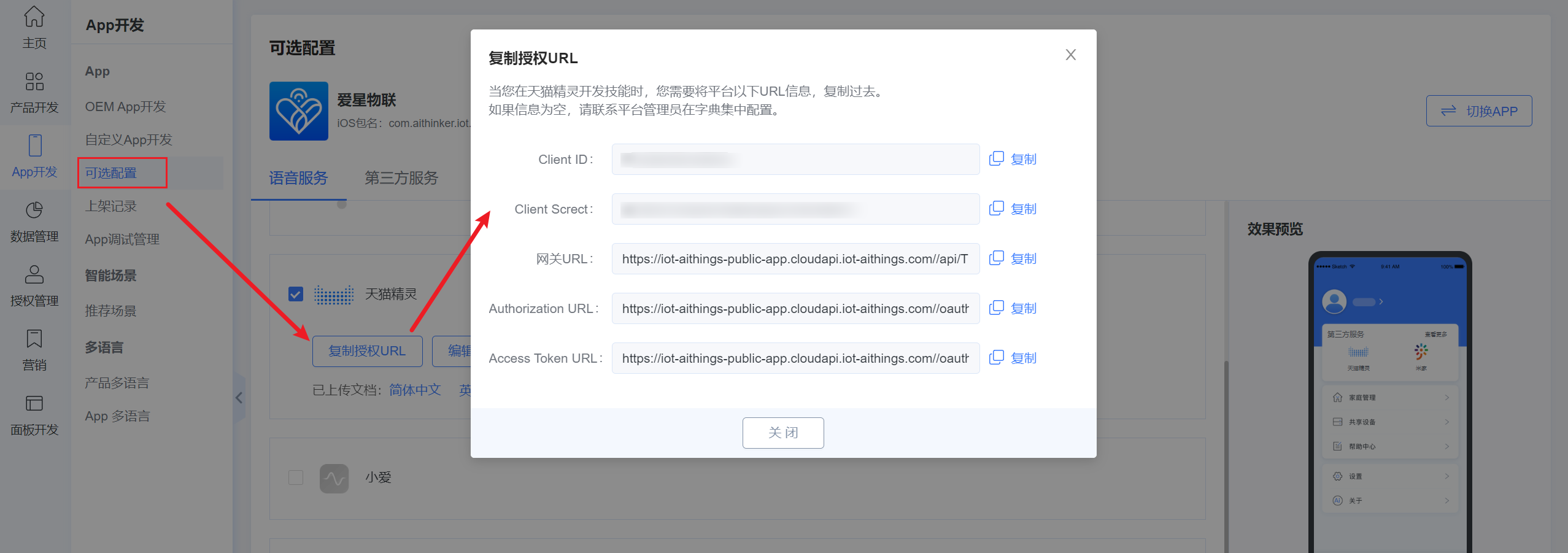
OAuth 2.0 configuration:
Account authorization URL: Obtain the exact HTTPS URL from the Ubases IoT Open Platform and enter it in the corresponding Tmall Genie console field.
Client ID: xxxxxxxx
Client Secret: xxxxxxxx
Redirect URL: Use the redirect URL displayed or required by the Tmall Genie console. Do not use a Xiaomi/Mi Home OAuth redirect domain or path.
Access Token URL: Obtain the exact HTTPS token endpoint from the Ubases IoT Open Platform.
Refresh URL: Obtain the exact HTTPS refresh endpoint from the Ubases IoT Open Platform. If the platform uses the same endpoint for token issuance and refresh, enter that endpoint in both fields.
Scope: all
Grant Type: authorization_code
Cloud messaging configuration:
Device command endpoint: Use the HTTPS gateway URL provided by Ubases IoT for Tmall Genie integration. Confirm the current endpoint in the Ubases IoT and Tmall Genie consoles rather than reusing an endpoint configured for another voice platform.
After configuration, go to the skill publish page and perform test authorization;
Create a Tmall Genie Voice-Control Product
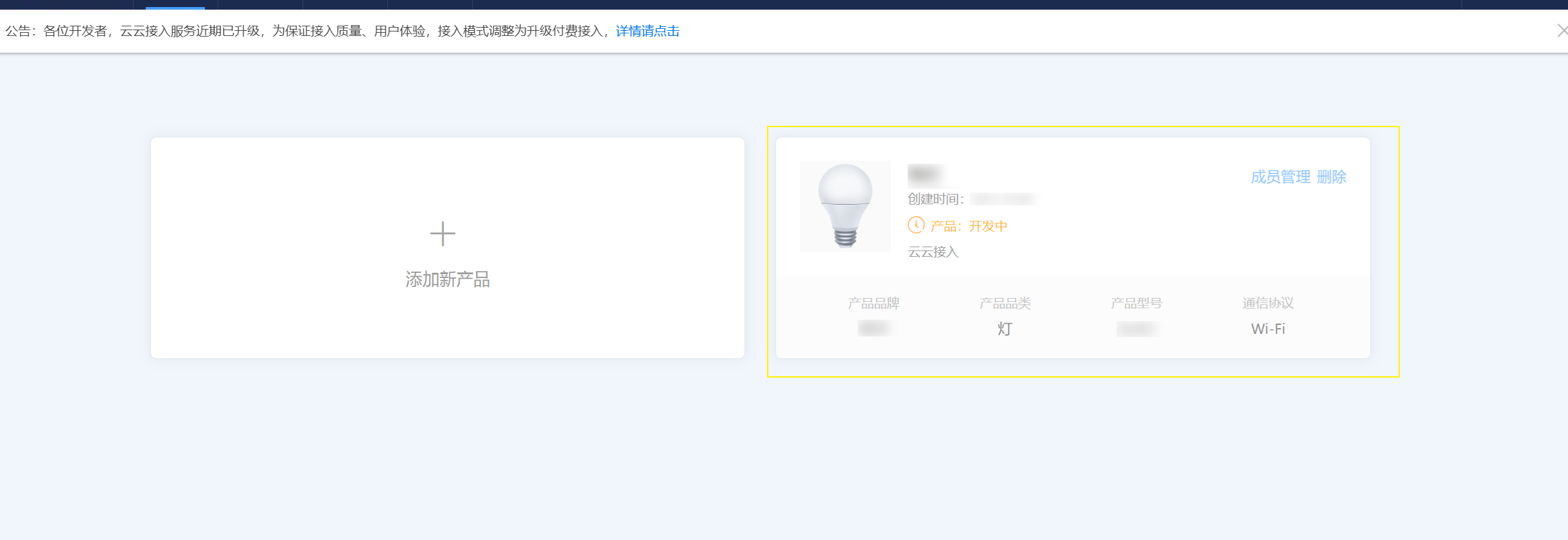
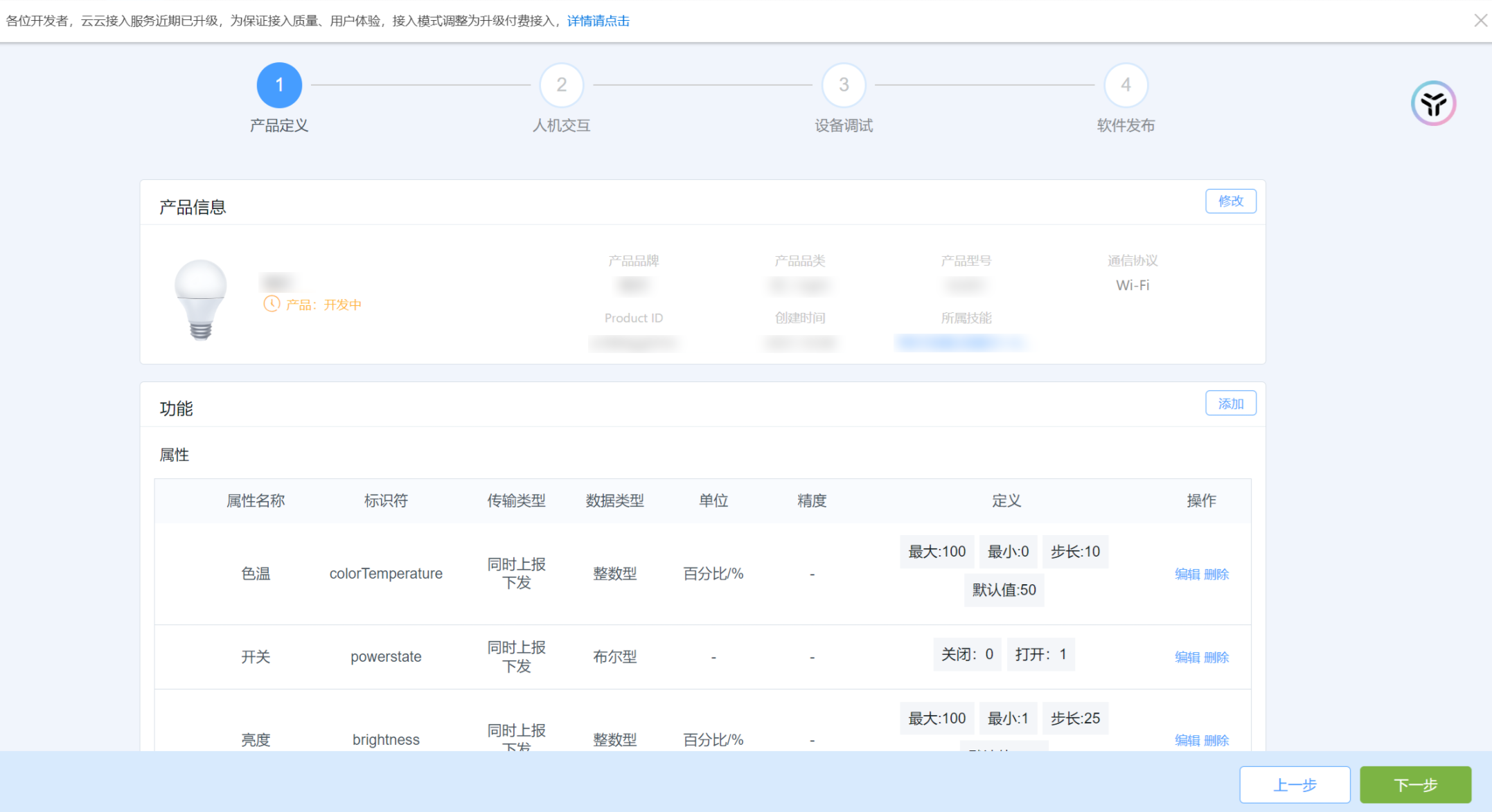
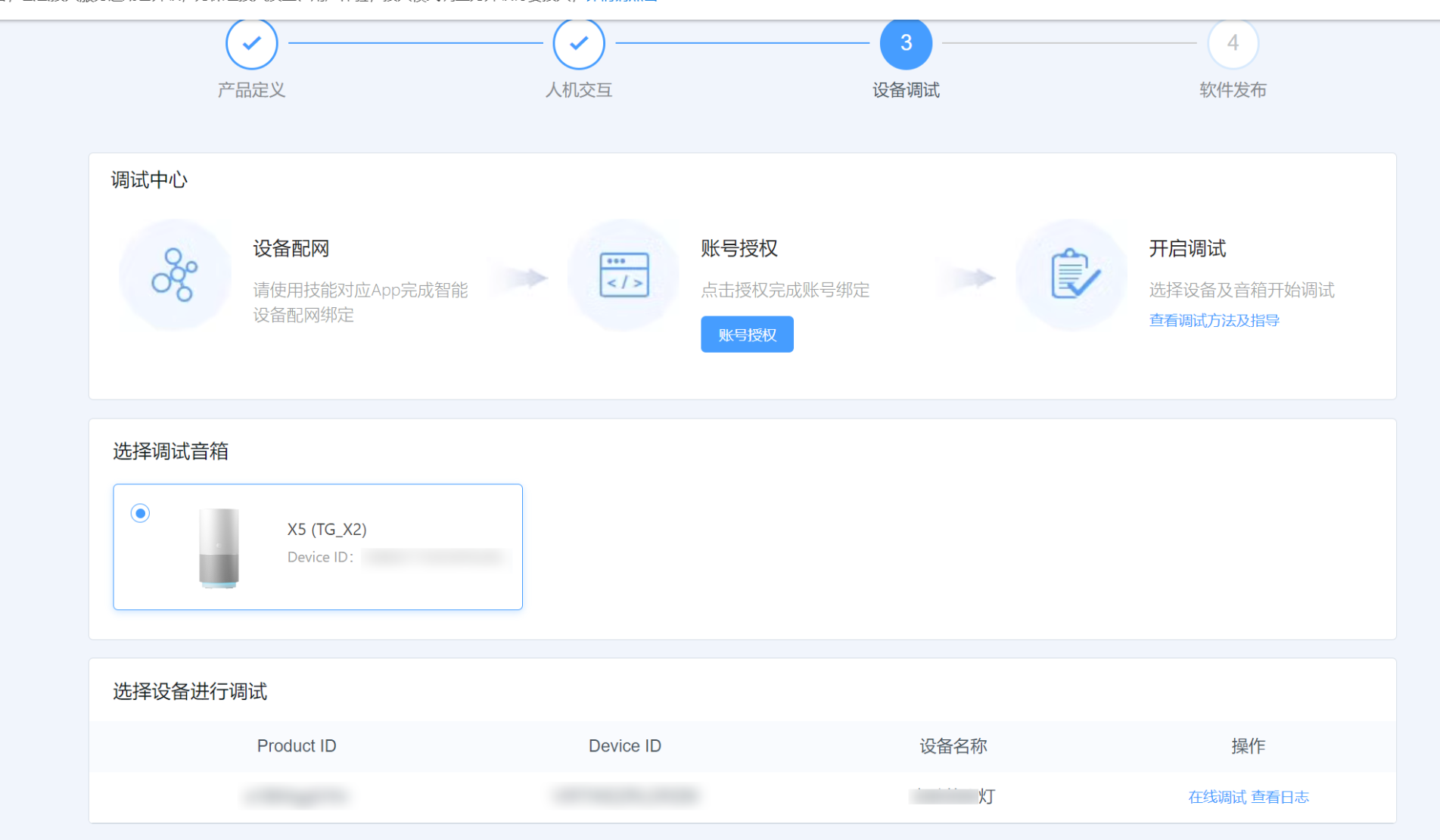
Skill Account Authorization Login
Click Account Authorization, follow the steps to sign in and verify. After success, you will see the debug speaker and synchronized Ubases IoT devices. If you do not have devices yet, continue with the steps below;
Configure Ubases IoT Smart Product and Voice Control
Go to Product Open → Product Details → Voice Control to bind the Tmall Genie skill and configure attribute conversion rules;
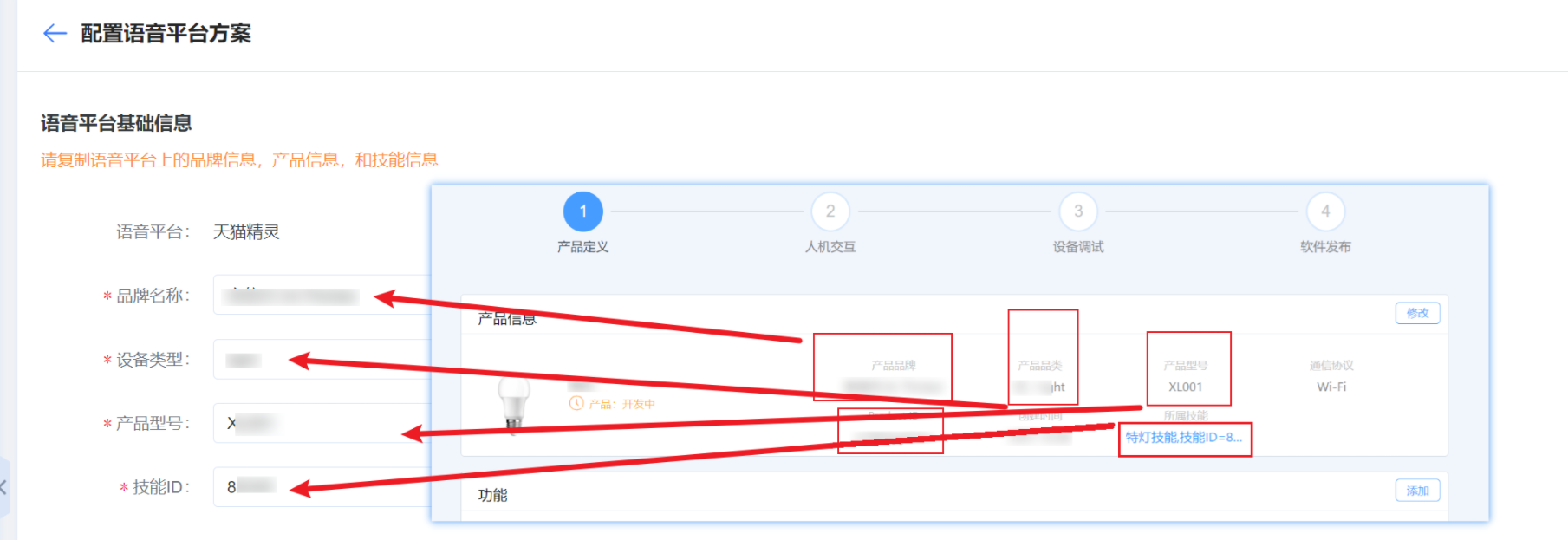
Note: Brand name, device type, product model, and skill ID can all be obtained from the Tmall Genie product information;
Tmall Genie product details:

Voice platform details: (fill in according to the name mapping)
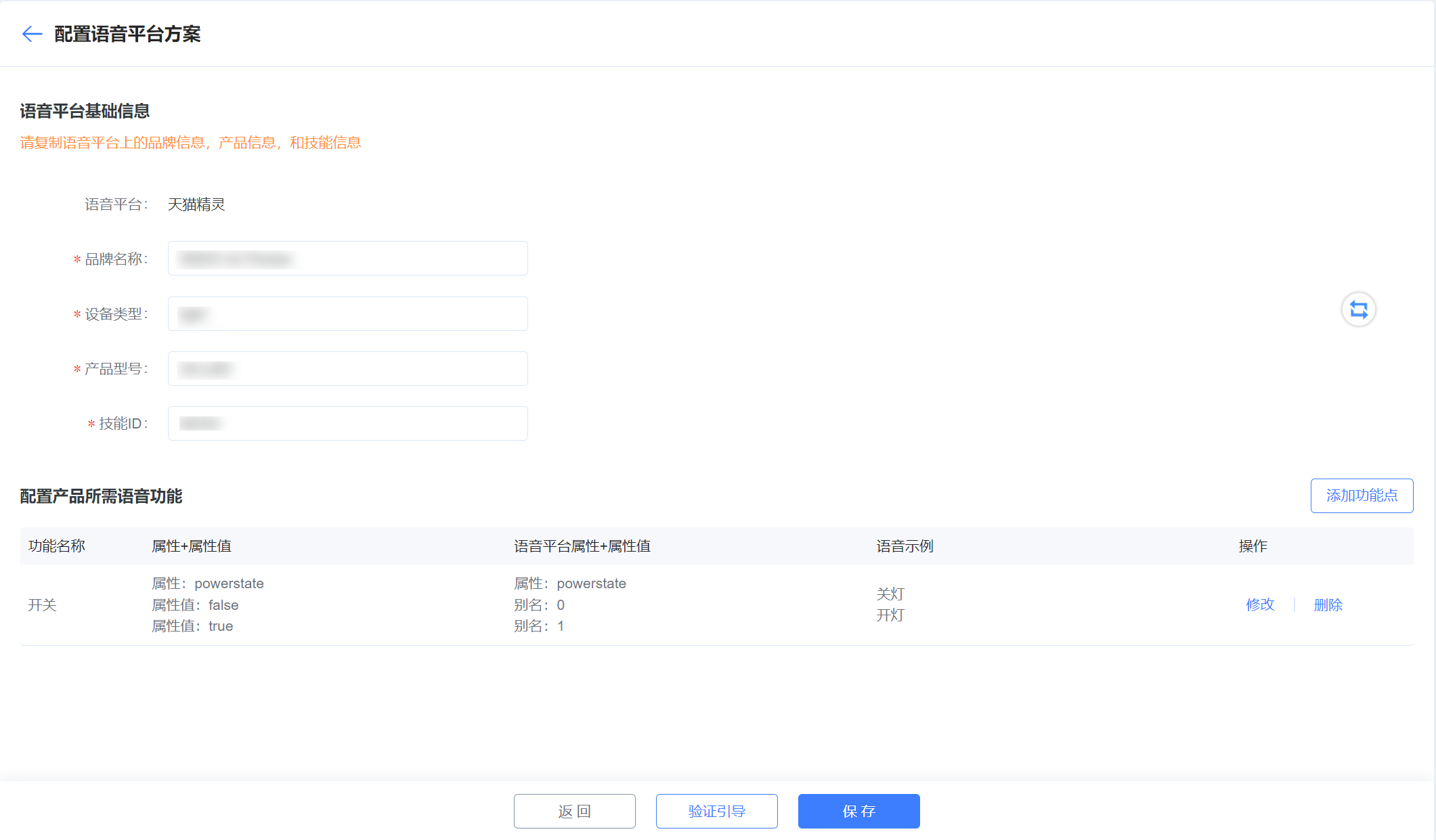
The mapping is as follows:
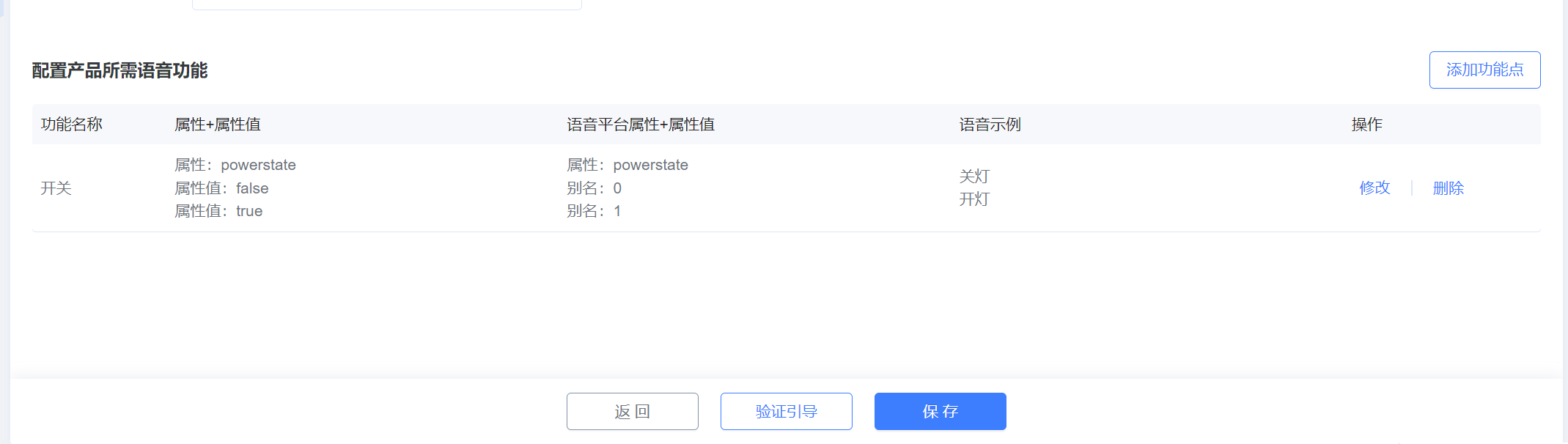
Add function points:
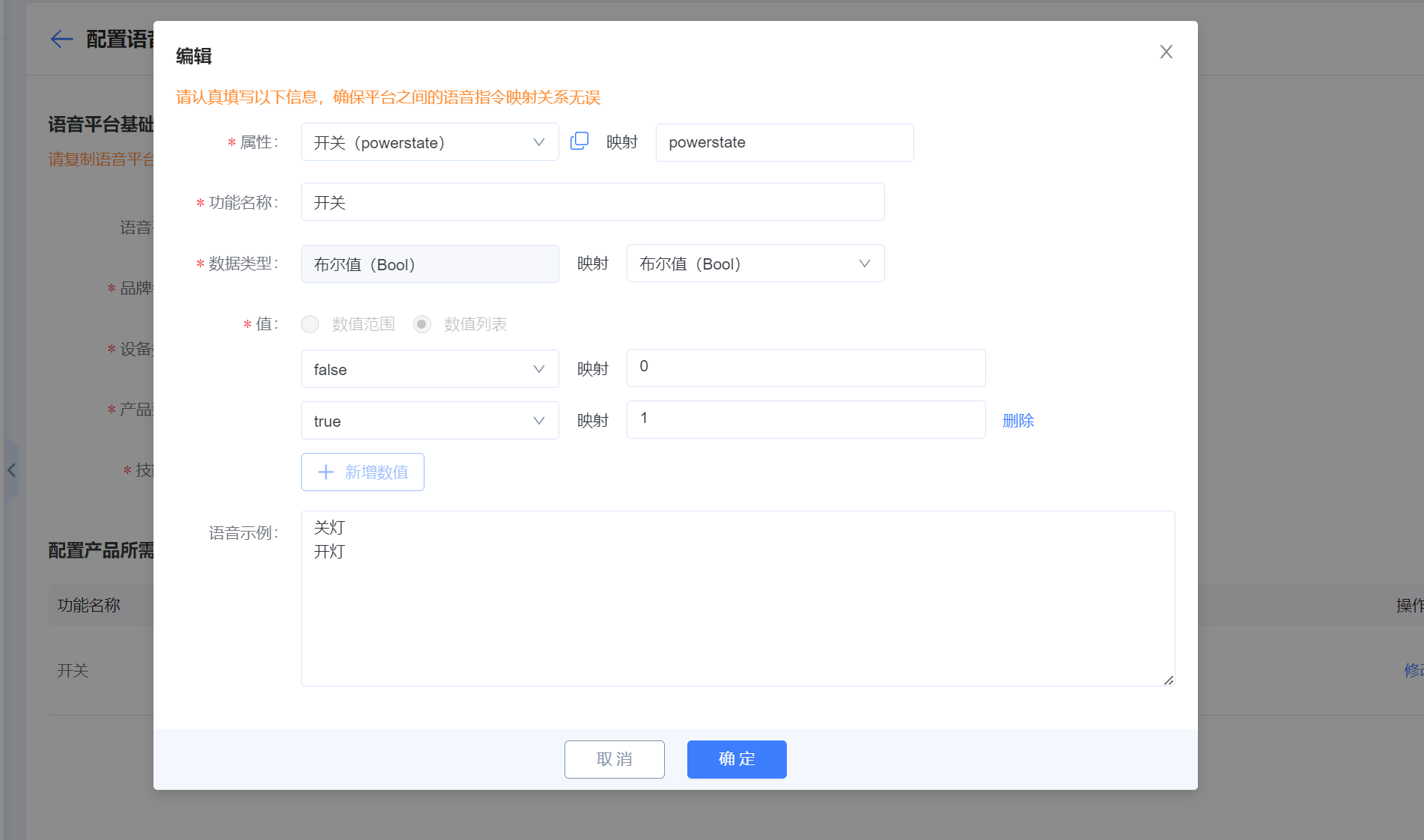
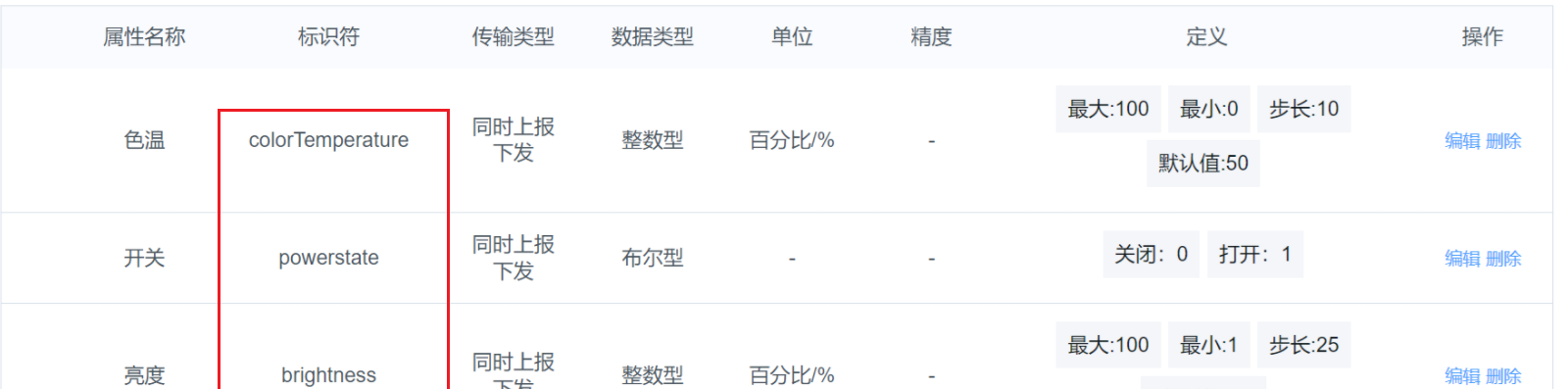
Mapping (identifier, data type, value). The figure below shows the function points configured on the Tmall platform; map them by identifier, data type, and value.
When configuration is complete, click Save.
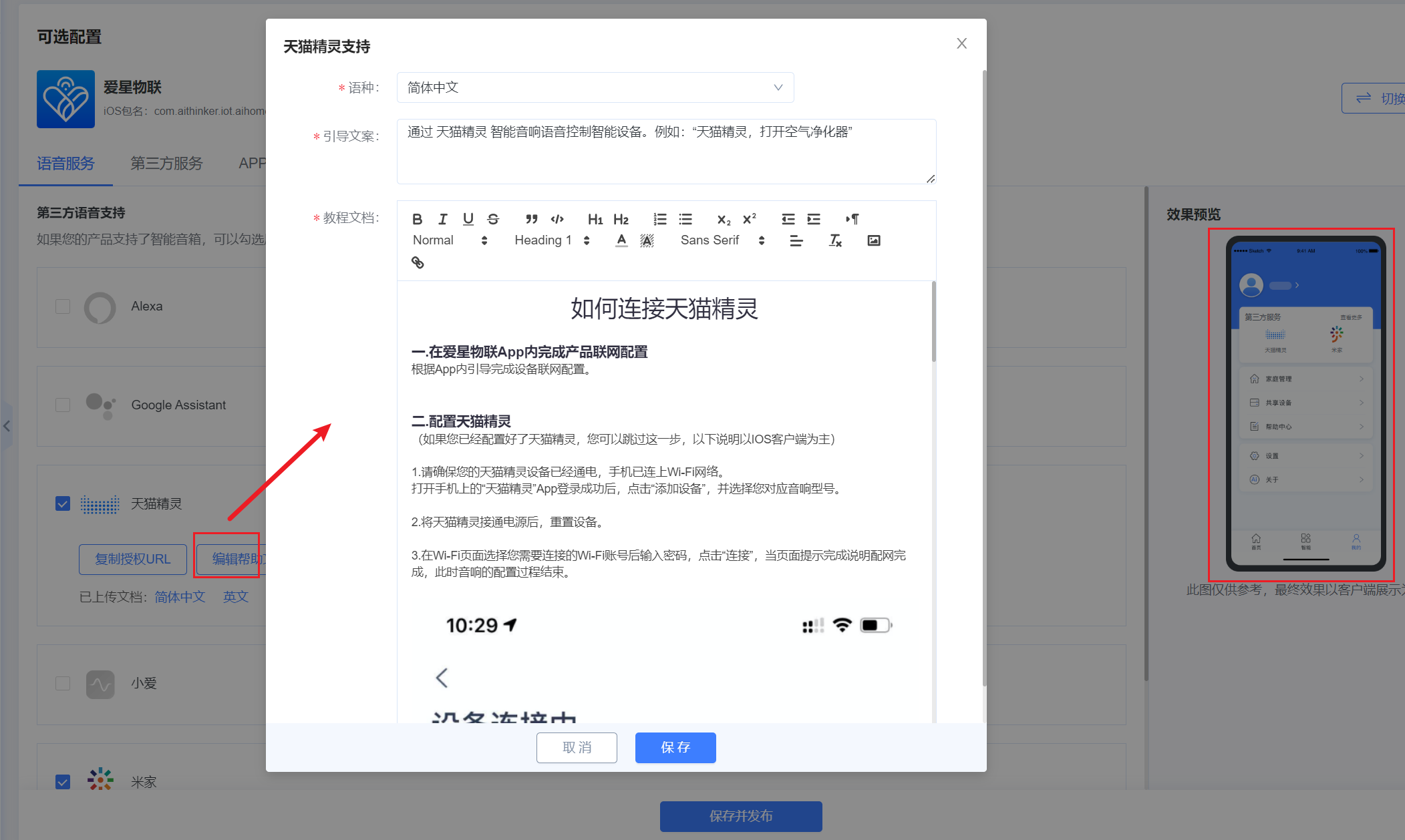
If you need to show usage guidance in the App, go to the optional Voice Service section on the platform to configure it;
Device Debugging
After completing the above configuration, go to the Tmall platform test page to perform voice-control testing.