vivo Push Service (Vendor Push)
Prerequisites
- You have registered a vivo Open Platform account.
Steps
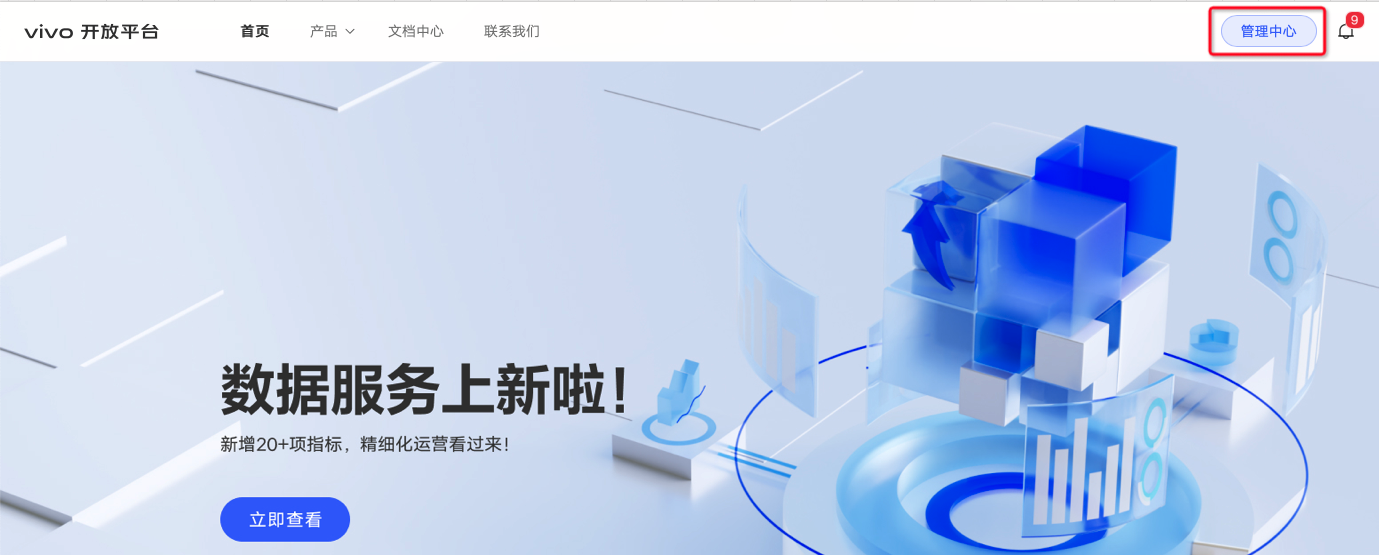
Open and sign in to the vivo Open Platform.
Click Management Center.
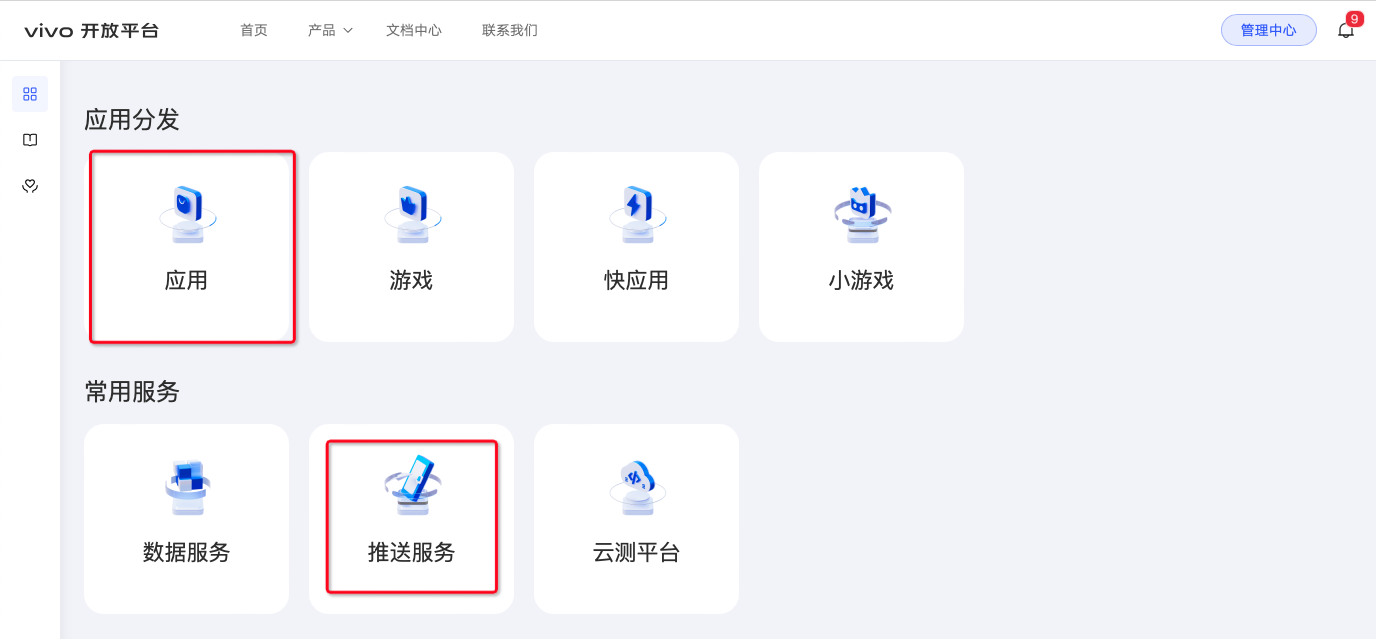
If your app has not been created yet, click Apps; otherwise click Push Service and skip to step 7.
Click Create App.
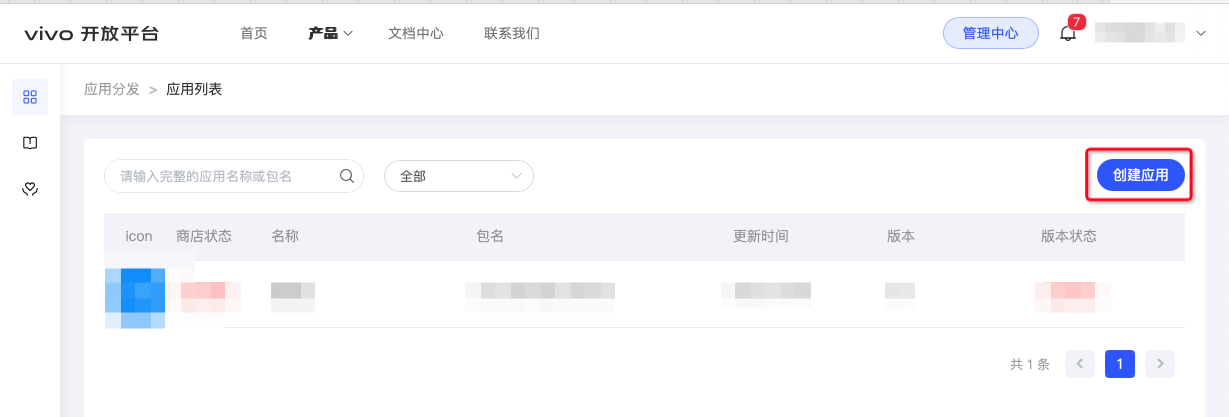
Fill in the app information. Copy the package name and app name from the Ubases IoT development platform, and upload the app icon. Click Create.
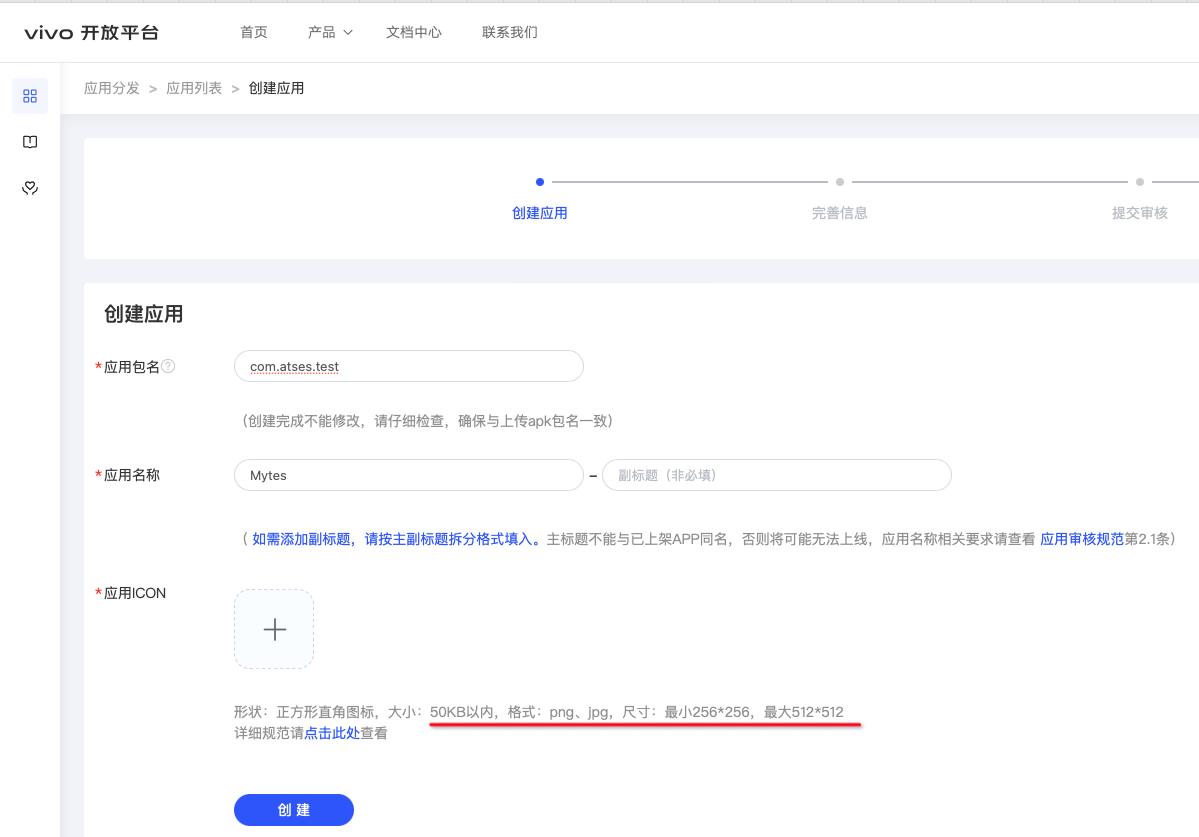
Where to find the package name and app name.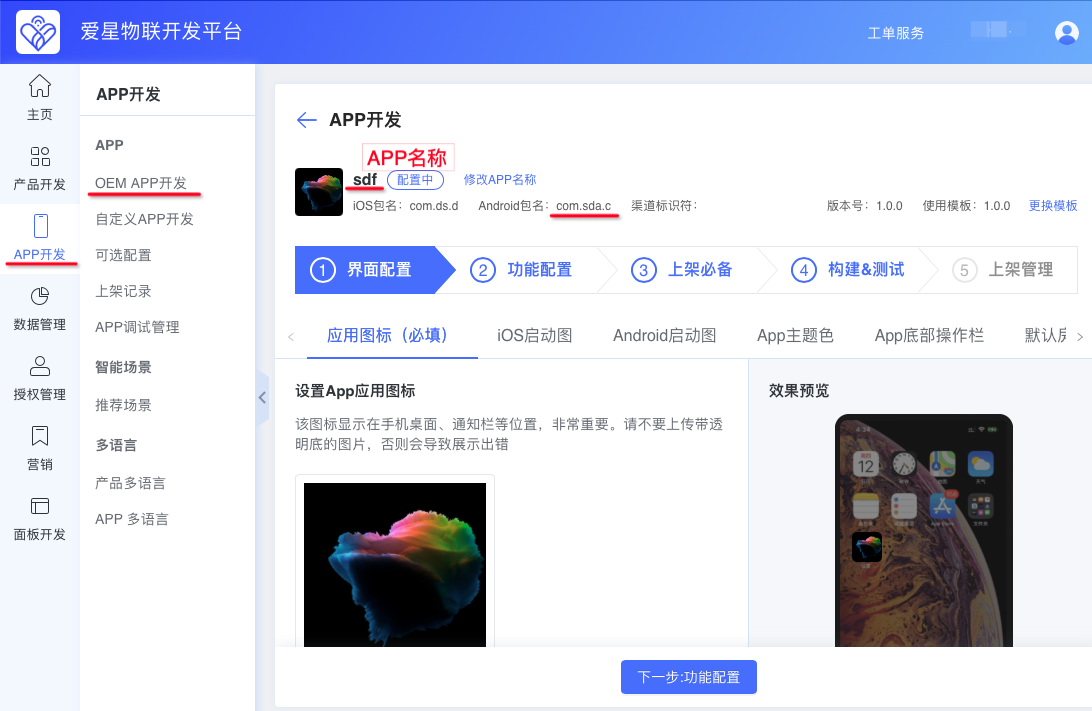
After creation, click vivo Message Push Service.
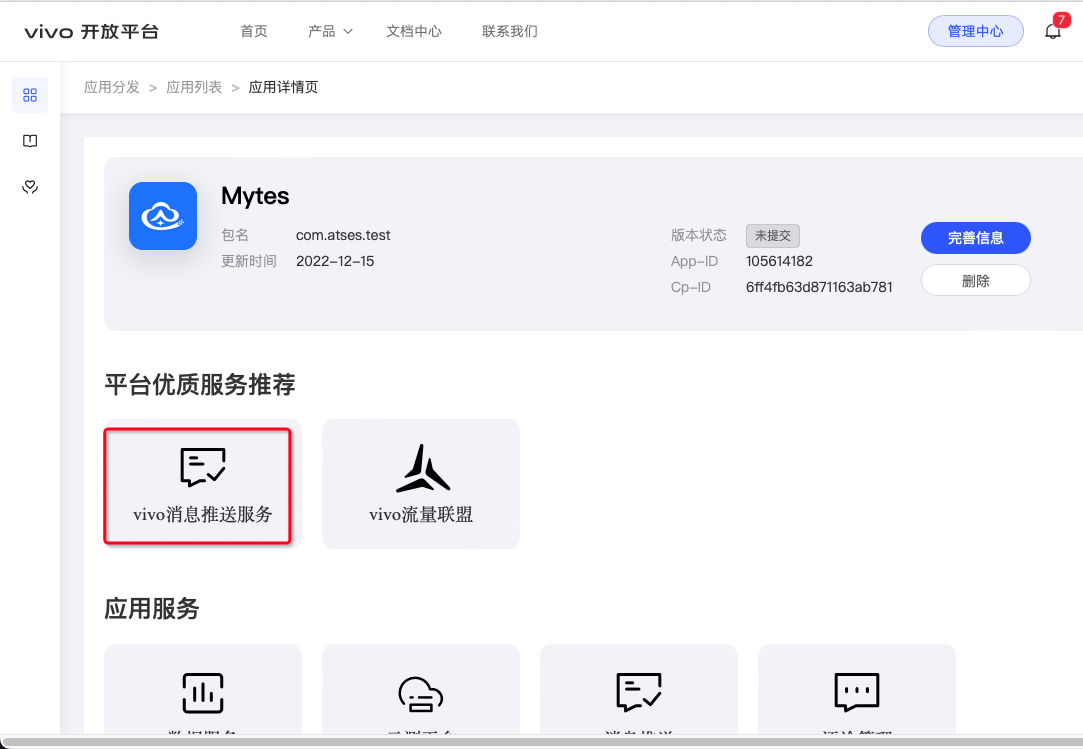
If you have never applied for push before, the following page will not appear; otherwise click Push Application.
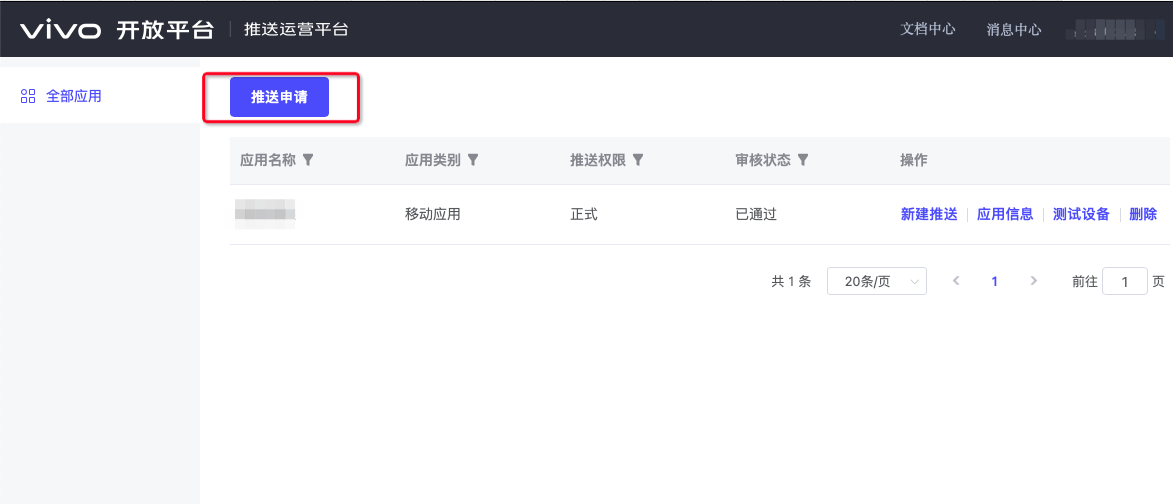
Package type: select APK (Android app), select the corresponding app name, check I have read and agree to 《》, then click Submit Application.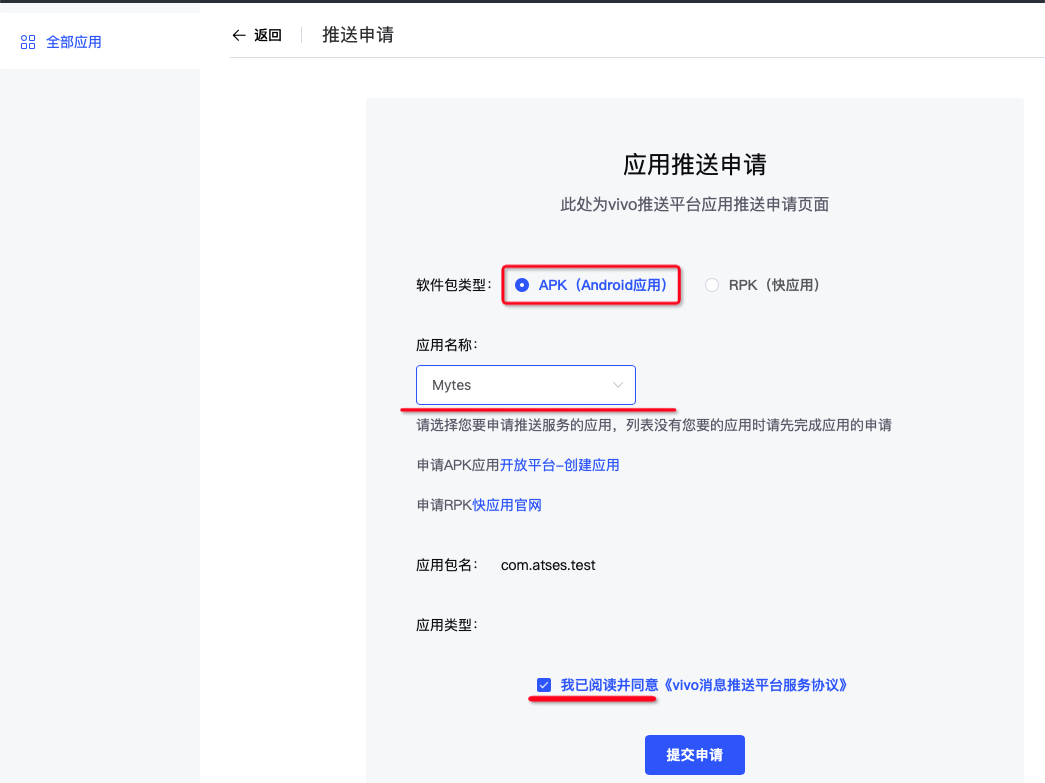
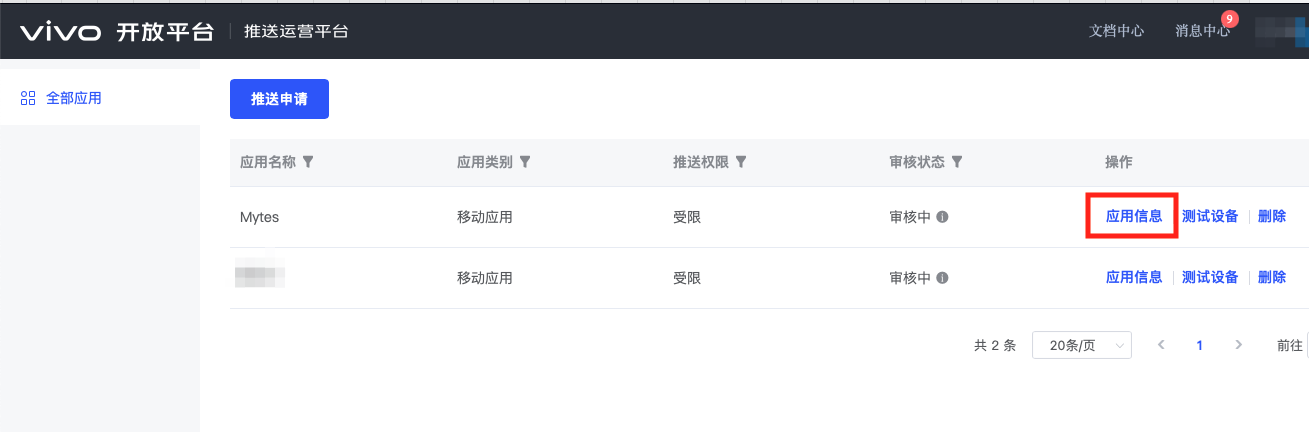
- After submission, you are redirected to the list page. Push is limited at this stage but is available for testing. The limits are automatically lifted after the App has been published to an app store. Click App Info.
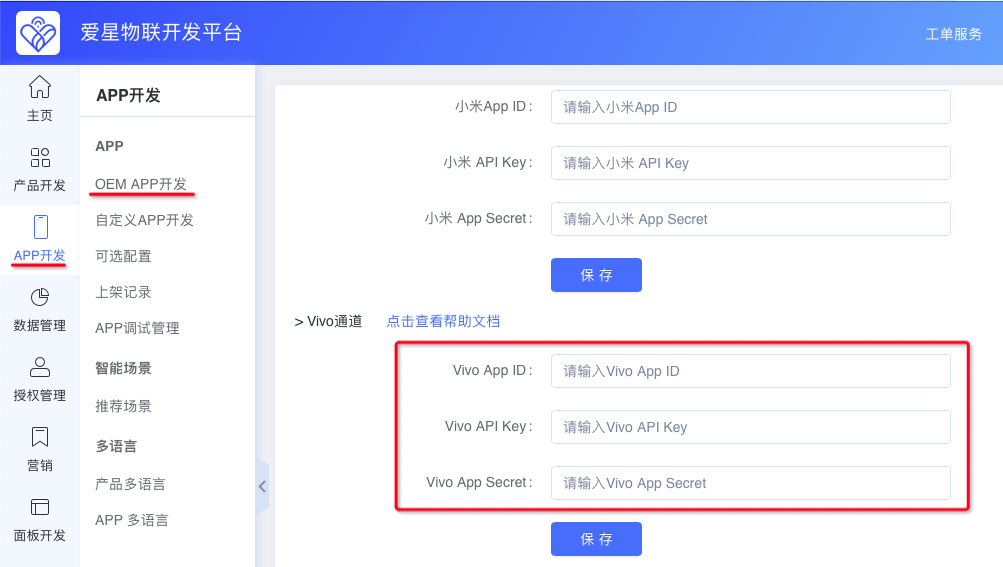
Enter AppID/AppKey/AppSecret on the Ubases IoT development platform.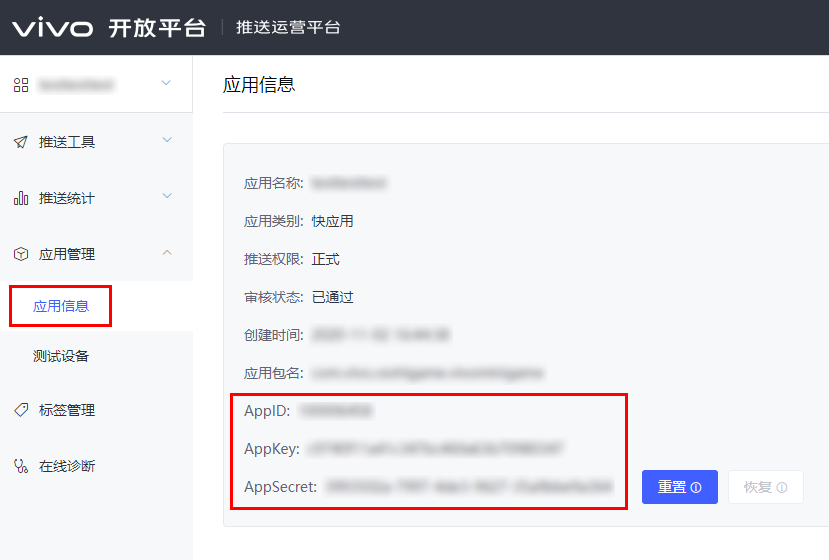
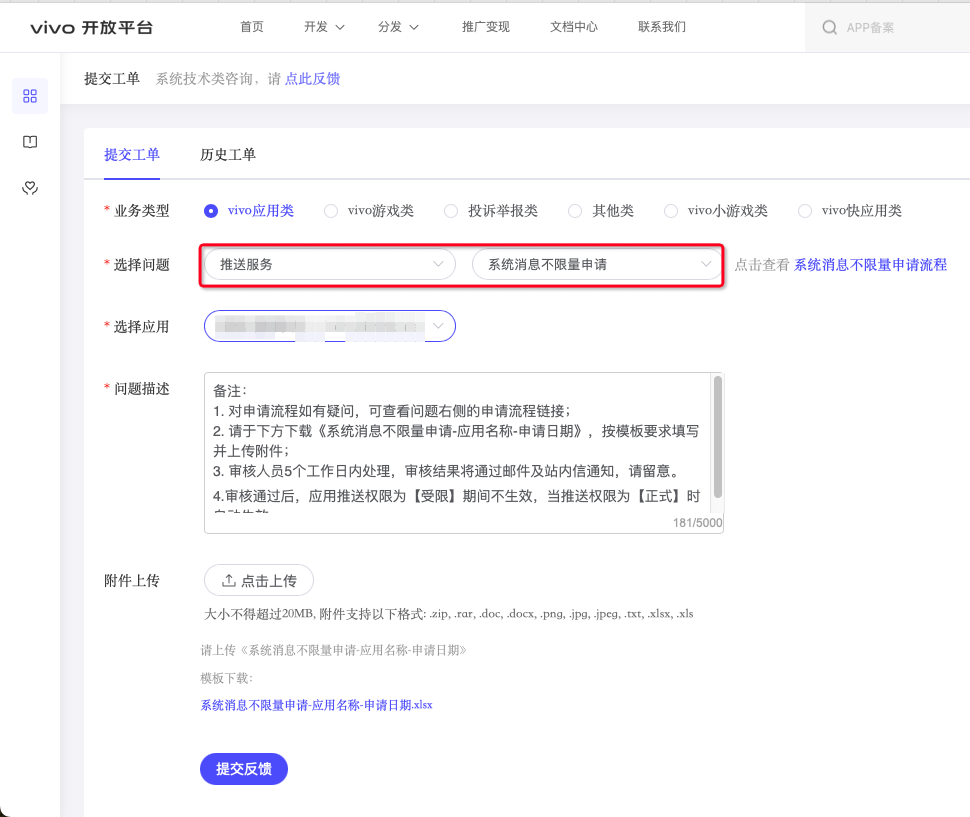
- Apply for unlimited system messages. This permission removes the message-count limit.
Click Ticket System.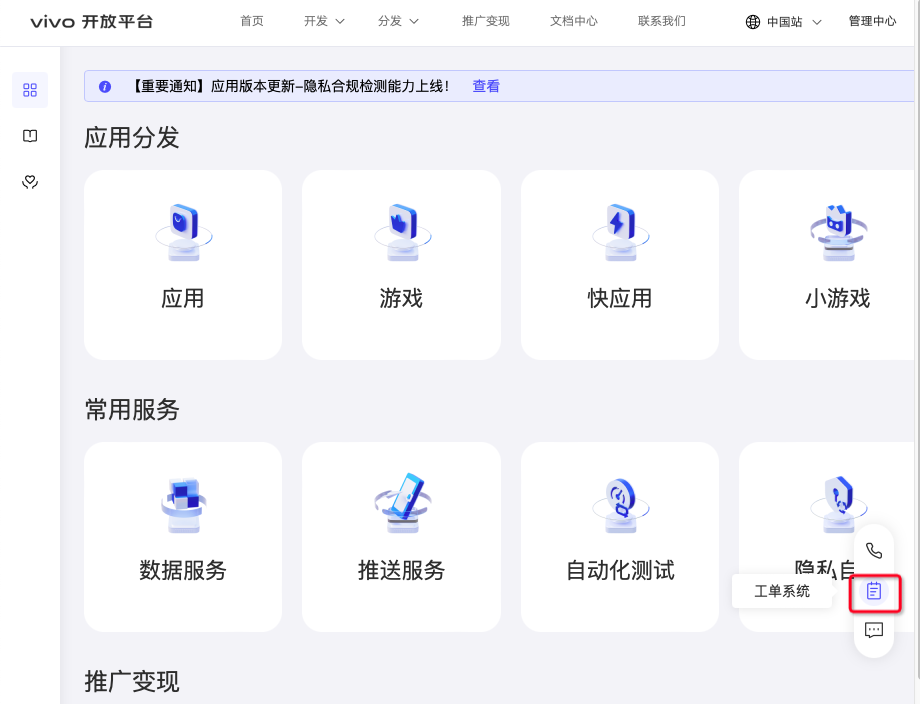
Business type: vivo app category
Select issue: Push business > Unlimited system message application
Select app: the app you want to enable
Attachment upload: the attachment is at the end; fill in App Name, AppID, and Package Name in the attachment. AppID is obtained in the steps above. Click Upload and select your attachment.
Submit the ticket and wait for review. The result is sent by email and an in-platform message.