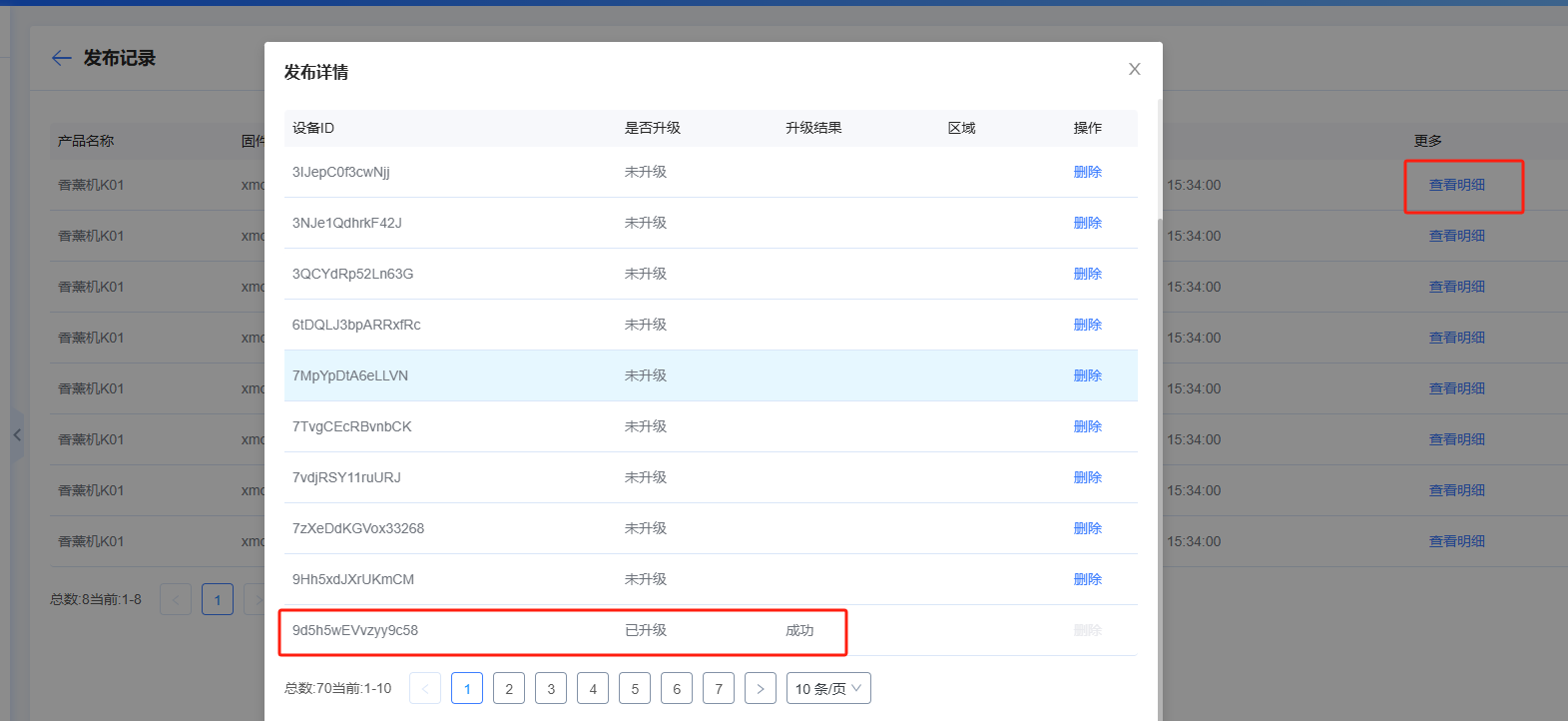
MCU OTA
- During normal use, MCUs may need patching, feature optimization, or new capabilities. Ubases IoT provides MCU OTA: the module passes firmware to the MCU via the XMODEM protocol, and the MCU updates itself. Note that the firmware selected for OTA is the MCU firmware version you uploaded; code and version information are maintained by the developer.
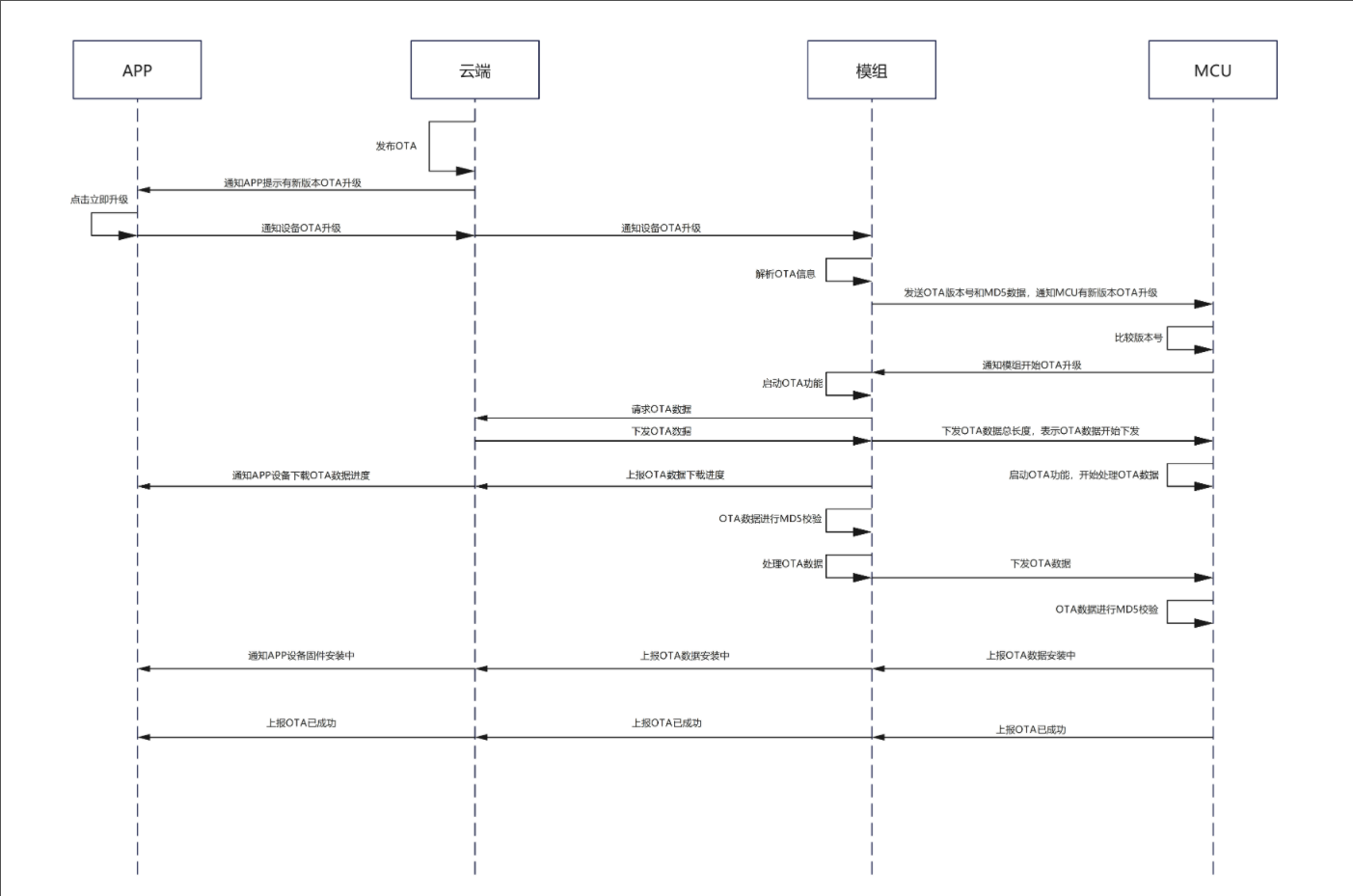
- In Firmware Management, add MCU firmware and upload a version
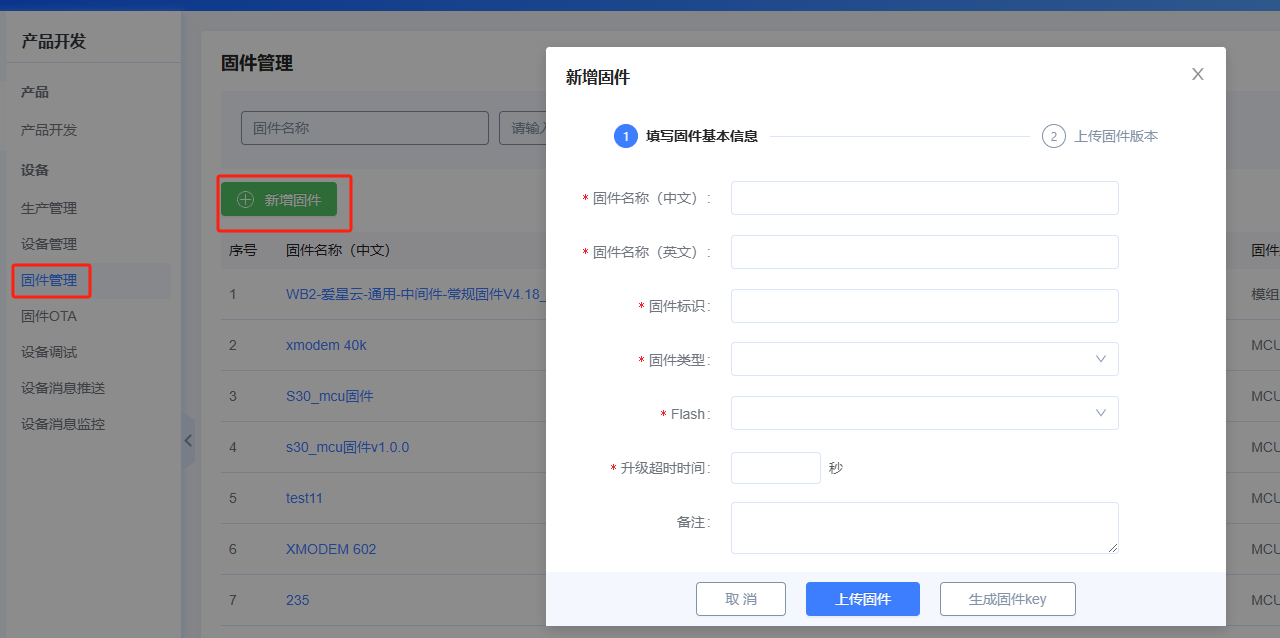
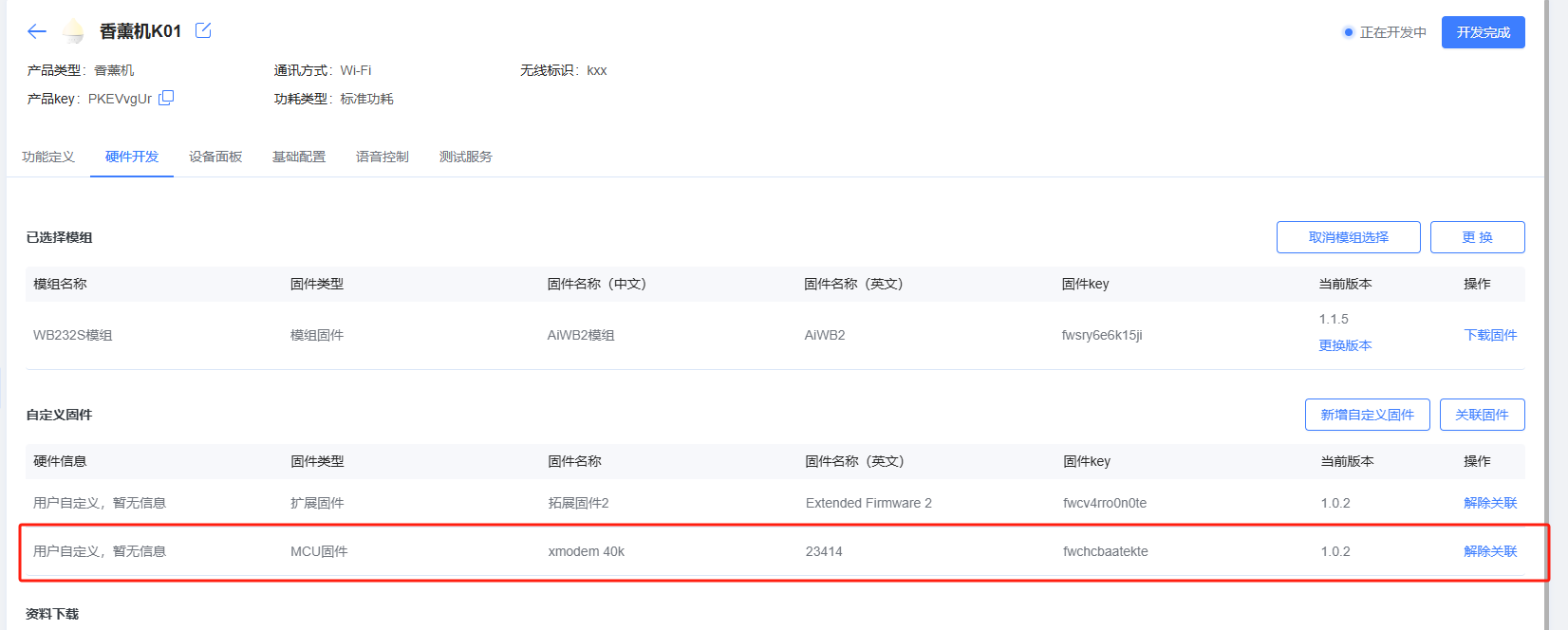
- Associate the MCU firmware created in the previous step with the product
In Firmware OTA, add an MCU OTA task

Same as module OTA: choose the publish method and target devices, then publish

- After a successful publish, the App for the corresponding devices shows an MCU OTA prompt. Users can upgrade; the App shows progress, then “Installing”, then “Install successful” after a short wait—MCU firmware upgrade is complete.



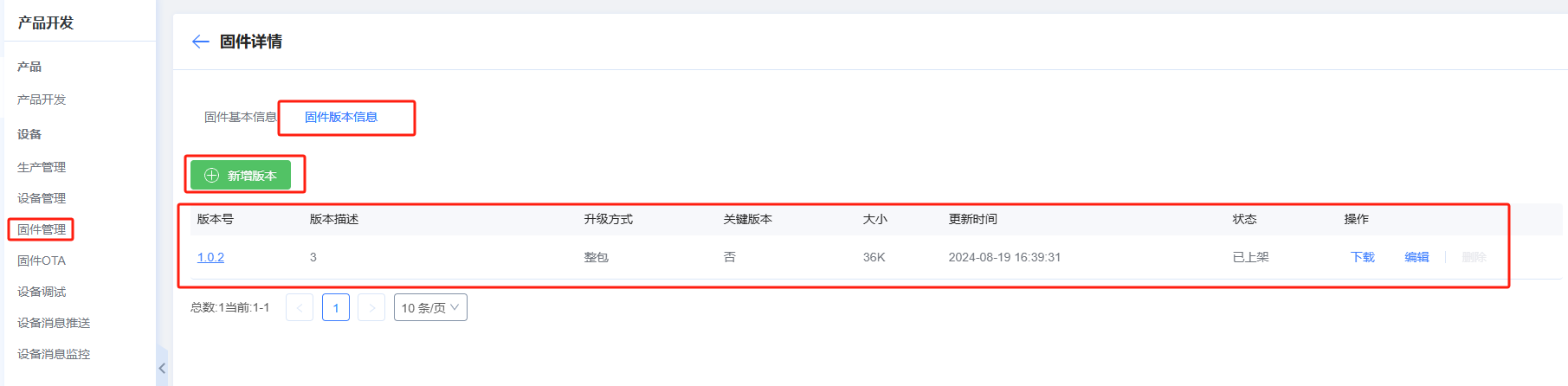
- View details to check upgrade status