Device Credentials
1) Purchase Device Credentials
Ubases IoT is currently running a promotion. Register as a platform user and receive a free device credential quota:
Personal account: 50; enterprise account: 100; verified enterprise account: 300—enough for small-scale evaluation and debugging.
Per commercial contract, after you confirm the purchase quantity, Ubases IoT will expand your quota promptly.
2) Generate Device Credentials
After you generate device credentials by product type and batch, they are activated automatically.
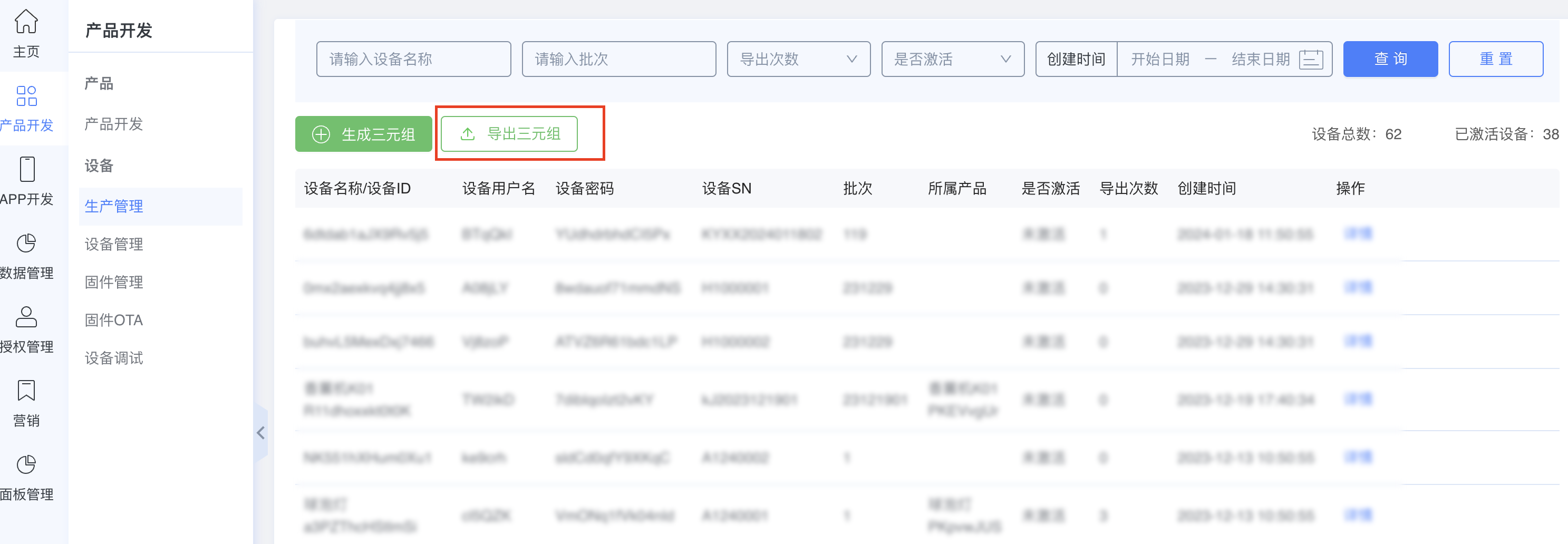
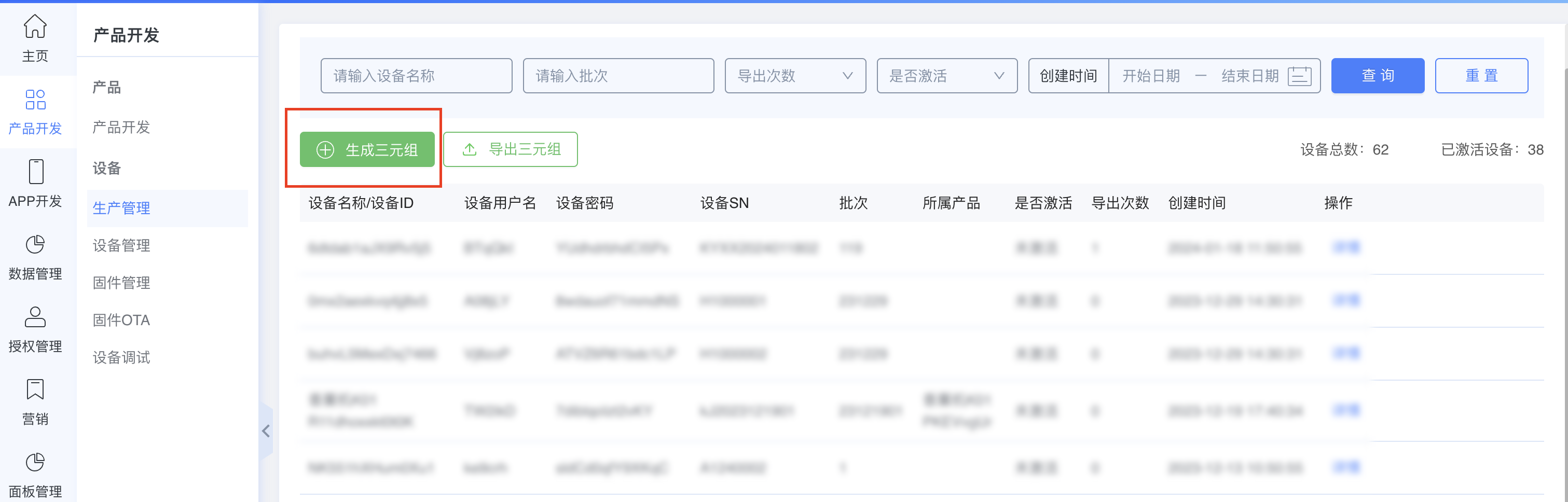
First: open the Product Development menu and select the Production Management submenu.
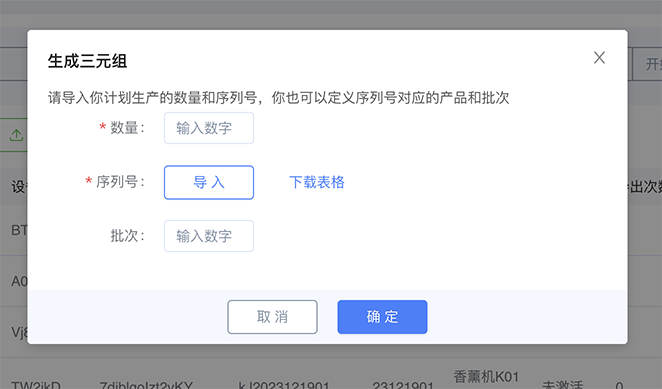
Next: click Generate Device Credentials, check the maximum import quota for this account and remaining capacity, import serial numbers based on the serial number template, select the product, and enter the batch.
Then, click Confirm to generate the requested number of device credentials. You can view them in the device list.
3) Export Device Credentials
Generated device credentials can be exported directly for firmware flashing during production. Device credentials contain critical product and device identity information. Each set is unique to one device and belongs exclusively to the developer account. Do not share exported credentials with other developers, as doing so may cause authentication failures.