Xiaomi Push Service (Vendor Push)
Prerequisites
- You have registered a Xiaomi developer account and completed enterprise verification: https://dev.mi.com/console/
Steps
Xiaomi official docs: Push Service Enablement Guide
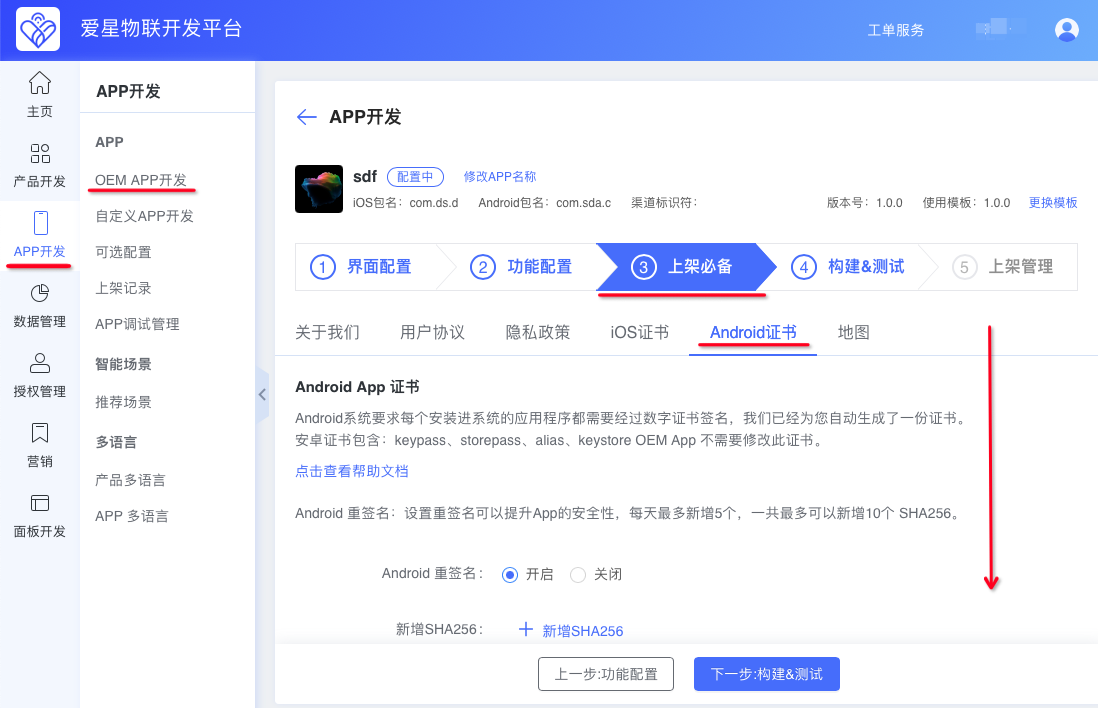
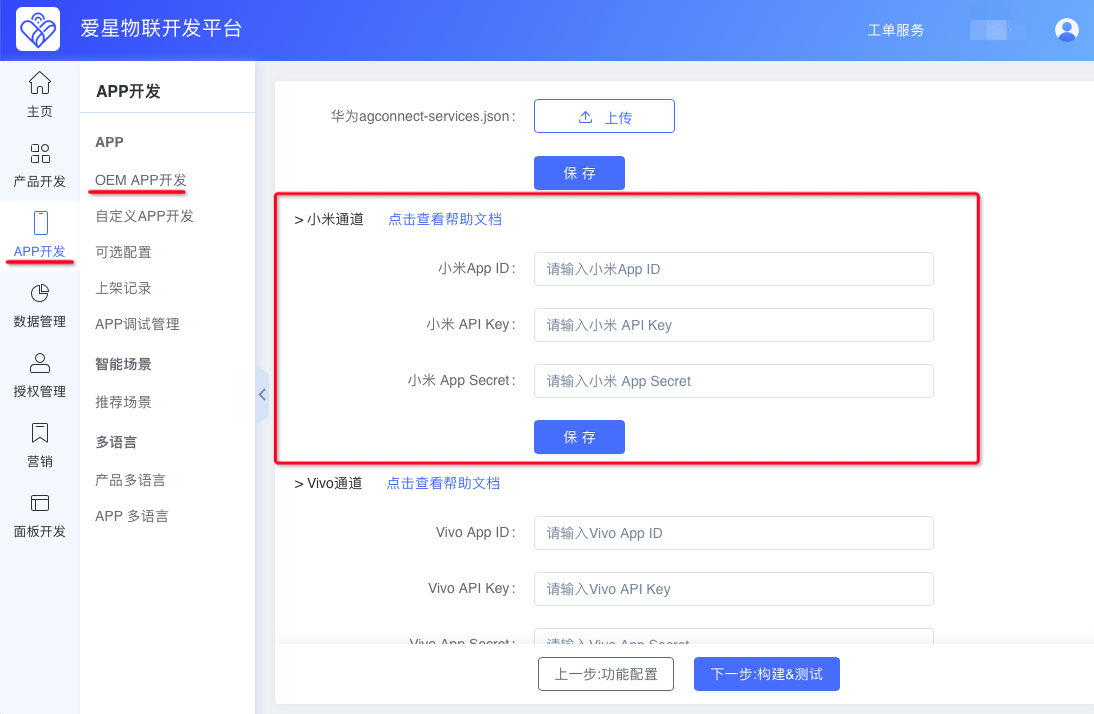
Follow the official docs when possible, then use step 4 below to fill in information, and steps 6 and 9 to obtain the keys to enter on the Ubases IoT development platform.
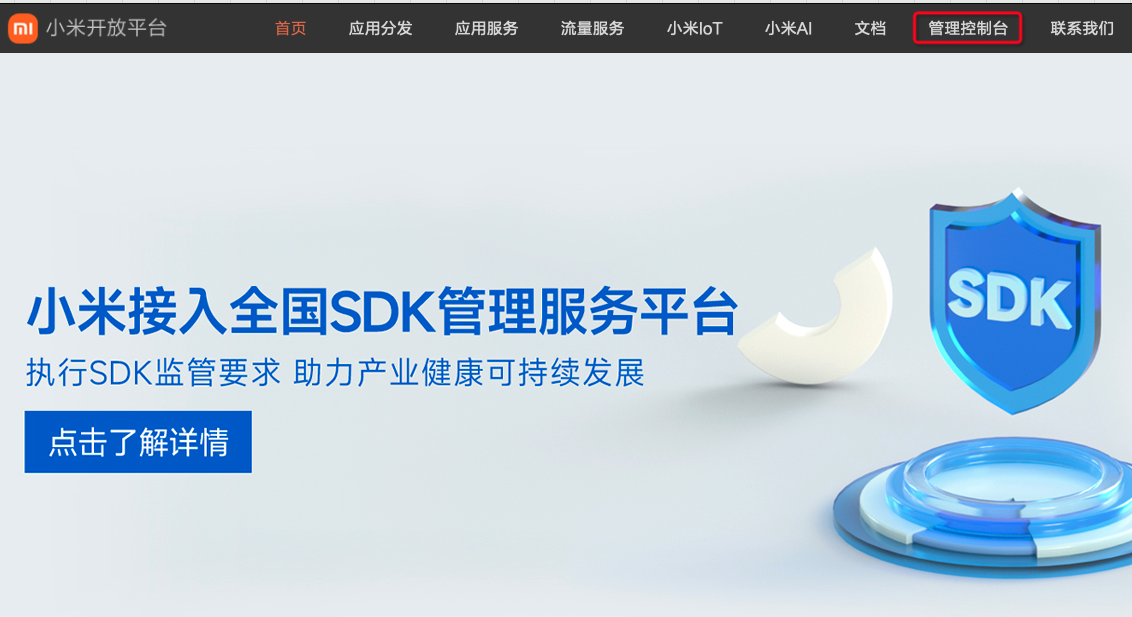
Open and sign in to the Xiaomi Open Platform
Click Management Console > Message Push.
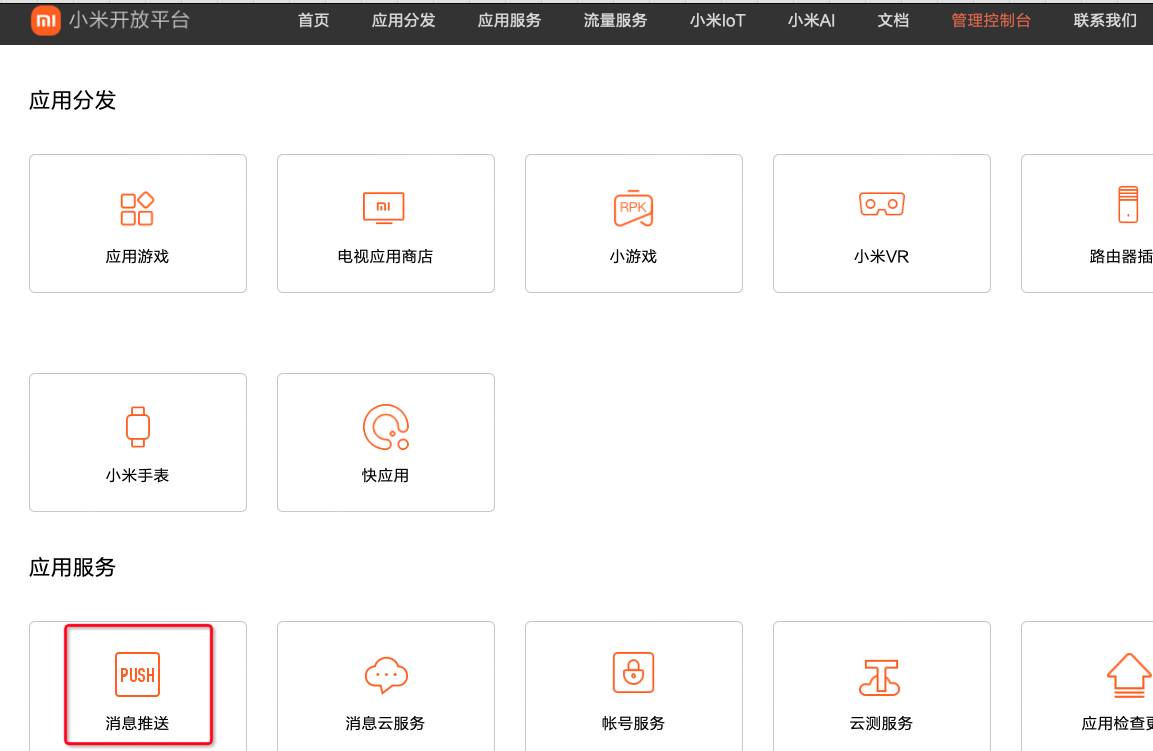
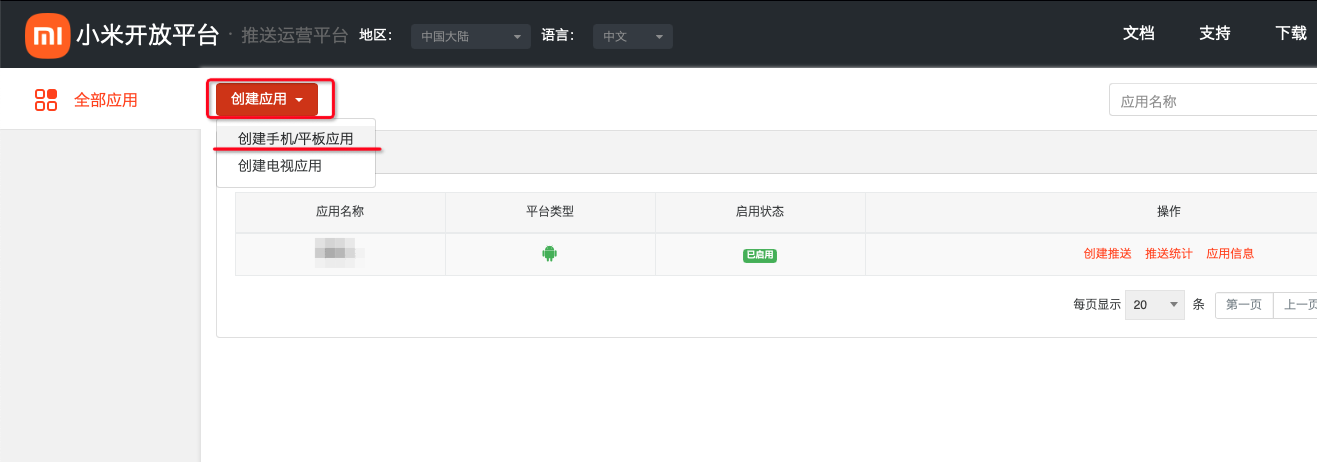
If your app does not exist, click Create App > Create Phone/Tablet App. If it already exists, skip create and go to step 4.
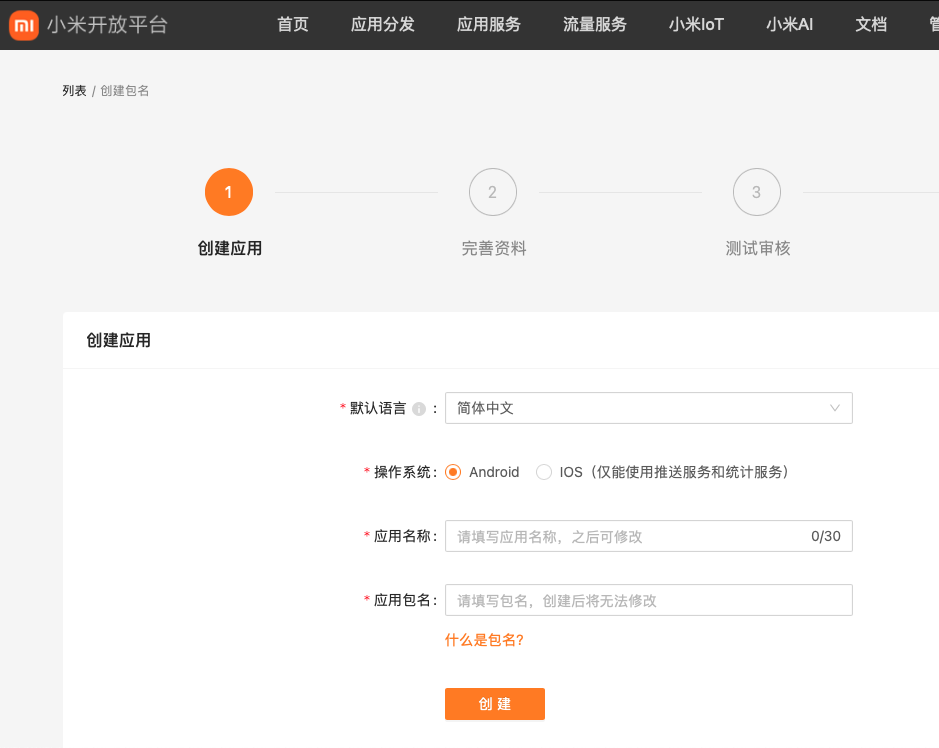
Fill in the create-app information.
Default language: Simplified Chinese
OS: Android
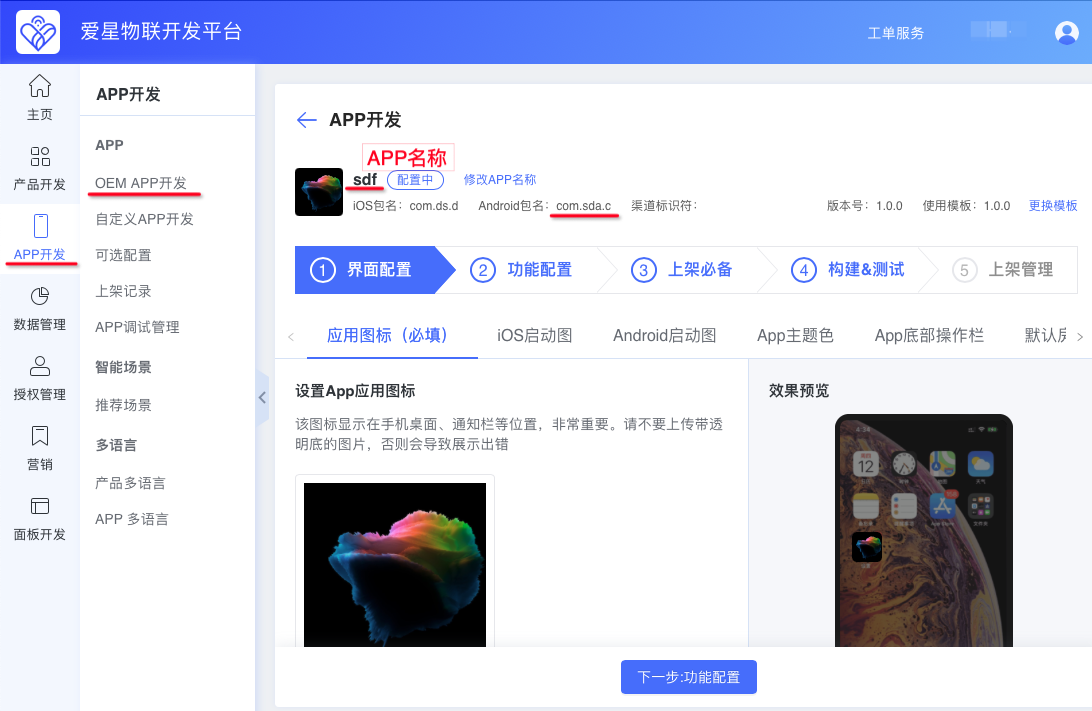
Copy the app name and package name from the Ubases IoT development platform.
Where to copy the app name and package name.
Click Create to open this page, then close it.
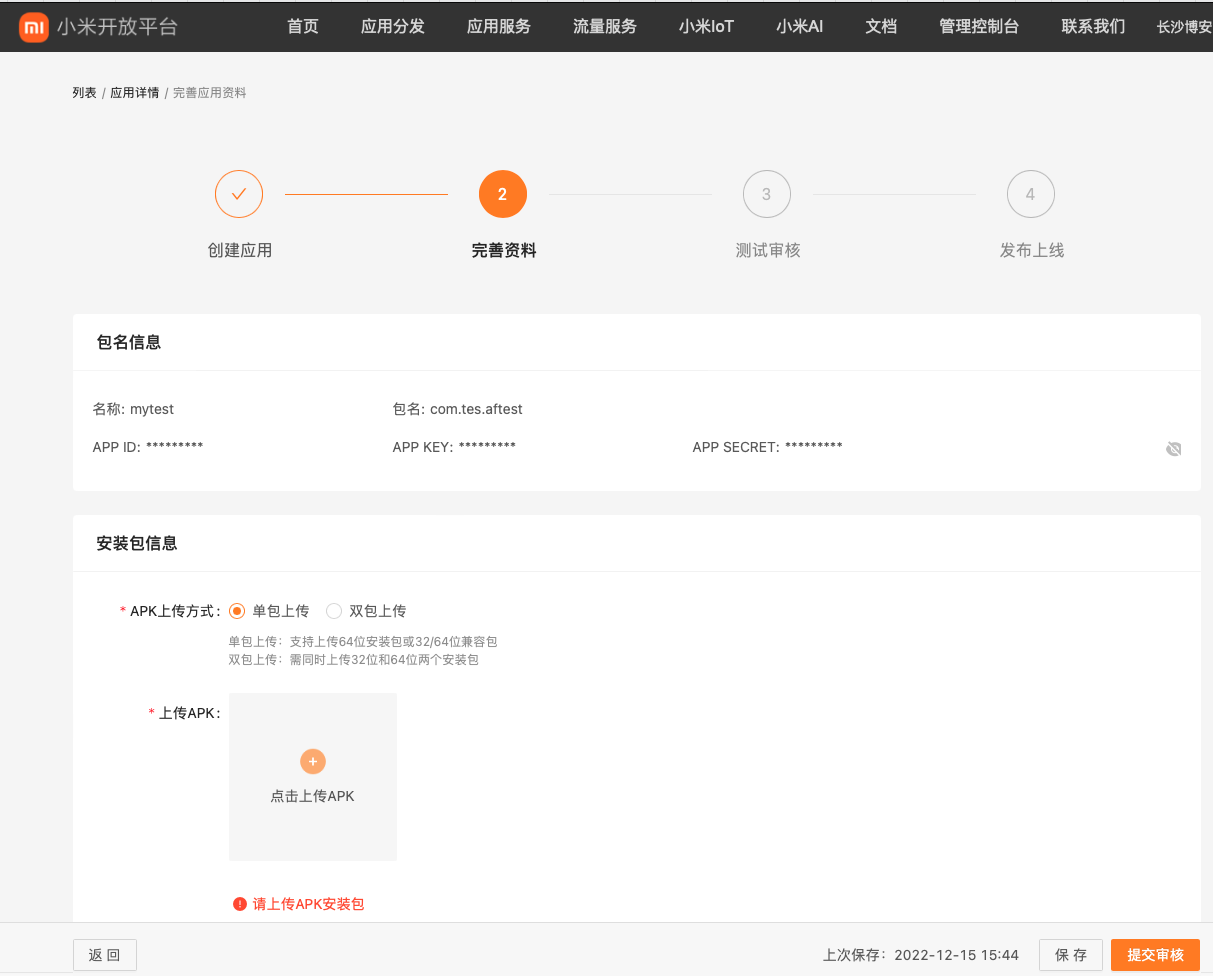
Return to the push operations platform page and refresh. The newly created app appears in the list. Click Enable Push for it.
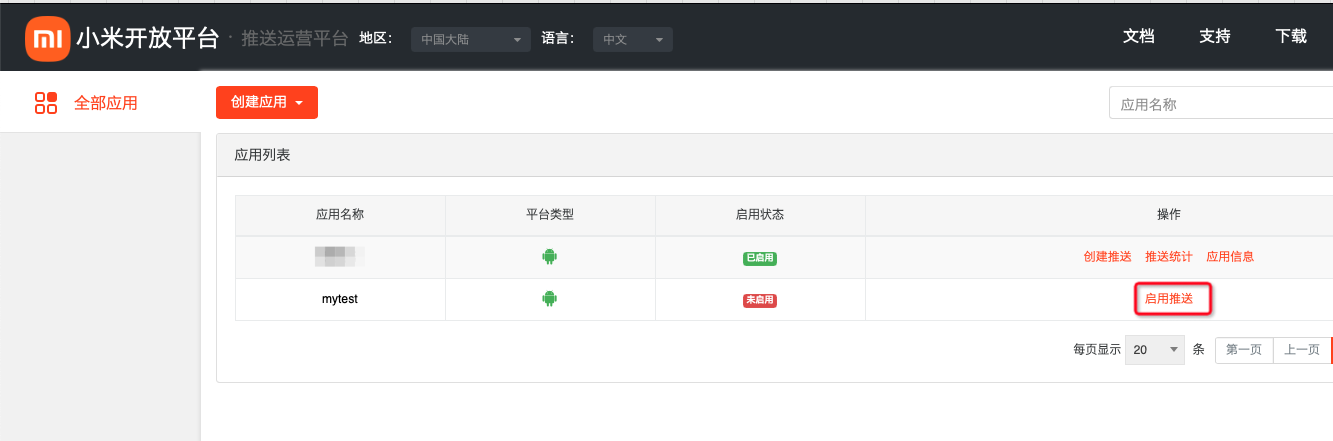
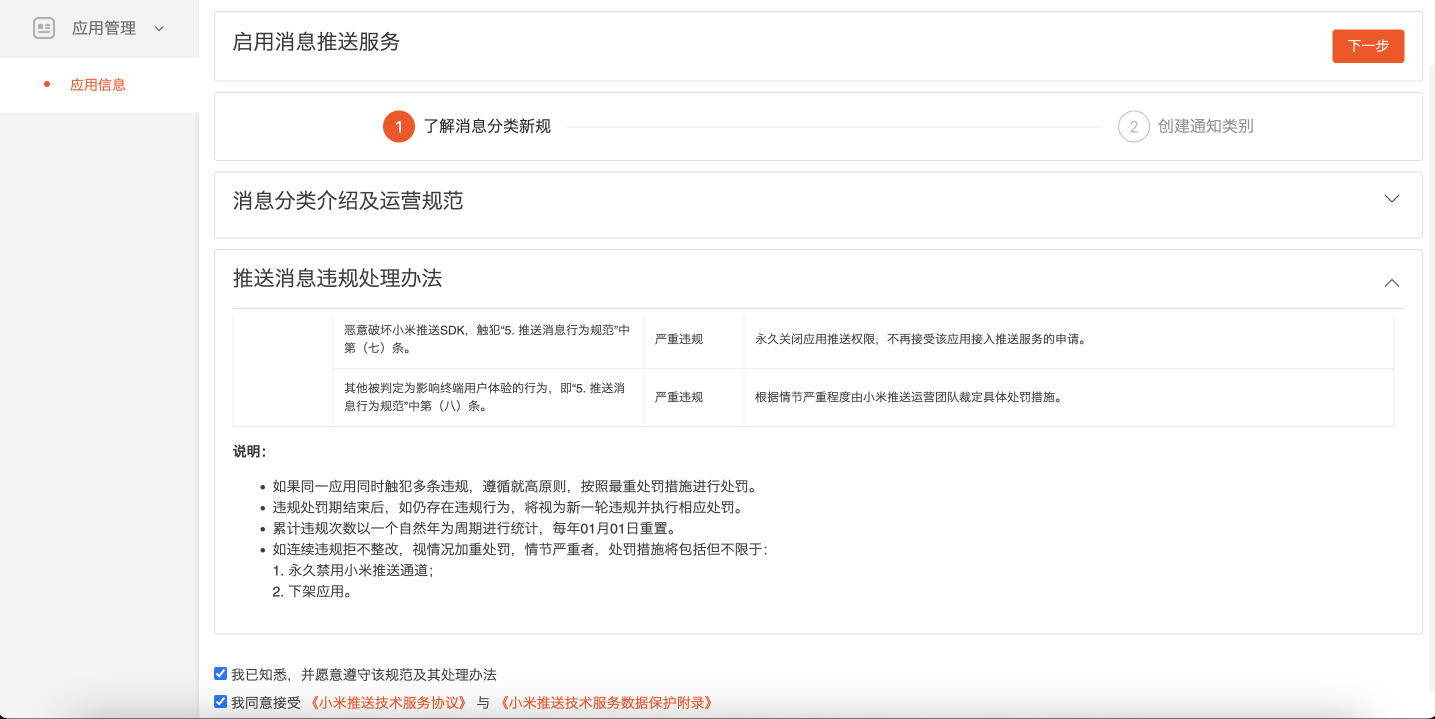
Check I acknowledge and I agree, then click Next.
The OEM App requires two notification categories. Click Add Category, then use Select Category to choose Device Info for one category and Personal Account for the other.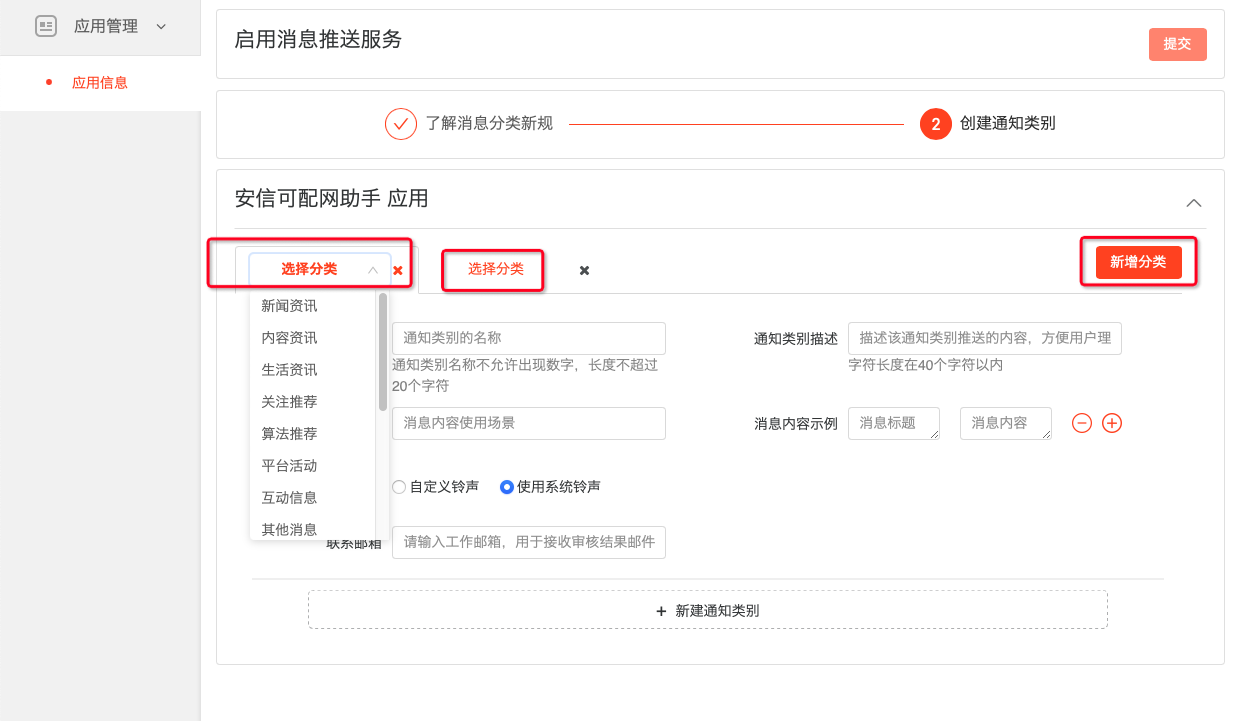
Fill in the details as follows:
Device Info category
Notification category name: Device
Notification category description: Push messages related to IoT devices
Message content use case: When IoT devices change
Custom ringtone: Use system ringtone
Message content examples:
Message title: Device added
Message content: “xxx” added in home “My Home” — “Air Conditioner” is ready to use
Note: replace “Air Conditioner” with your own product name
Contact email: your email address
Personal Account category
Notification category name: Account
Notification category description: Push messages related to accounts
Message content use case: When account-related information changes
Custom ringtone: Use system ringtone
Message content examples (two; use “+”/“-” to add/remove):
Example 1
Message title: Home removed
Message content: “User X” removed home “xxx”
Example 2
Message title: New member joined
Message content: “Xiaoming” invited “Xiaohong” to join home “xxx”
Note: adjust the quoted text in both messages as appropriate
Contact email: your email address
Click Submit and wait for review (may take several days). Success or failure results are sent to the contact email you provided.
If you see “Your app xxx has not been published on the Xiaomi App Store. Please create the app and publish it to the store before enabling push”, enable the push service after the App has been published on the Xiaomi App Store.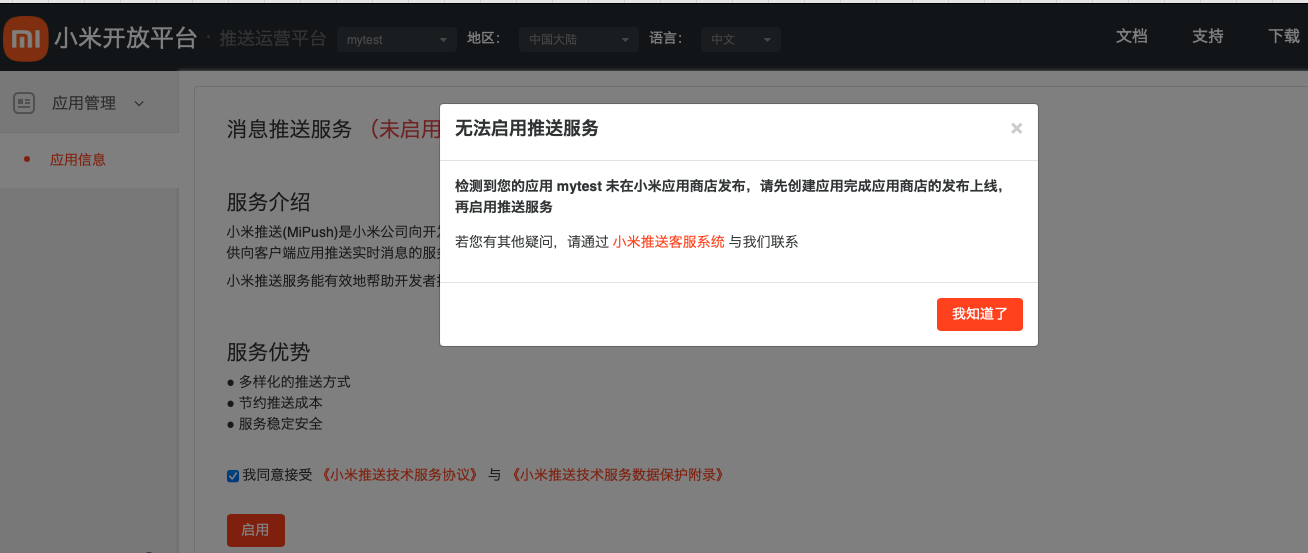
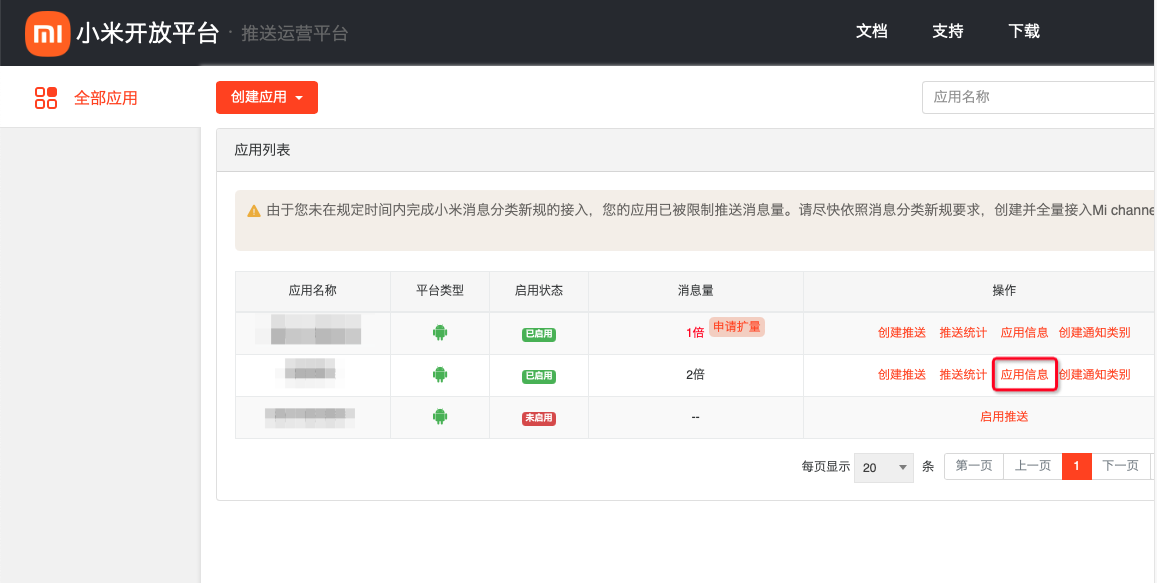
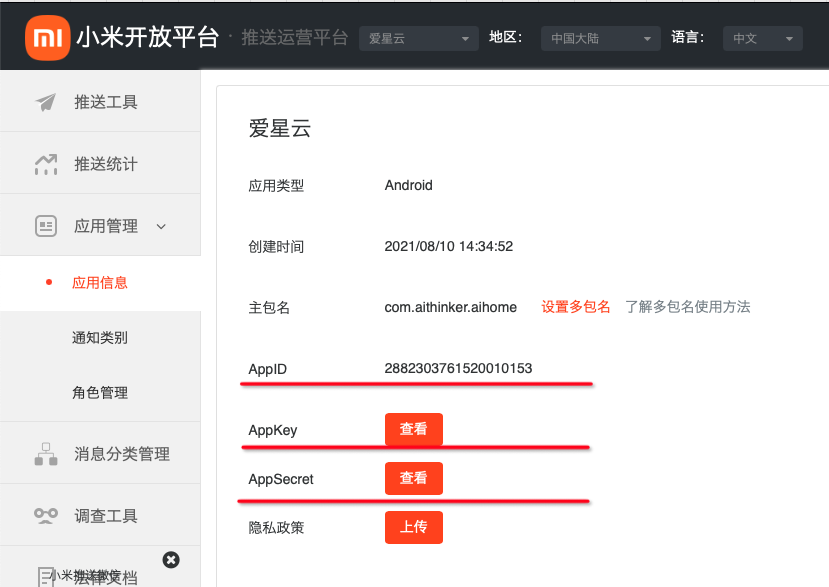
- After approval, return to the push operations platform, click App Info for the app, then View to show values. AppID, AppKey, and AppSecret must be entered on the Ubases IoT development platform. See step 9.
Click Message Category Management > channel list. These two channel id values must also be entered on the Ubases IoT development platform.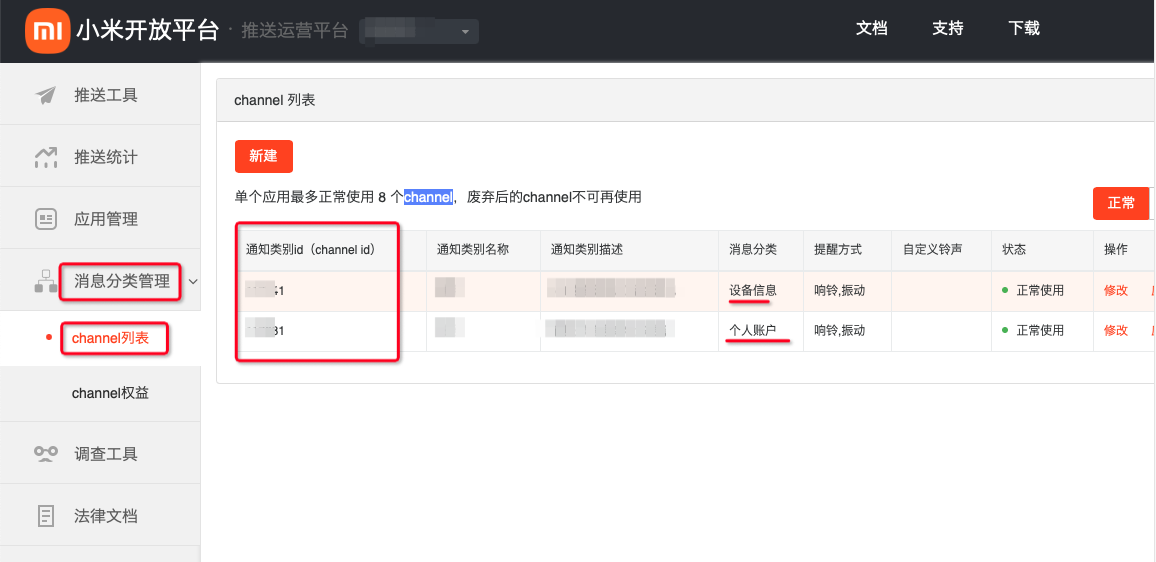
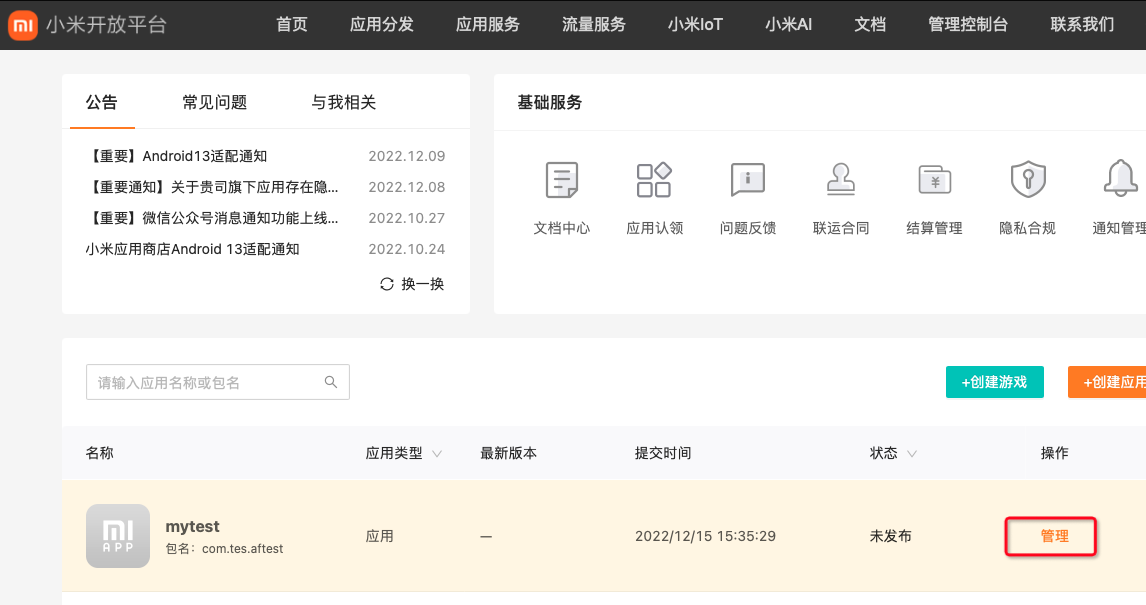
- If enablement fails, go to Xiaomi Open Platform > Management Console > Apps & Games.
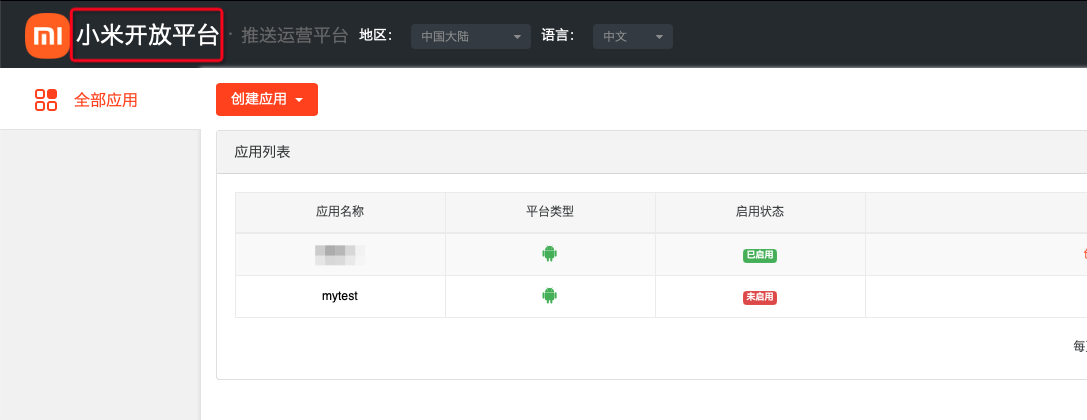
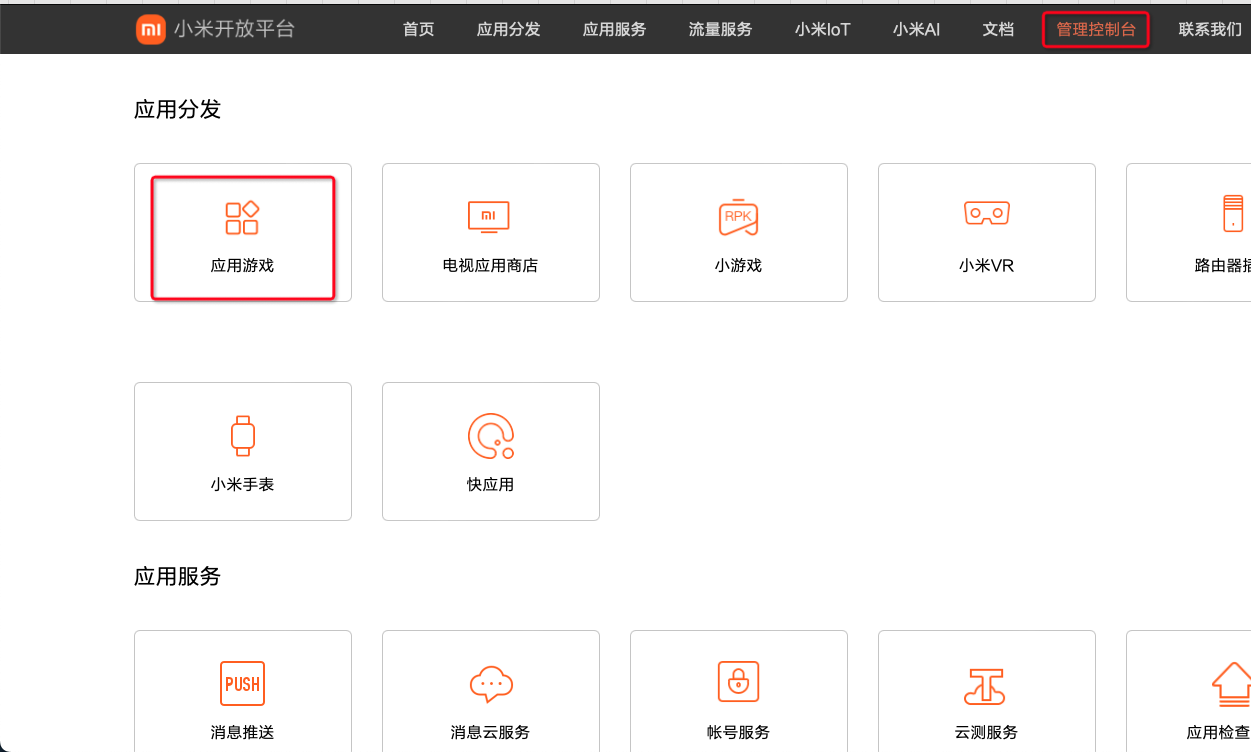
- Click Manage for the app to see AppID, AppKey, and AppSecret.
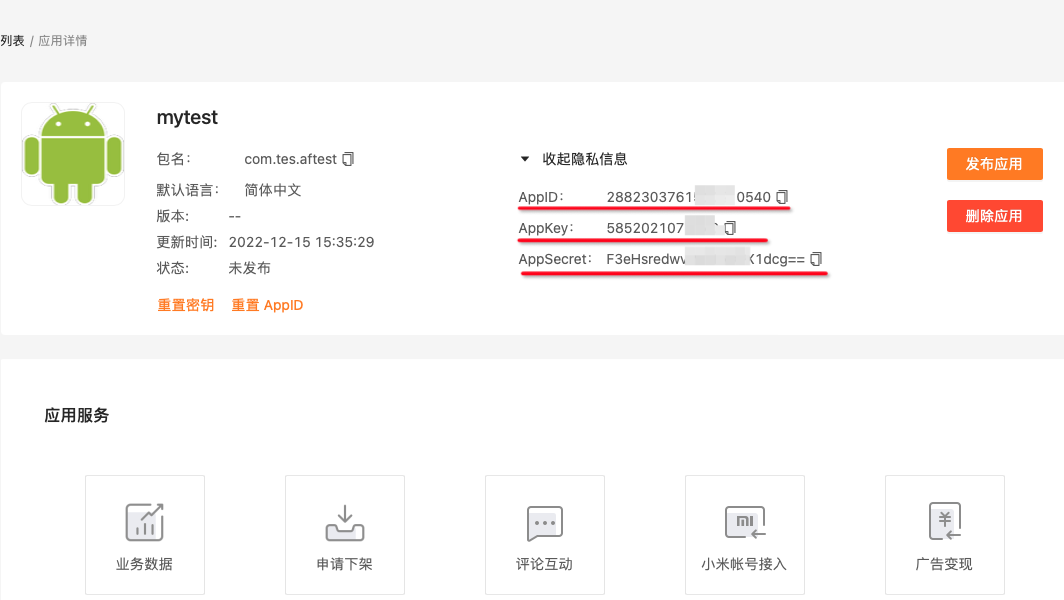
- Copy AppID, AppKey, AppSecret, and the two channel id values to the Ubases IoT development platform, then click Save.