Custom Notification Configuration
The Ubases IoT Open Platform supports custom SMS and email providers and notification templates for Apps. Developers can customize notification behavior based on the available template types.
Enable Custom Notification Configuration
Go to App Development > Notification Configuration.
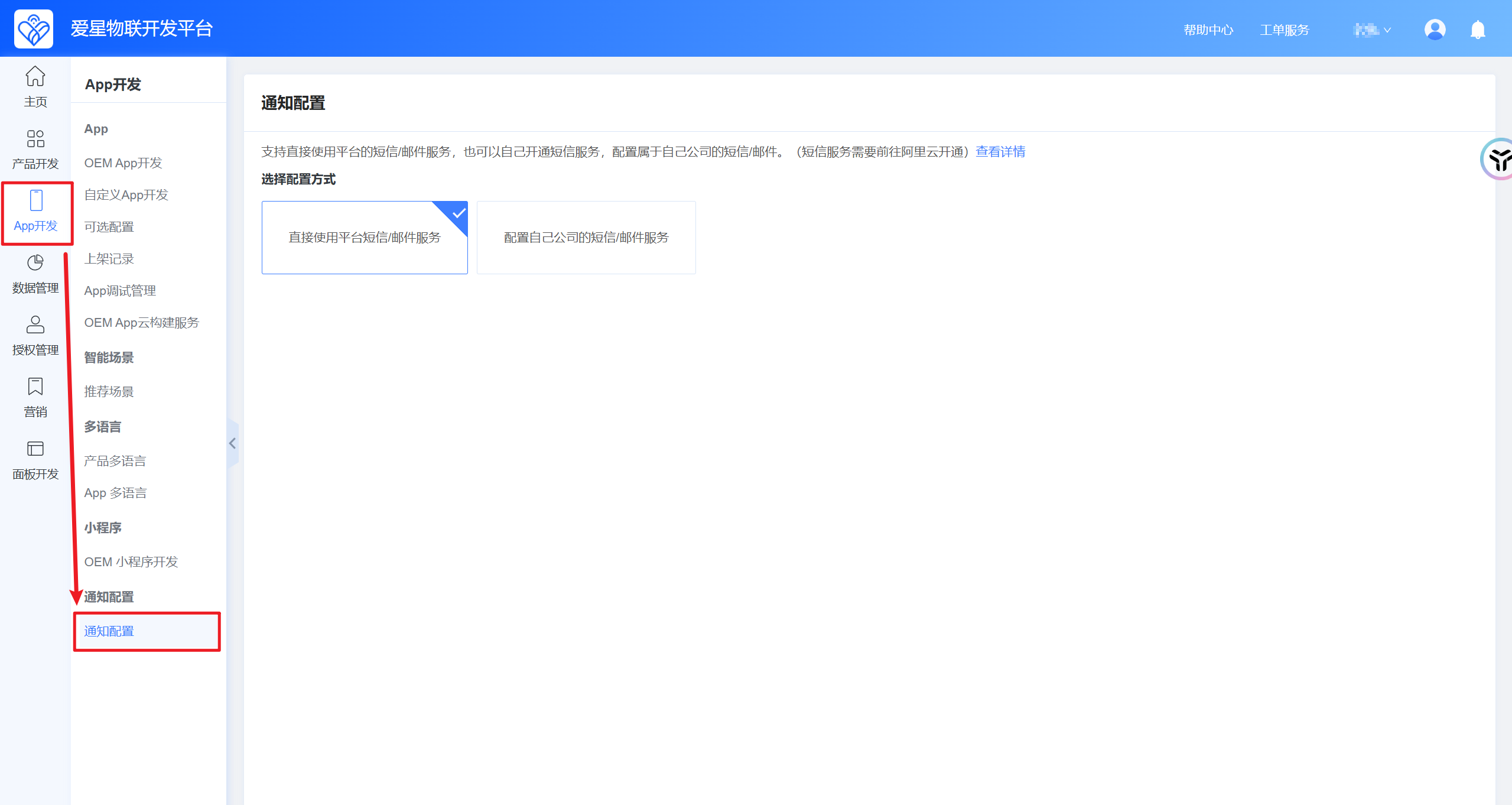
By default, the notification mode is Use platform SMS and email services directly. To use your own providers, switch to Configure your company's SMS and email services.
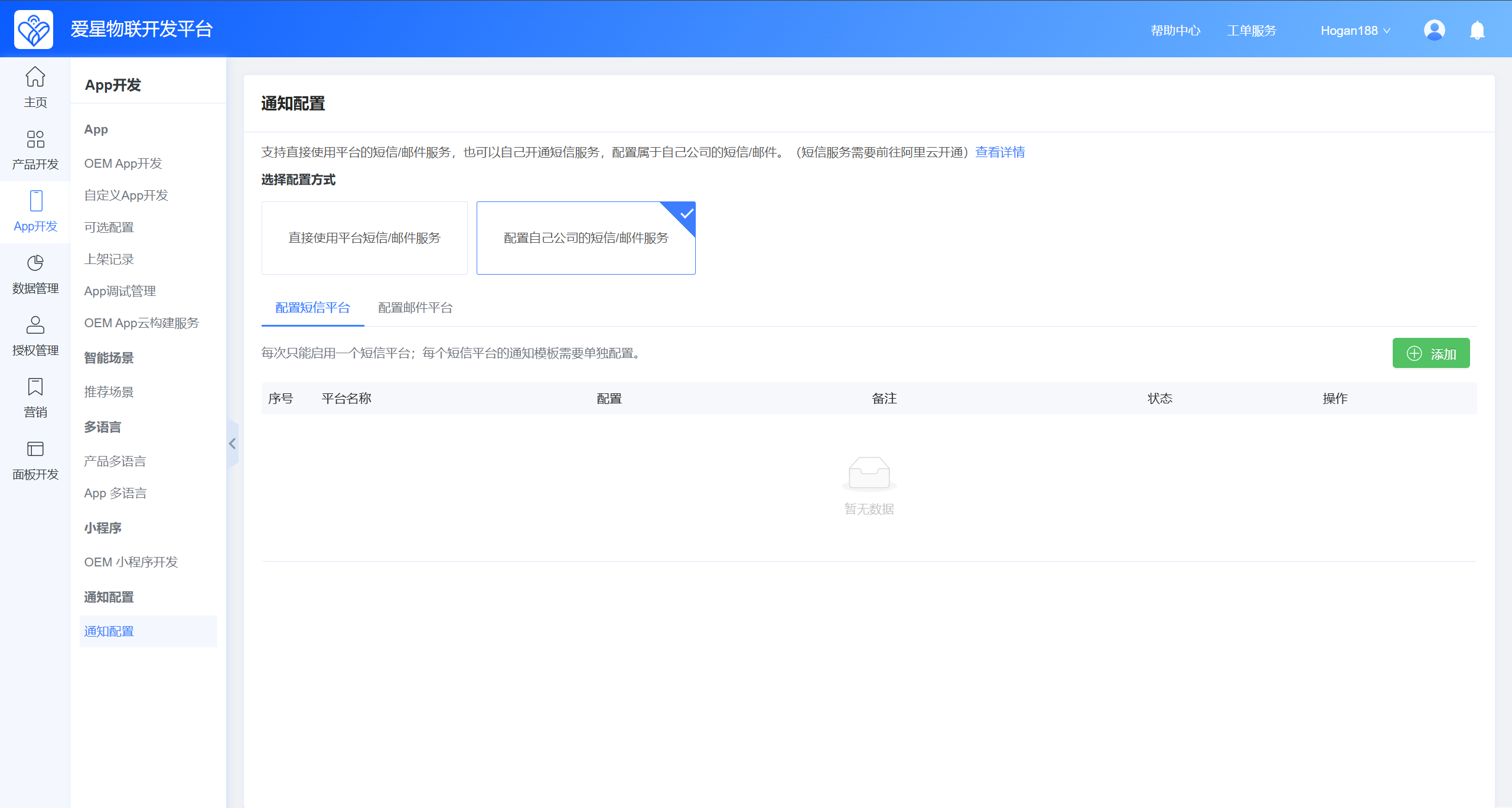
You can configure both SMS and email providers.
Configure SMS
To support different SMS platforms, configuration is defined in JSON for easier integration of additional providers later. The following example uses Alibaba Cloud SMS, which is already integrated.
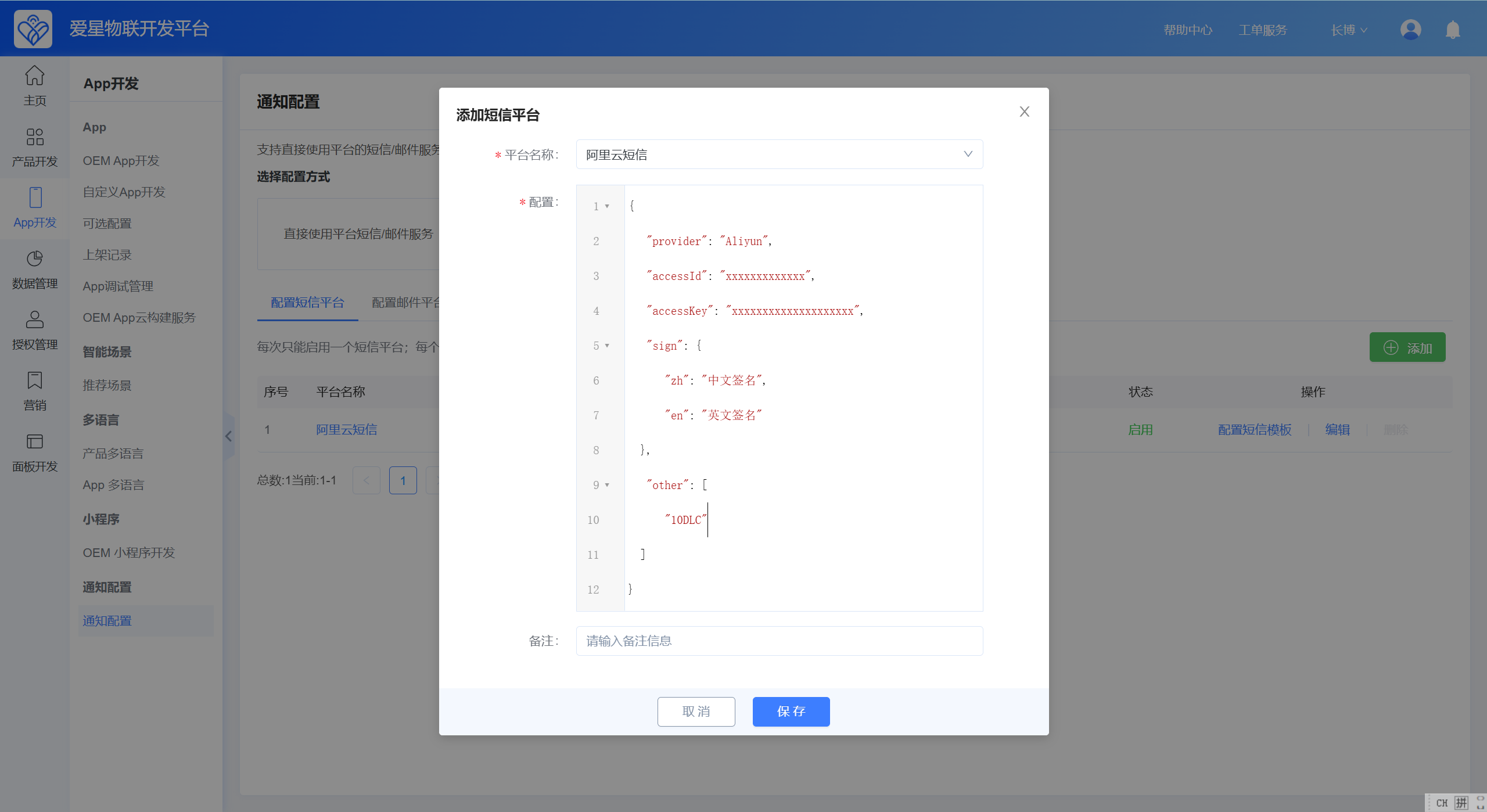
JSON configuration description
{
  // SMS provider. Currently only Aliyun is supported.
  "provider": "Aliyun",
  // AccessKey ID for the Alibaba Cloud account.
  "accessId": "xxxxxxxxxxxxxxxxxxx",
  // AccessKey secret for the Alibaba Cloud account.
  "accessKey": "xxxxxxxxxxxxxxxxxxxxxxx",
  // SMS signatures in Chinese and English.
  "sign": {
    "zh": "Chinese signature",
    "en": "English signature"
  },
  // Apply for 10DLC through an Alibaba Cloud support ticket when sending international SMS messages.
  "other": [
    "10DLC"
  ]
}
Email Configuration
The standard email settings below support most email providers.
Email platforms overview
Domestic email:
Tencent Mail (QQ Mail and Tencent Exmail), NetEase Mail (163 and 126), Sohu Mail, Sina Mail, 139 Mail, 189 Mail
International email:
Outlook, Gmail, Zoho Mail;
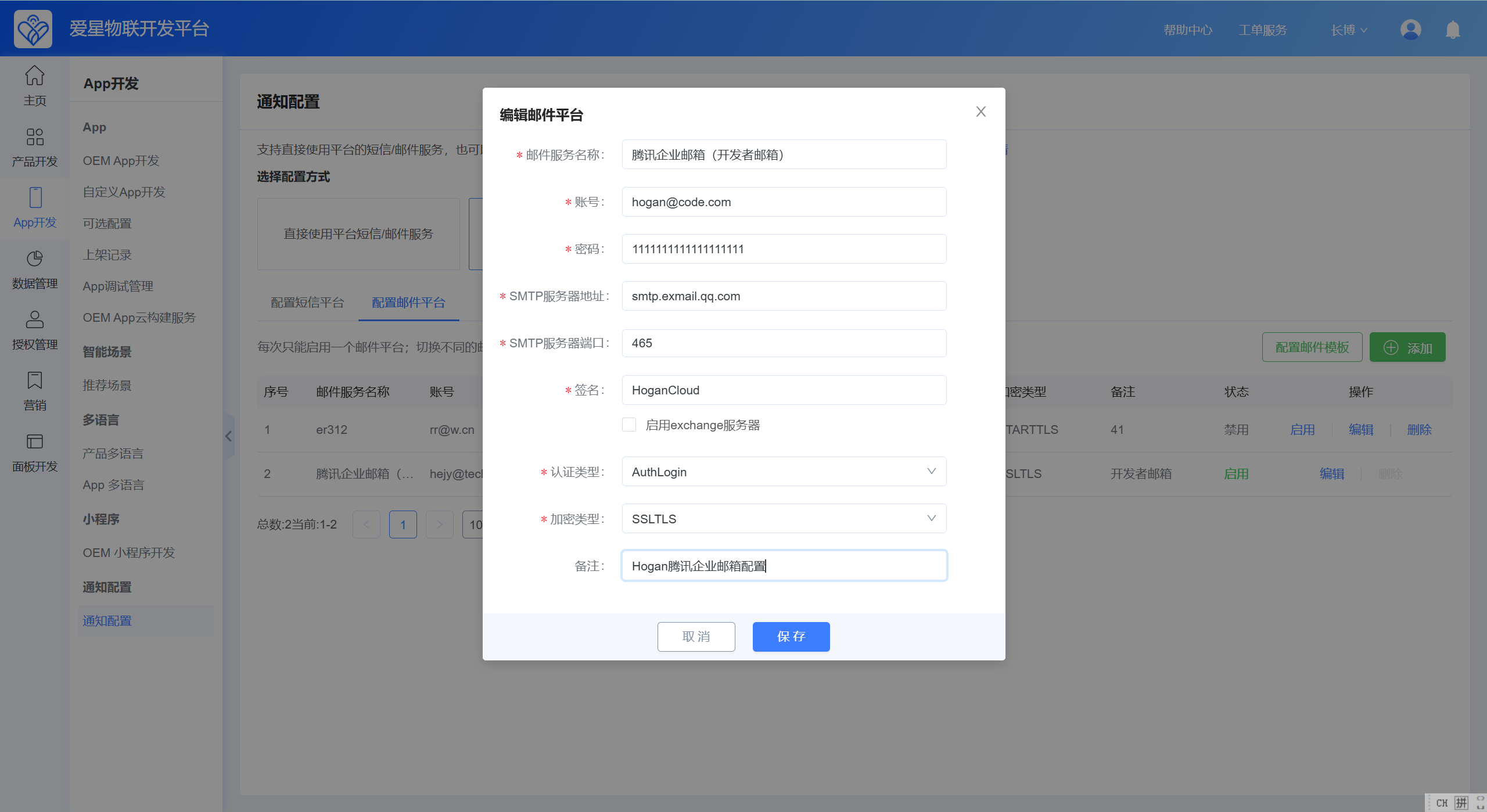
Mail service name: Used only as a label so developers can identify the configuration;
Account: The sending email account
Password: The email password or client password; we recommend a dedicated client sending password;
SMTP server address: The mail service address; configure according to your email provider—common examples are listed below;
SMTP server port: The mail service port
Signature: Prefix for the email subject, for example: [Ubases IoT] xxxxxxxx
Enable Exchange server: Check this if your mailbox uses Exchange;
Auth type: Select based on your email authentication method
Encryption type: Select based on your email encryption method
Email Configuration Examples by Platform
Domestic email platforms
| Email platform | SMTP address | Port | Auth type | Encryption |
|---|---|---|---|---|
| QQ Mail | smtp.qq.com | 465 or 587 | Username and password | SSLTLS |
| Tencent Exmail | smtp.exmail.qq.com | 465 | Username and password | SSLTLS |
| 163 Mail | smtp.163.com | 465 or 994 | Username and password | SSLTLS |
| 126 Mail | smtp.126.com | 465 or 994 | Username and password | SSLTLS |
| Sohu Mail | smtp.sohu.com | 465 | Username and password | SSLTLS |
| Sina Mail | smtp.sina.com | 465 | Username and password | SSLTLS |
| 139 Mail | smtp.139.com | 465 or 587 | Username and password | SSLTLS |
| 189 Mail | smtp.189.cn | 465 | Username and password | SSLTLS |
International email platforms
| Email platform | SMTP address | Port | Auth type | Encryption |
|---|---|---|---|---|
| Outlook | smtp.office365.com | 587 | Username and password | STARTTLS |
| Gmail | smtp.gmail.com | 587 | Username and password | STARTTLS |
| Zoho Mail | smtp.zoho.com | 587 | Username and password | STARTTLS |
Notification Template Configuration
Each SMS provider has its own set of SMS templates. All email providers share the same notification templates.
SMS notification templates

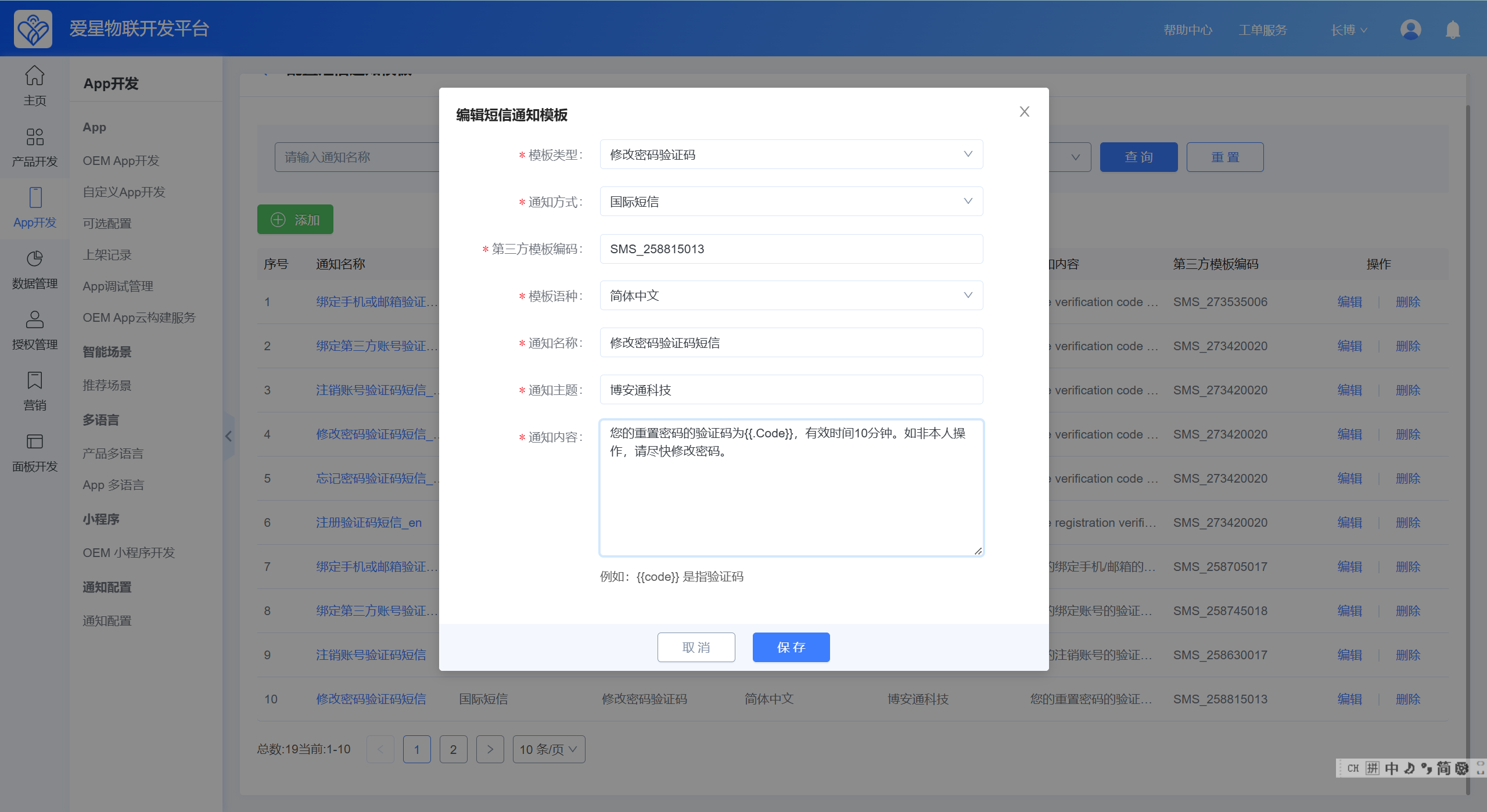
Open the template list and click Add to create a template. The third-party template code must be obtained from Alibaba Cloud. The content entered here is for preview only and is not synchronized with Alibaba Cloud. Within each SMS provider, the combination of template type, notification method, and language must be unique.
Email notification templates

Open the template list and click Add to create a template. Email templates are unique by template type + notification method + language. The send content is the notification body.