

Pre-Integration Preparation
This section describes the materials, technologies, and environments that each role should prepare before integration.
I. Account Registration
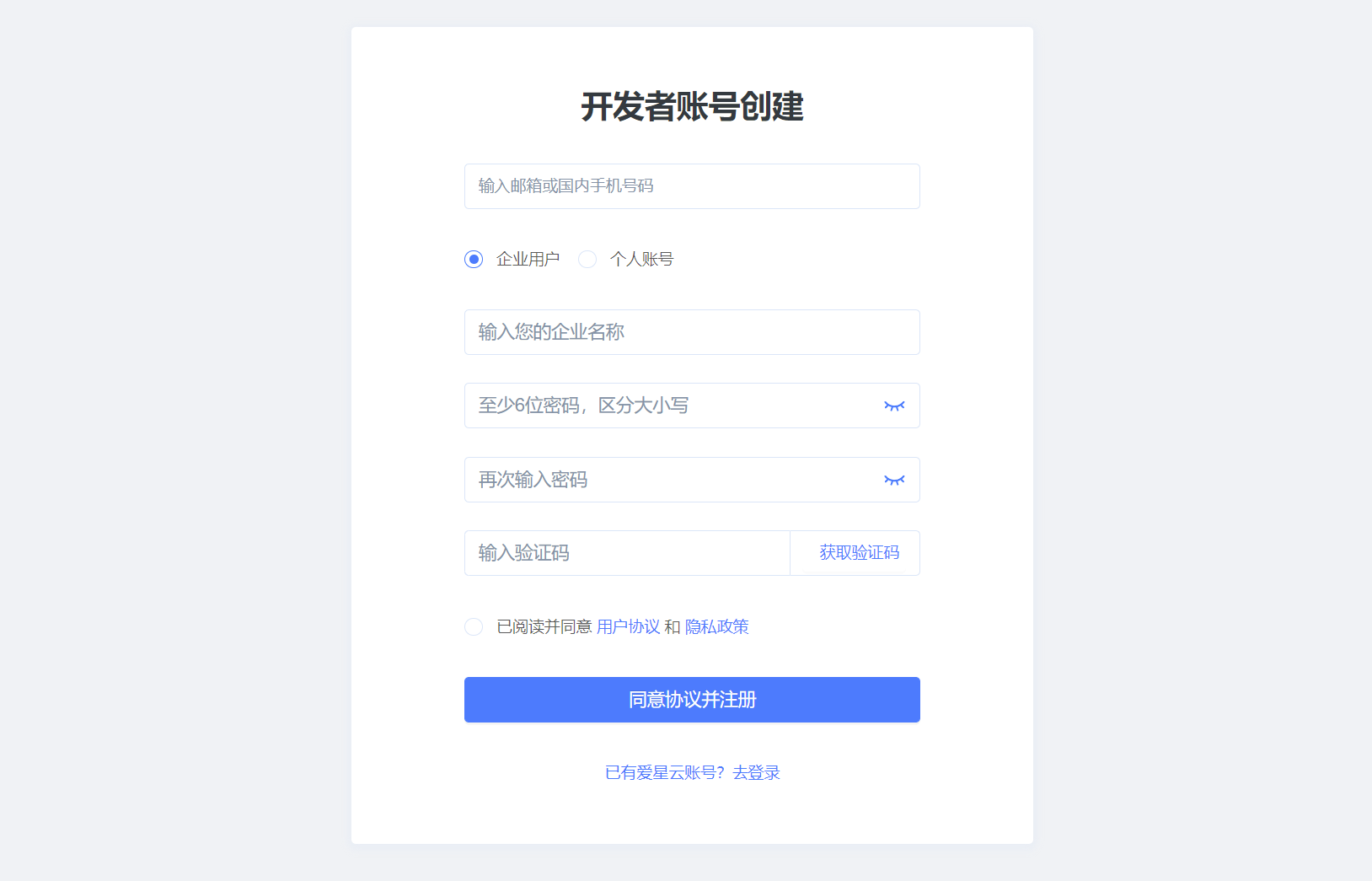
- Go to the Account Registration page and follow the on-screen instructions to register a developer account. This account has the highest level of permissions in the developer workspace, so keep its credentials secure.
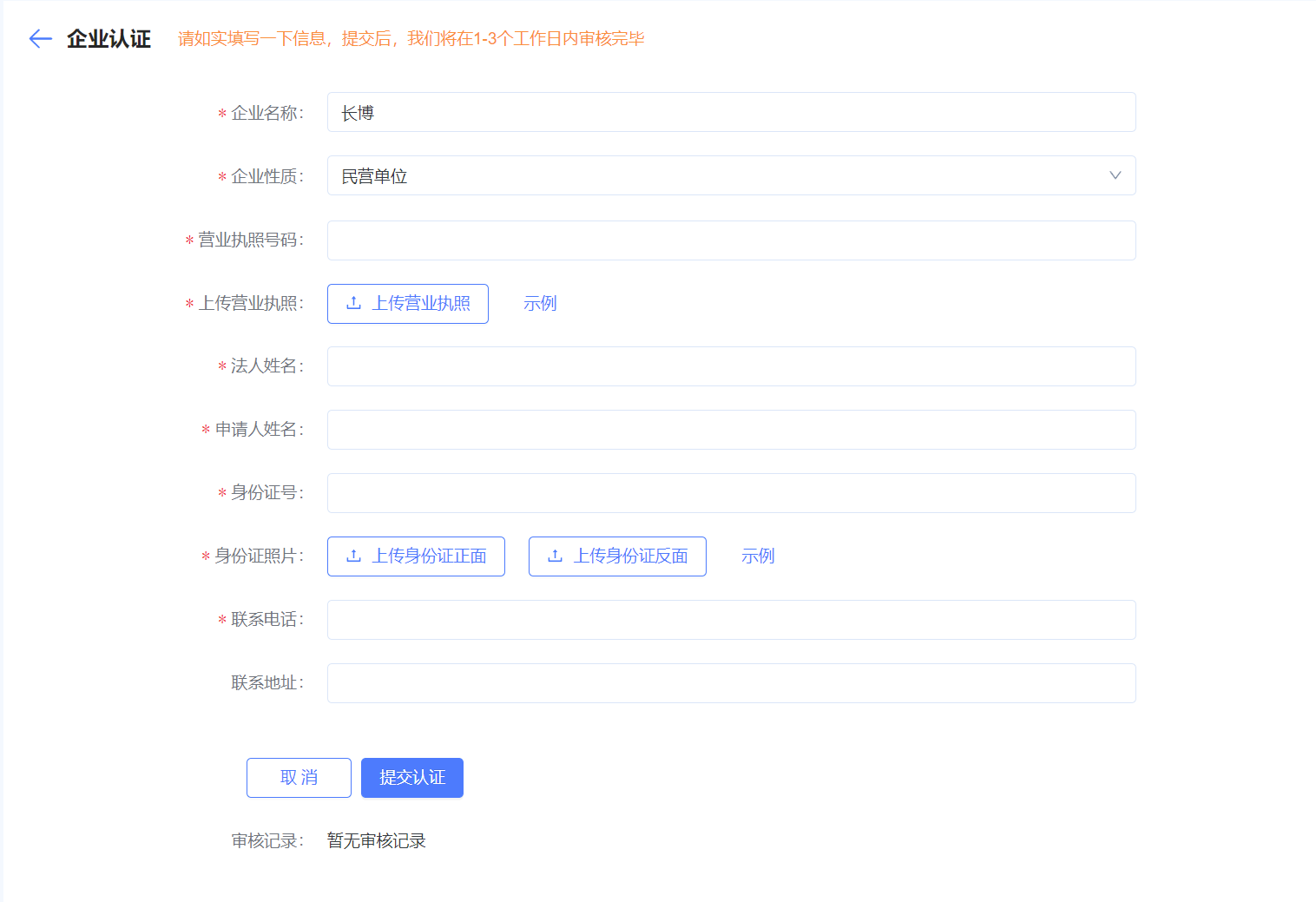
- [Optional] Complete enterprise certification. For the detailed process, see Enterprise Certification.
Enterprise-verified accounts receive higher quotas for device credentials and virtual devices. Enterprise verification is therefore recommended.

- By default, the platform provides each user with 30–100 free sets of device credentials. Contact the sales team to request a higher quota.
II. Create a Product
Create a Product
Log in to the developer platform
Click “Create Product”

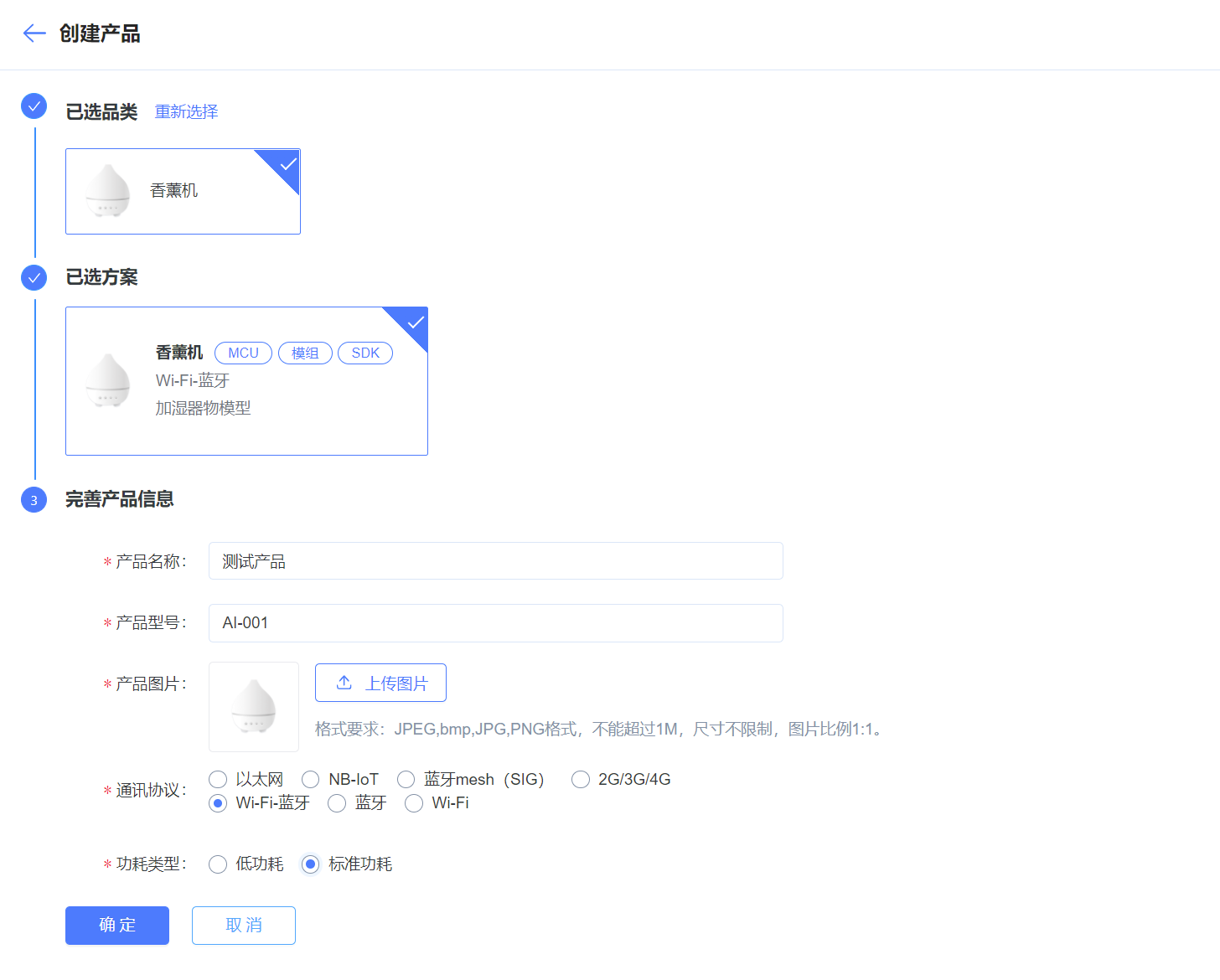
- Select the product category and type, fill in basic product information, and submit
Configure Product Functions
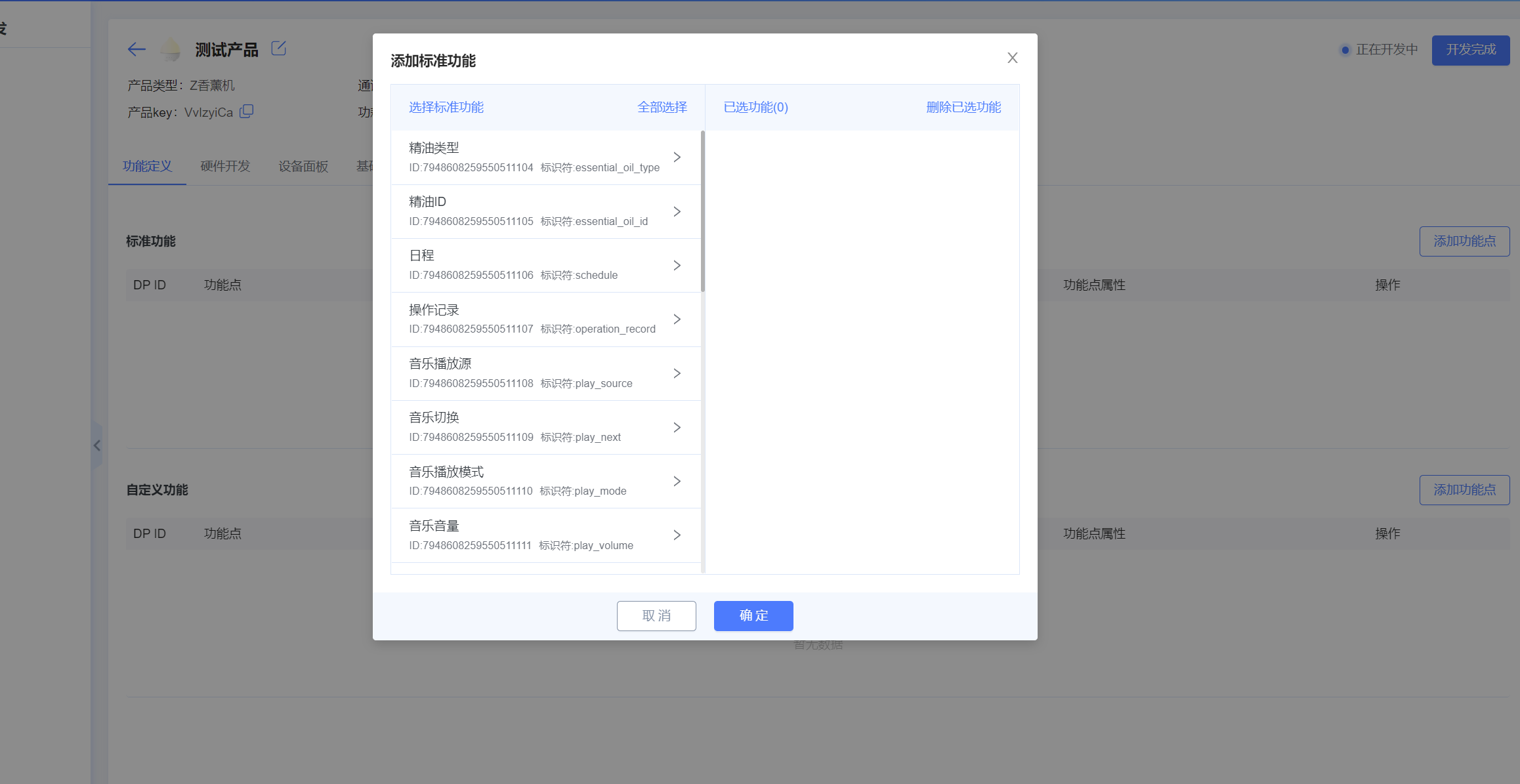
- Add standard functions
Standard functions are platform-defined functions derived from industry-validated product requirements. Developers can select the functions required by their products. Standard function dpId values range from 1 to 100.
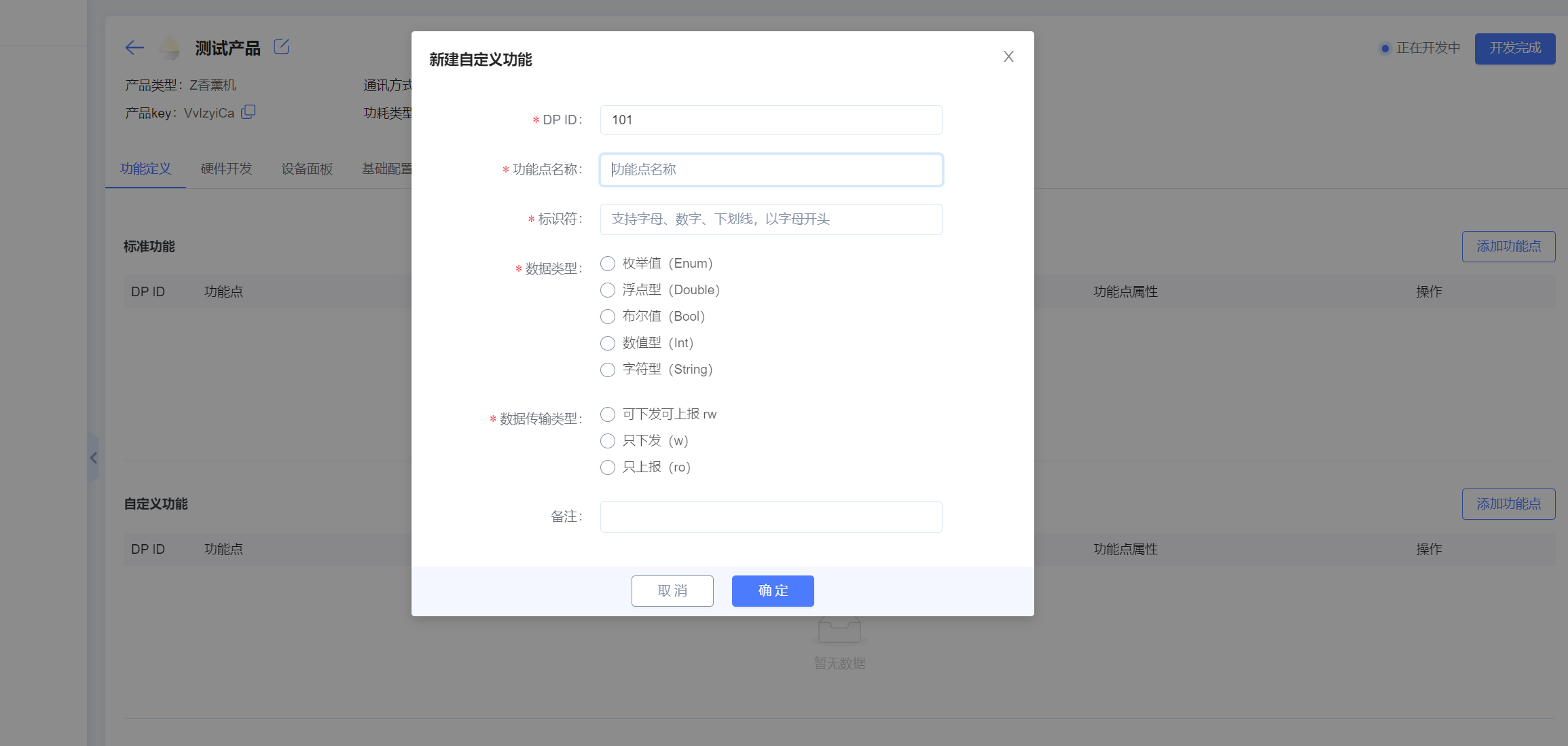
- Add custom functions
If the standard functions do not meet the product requirements, developers can add custom functions. Custom function dpId values start at 100.
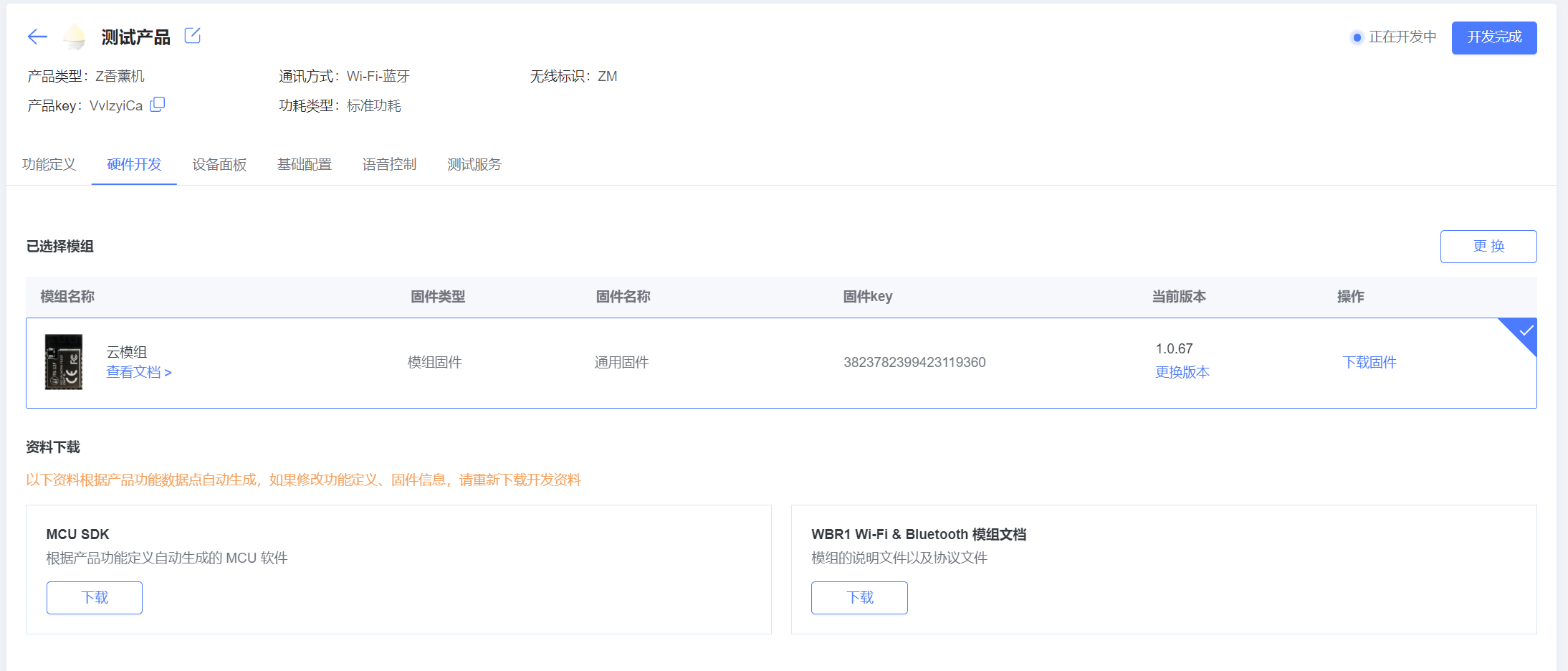
- Configure module firmware
Select general-purpose module firmware provided by the platform. This firmware includes device provisioning, protocol communication, and device control.
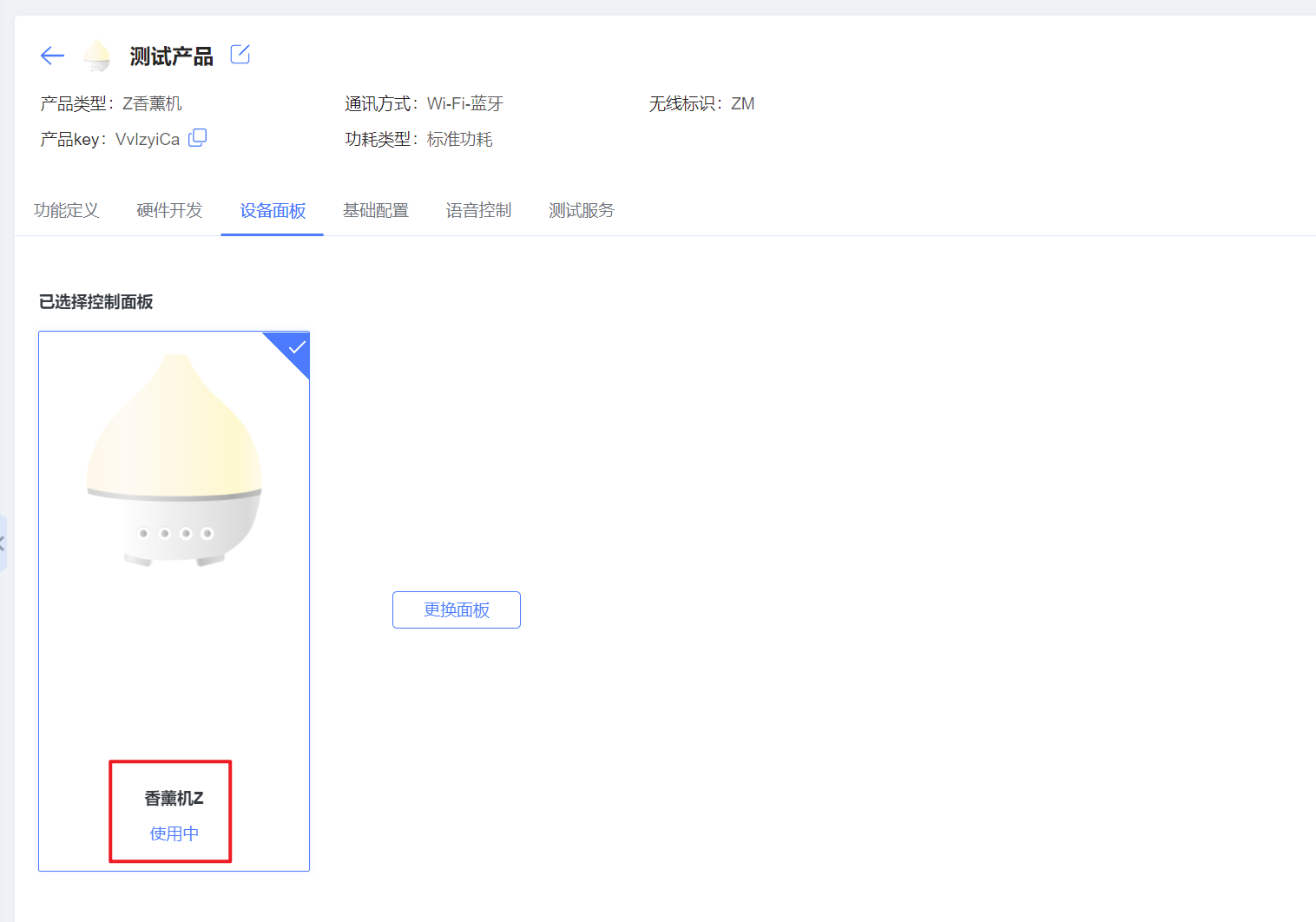
- Configure the control panel
Control panels are maintained by the platform, so developers only need to select the appropriate panel. If the platform releases a new panel for the product type, click Change Panel to upgrade or switch to it.
III. Next Steps
After creating a product, you can continue development as follows:
- Hardware debugging (integrate and jointly debug the hardware device)
- Testing services (obtain a product hardware test report)
- Development complete