

Google Data Safety
This document explains how to complete the Data safety form for the standard Ubases IoT OEM App. The selections are for reference only; adjust them to match the services, features, and data practices of your App.
OEM App Data Collection Details
Go to the Google Play Console, click App content > Data safety, and complete the Data safety form.
Overview
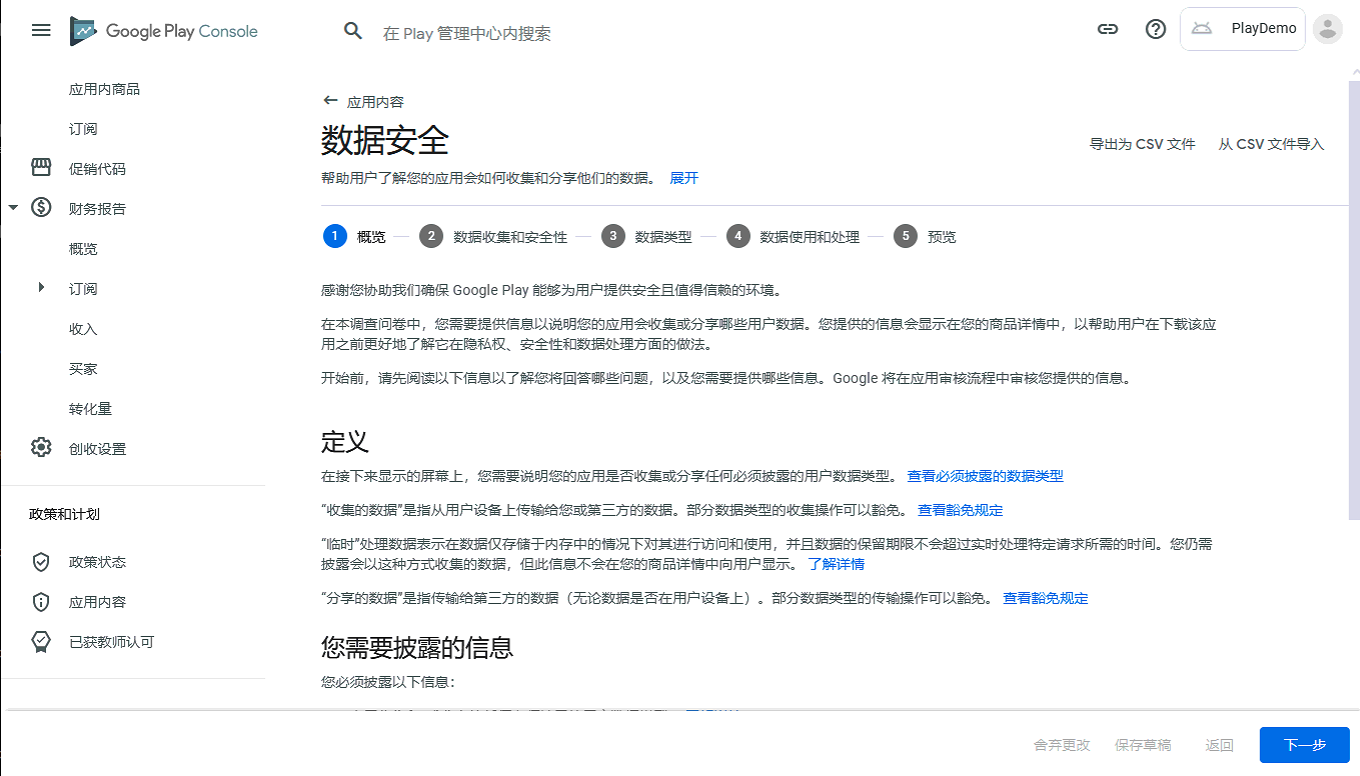
This page is an overview. Click Next at the bottom right to start the form.
Data collection and security
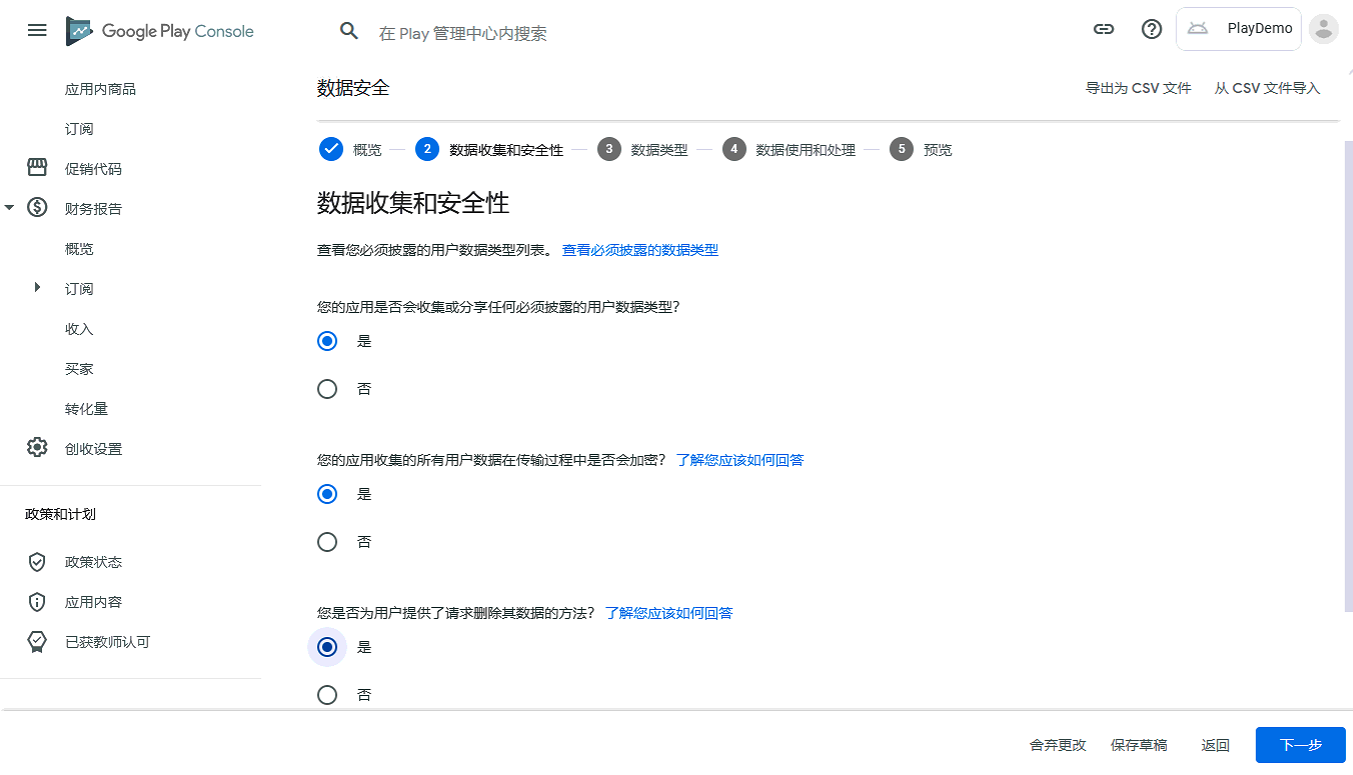
Does your app collect or share any of the required user data types? Select Yes.
Is all of the user data collected by your app encrypted in transit? Select Yes.
Do you provide a way for users to request that their data is deleted? Select Yes.
After selecting the above, click Next at the bottom right.
Click Show or Hide on the right to expand or collapse sections.
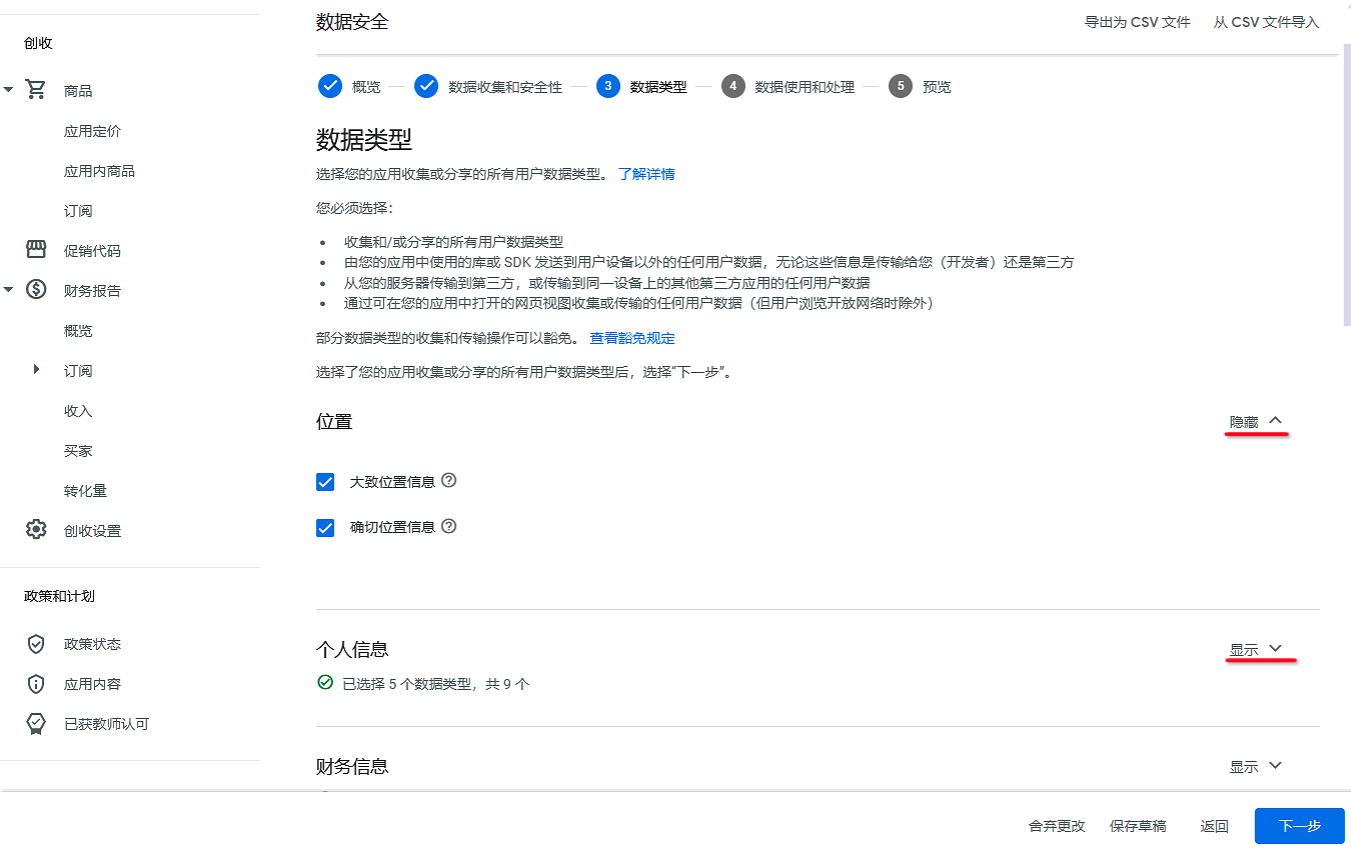
Data types
1. Location
Check Approximate location and Precise location.
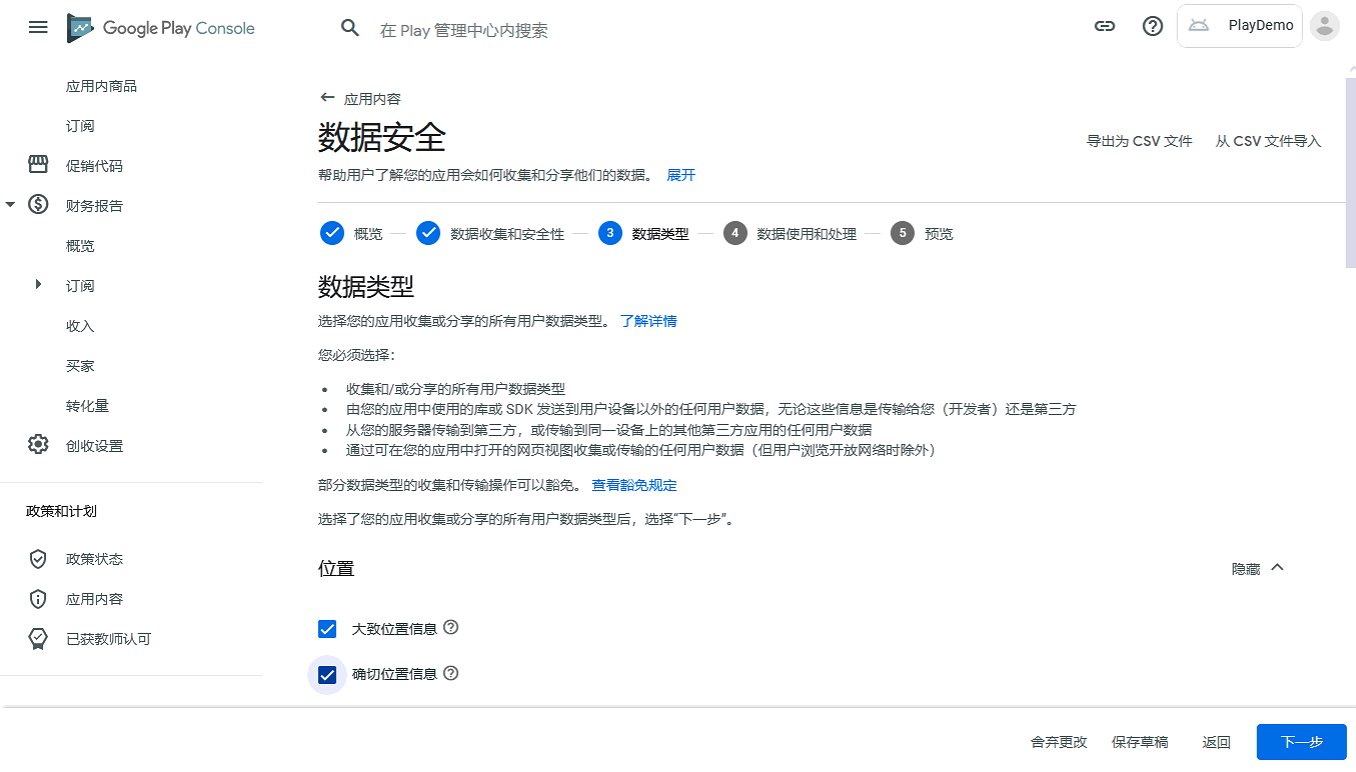
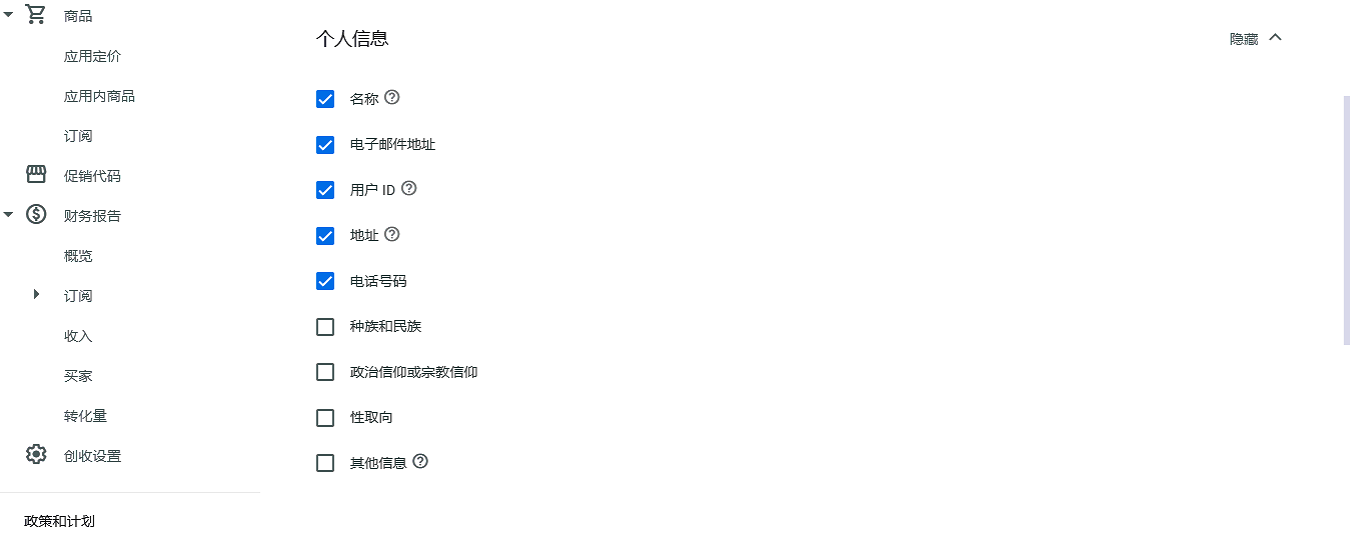
2. Personal info
Check Name, Email address, User IDs, Address, and Phone number.
3. Financial info
Do not check any.
4. Health and fitness
If your device is health and fitness related, check according to your situation; otherwise leave unchecked.
5. Messages
Do not check any.
6. Photos and videos
Select Photos and Videos.
7. Audio files
Do not check any.
8. Files and docs
Do not check any.
9. Calendar
Do not check any.
10. Contacts
Do not check any.
11. App activity
Do not check any.
12. Web browsing
Do not check any.
13. App info and performance
Check Crash logs and Diagnostics.
14. Device or other IDs
Check Device or other IDs.
After completing the above, click Next to continue.
Data usage and handling
In this step, explain how each data type selected above is used and handled. Click → to start filling in.
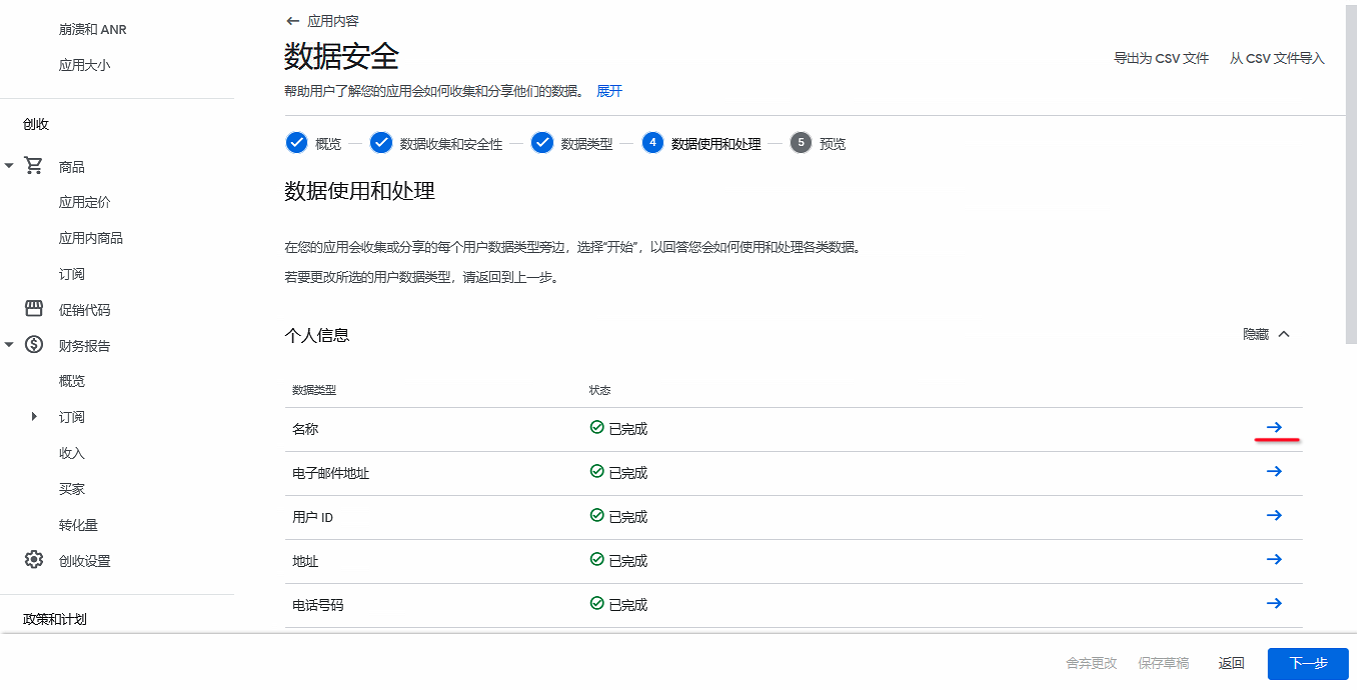
Personal info
Name
Is this data collected, shared, or both? Select Collected.
Is this data processed ephemerally? Select No.
Is this data required for your app, or can users choose whether it's collected? Select Users can choose whether this data is collected.
Why is this user data collected? Select all that apply. Check App functionality.
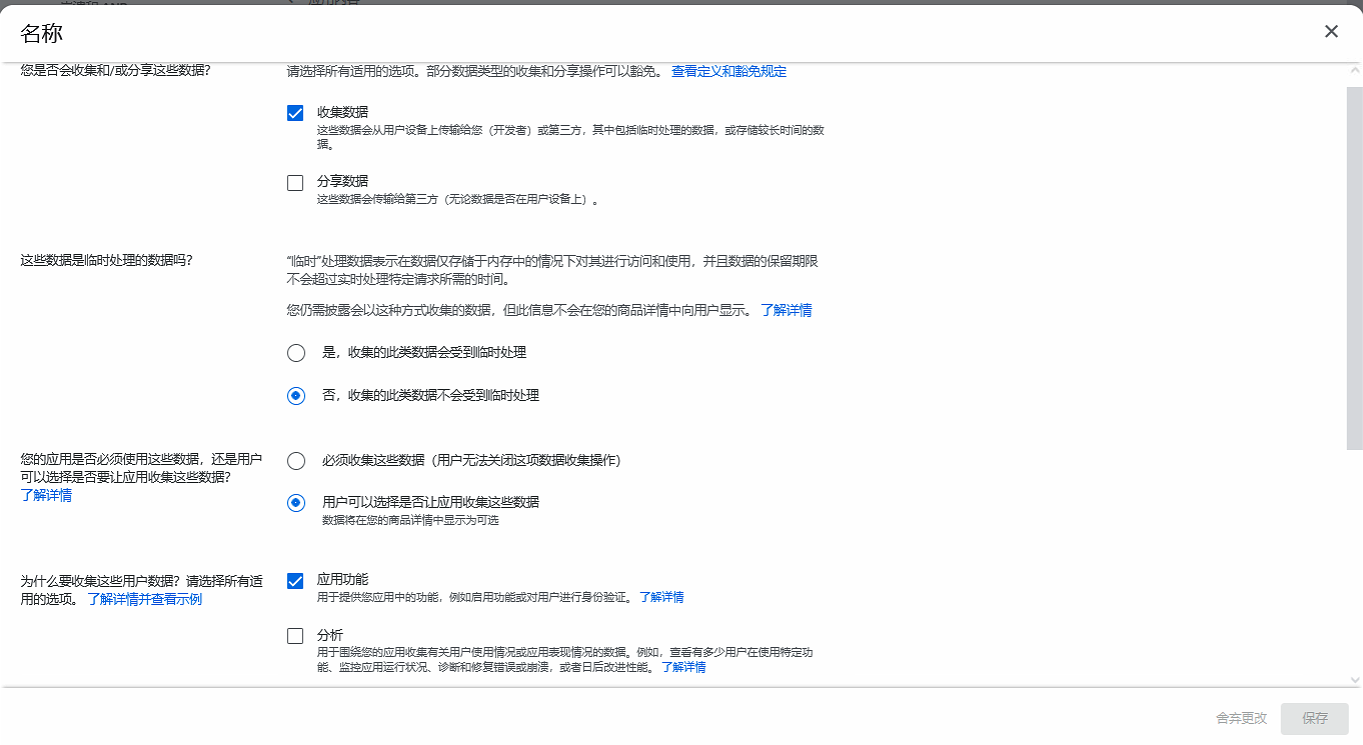
Because the remaining data types use similar selections, the recommended settings are summarized in the following table.
| Data type | Collected and/or shared? | Processed ephemerally? | Required or optional? | Why collect this data? Select all that apply. |
|---|---|---|---|---|
| Name | Collected: checked by default. Shared: unchecked by default; check Share if you have custom features that share data with a non-service-provider | No — this data is not processed ephemerally | Users can choose whether this data is collected | App functionality |
| Email address | Collected: checked by default. Shared: unchecked by default; check Share if you have custom features that share data with a non-service-provider | No — this data is not processed ephemerally | Data collection is required | App functionality, Developer communications |
| User IDs | Collected: checked by default. Shared: unchecked by default; check Share if you have custom features that share data with a non-service-provider | No — this data is not processed ephemerally | Data collection is required | App functionality, Developer communications, Account management |
| Address | Collected: checked by default. Shared: unchecked by default; check Share if you have custom features that share data with a non-service-provider | No — this data is not processed ephemerally | Users can choose whether this data is collected | App functionality |
| Phone number | Collected: checked by default. Shared: unchecked by default; check Share if you have custom features that share data with a non-service-provider | No — this data is not processed ephemerally | Users can choose whether this data is collected | App functionality, Developer communications, Account management |
| Approximate location | Collected: checked by default. Shared: unchecked by default; check Share if you have custom features that share data with a non-service-provider | No — this data is not processed ephemerally | Users can choose whether this data is collected | App functionality |
| Precise location | Collected: checked by default. Shared: unchecked by default; check Share if you have custom features that share data with a non-service-provider | No — this data is not processed ephemerally | Users can choose whether this data is collected | App functionality |
| Photos | Collected: checked by default. Shared: unchecked by default; check Share if you have custom features that share data with a non-service-provider | No — this data is not processed ephemerally | Users can choose whether this data is collected | App functionality |
| Videos | Collected: checked by default. Shared: unchecked by default; check Share if you have custom features that share data with a non-service-provider | No — this data is not processed ephemerally | Users can choose whether this data is collected | App functionality |
| Crash logs | Collected: checked by default. Shared: unchecked by default; check Share if you have custom features that share data with a non-service-provider | No — this data is not processed ephemerally | Data collection is required | Analytics |
| Diagnostics | Collected: checked by default. Shared: unchecked by default; check Share if you have custom features that share data with a non-service-provider | No — this data is not processed ephemerally | Data collection is required | Analytics |
| Device or other IDs | Collected: checked by default. Shared: unchecked by default; check Share if you have custom features that share data with a non-service-provider | No — this data is not processed ephemerally | Data collection is required | App functionality |
After completing the selections above, proceed to Next.
Preview
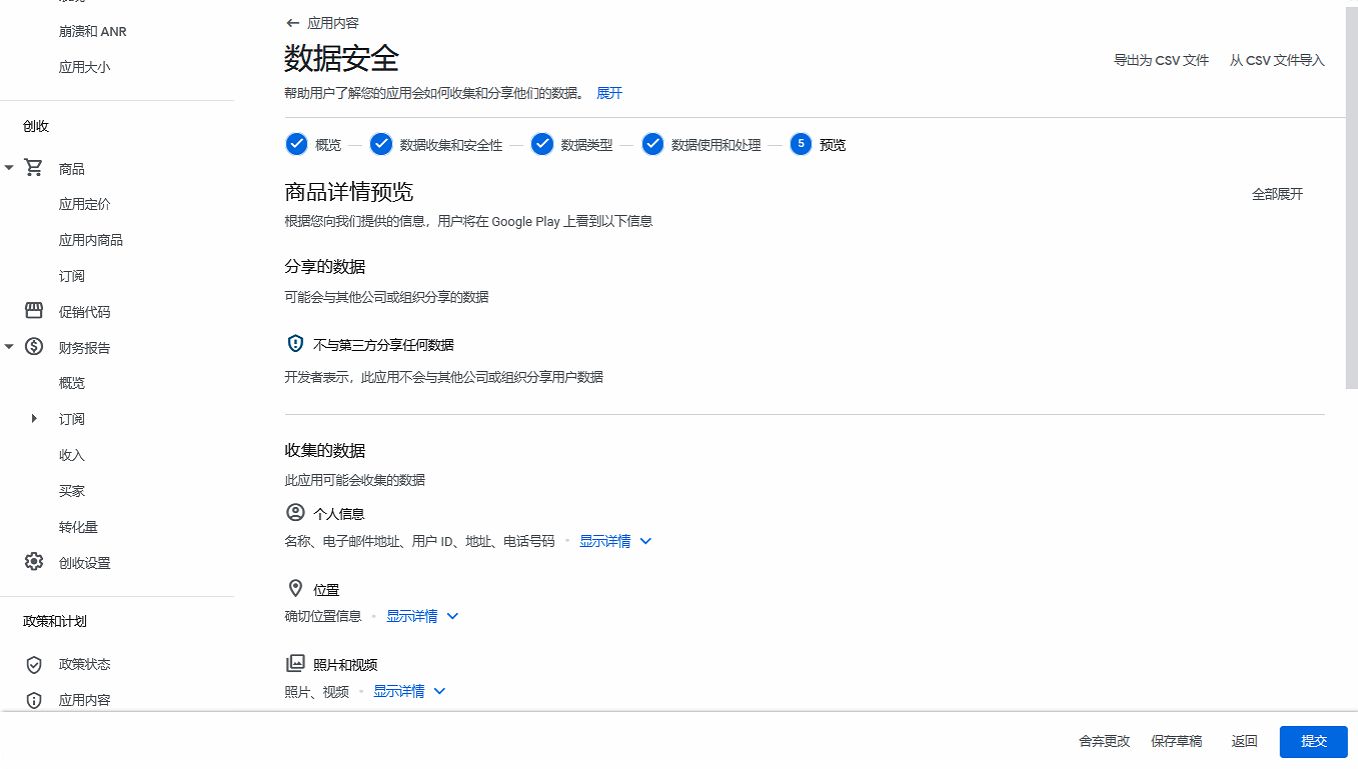
After confirming the preview looks correct, click Submit.
If your App has not yet been published on Google Play, continue with the Google Play publishing guide. If your App is already available on Google Play and no update is planned, submitting the Data safety form is sufficient; you do not need to release a new App version.