OPPO Push Service (Vendor Push)
Prerequisites
- You have registered an OPPO Open Platform account and completed enterprise verification.
Steps
OPPO official docs: https://open.oppomobile.com/new/developmentDoc/info?id=10195
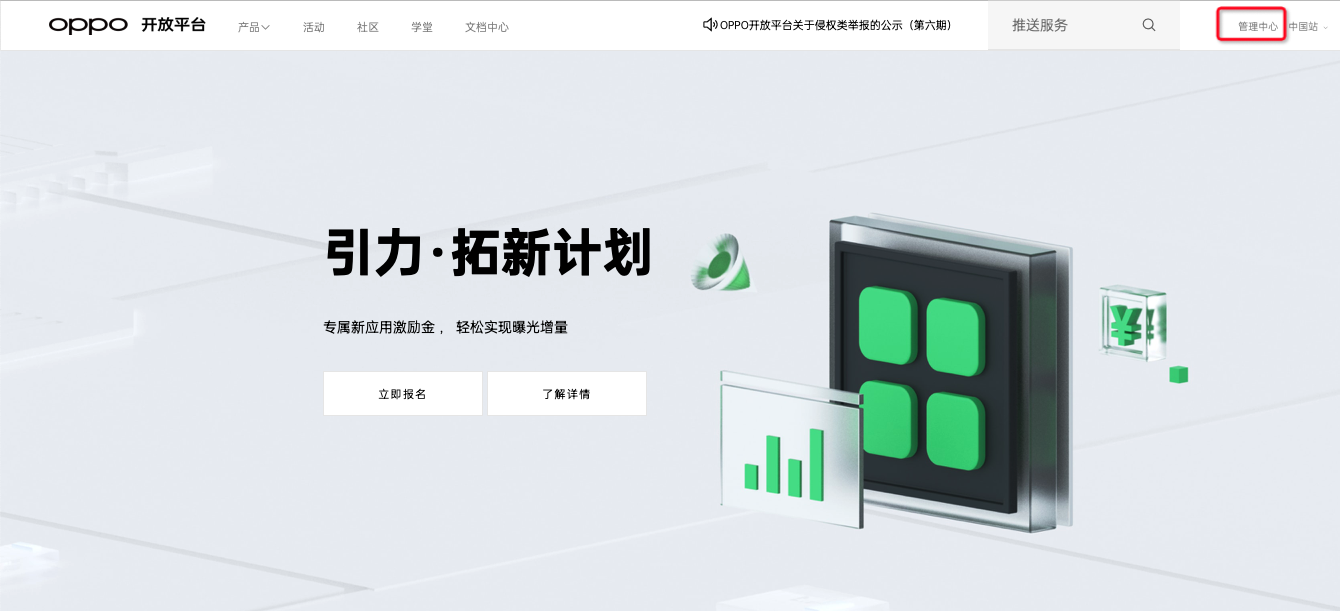
Open and sign in to the OPPO Open Platform
Click Management Center.
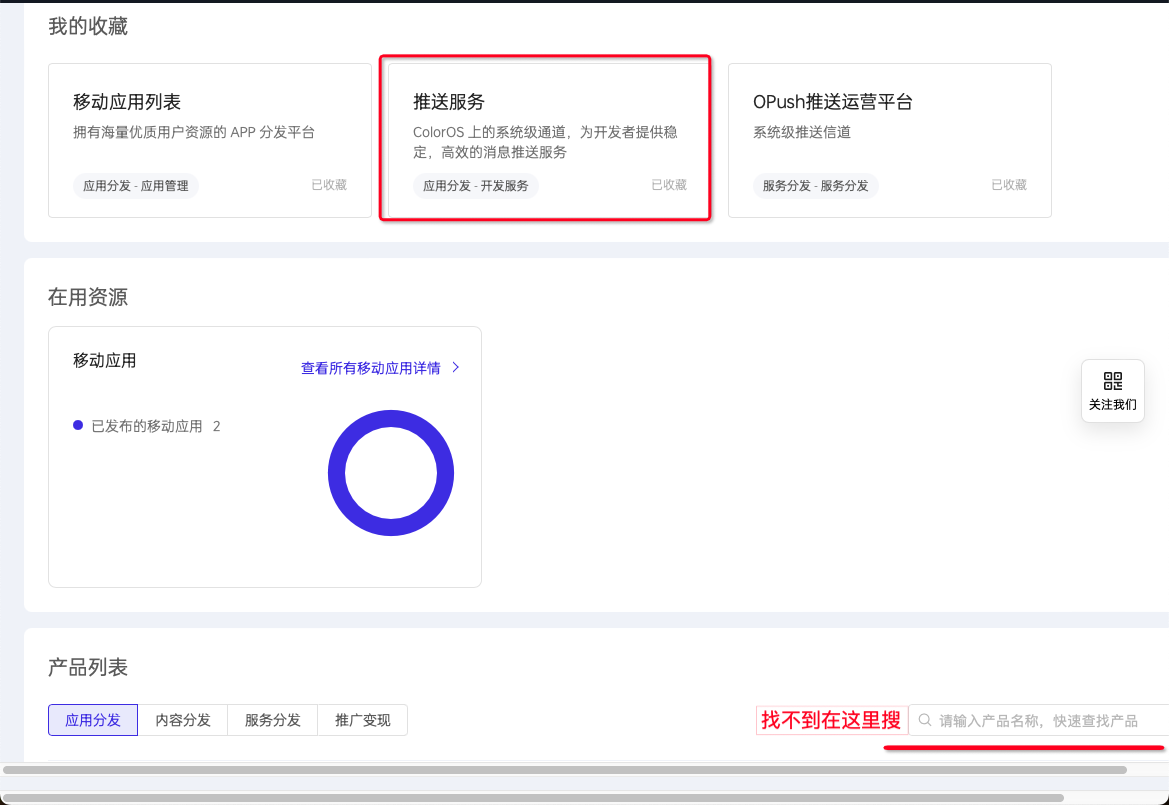
Click Push Service. If you cannot find it, search in the search box, then favorite it so it appears under My Favorites.
Under Services Not Enabled, find your app and click your app.
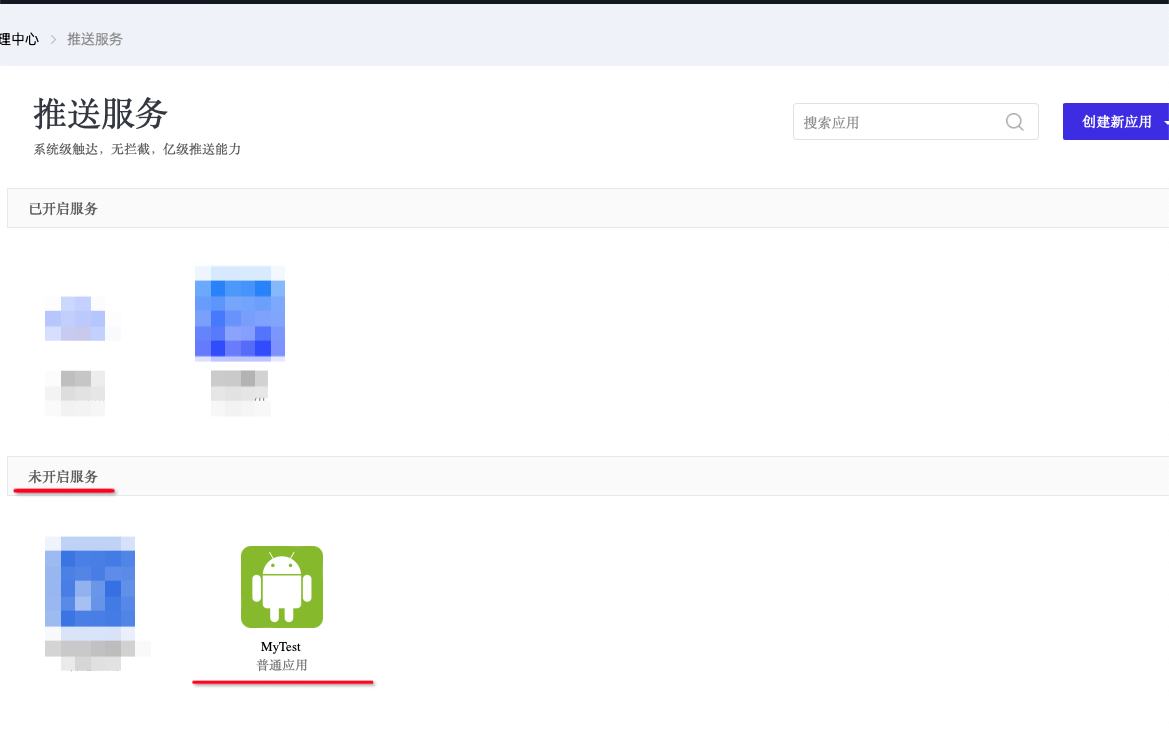
If your App is not in the Services Not Enabled list, click Create New App > Create App. Fill in the information—you can copy the app name and package name from the Ubases IoT development platform—then click Submit. Find your app under Services Not Enabled and click your app.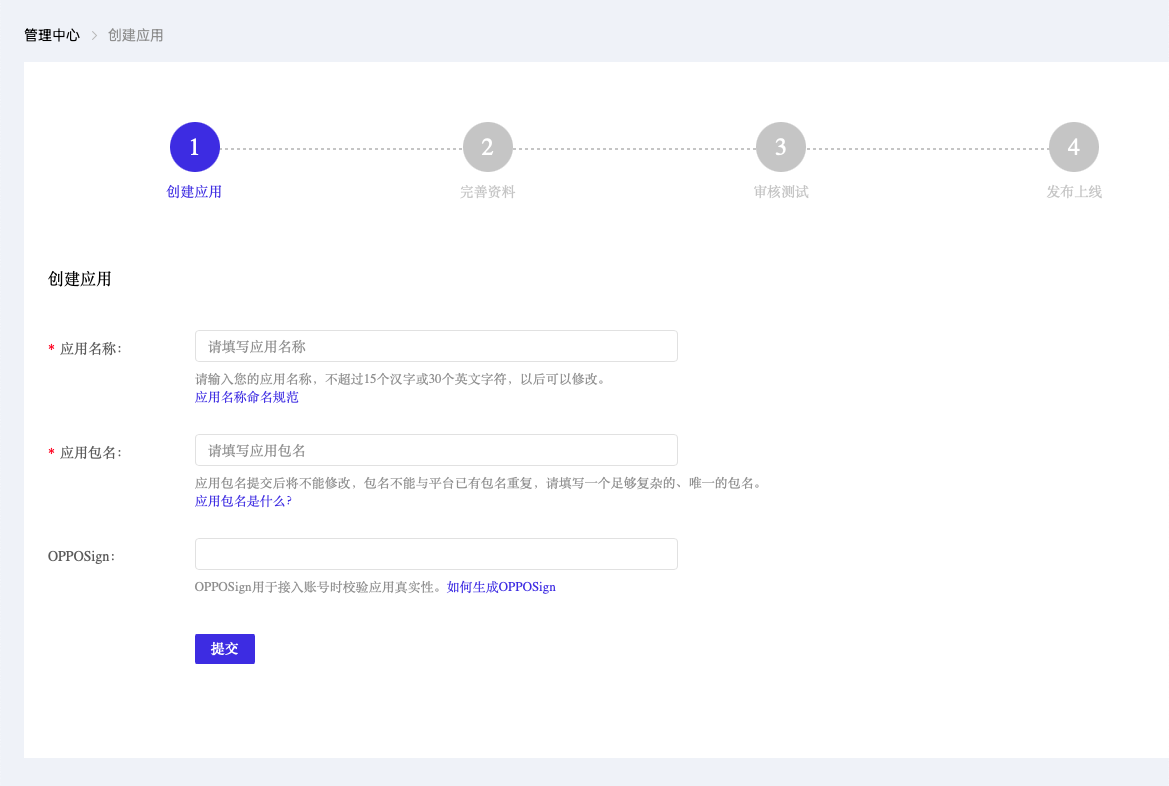
Where to copy the app name and package name.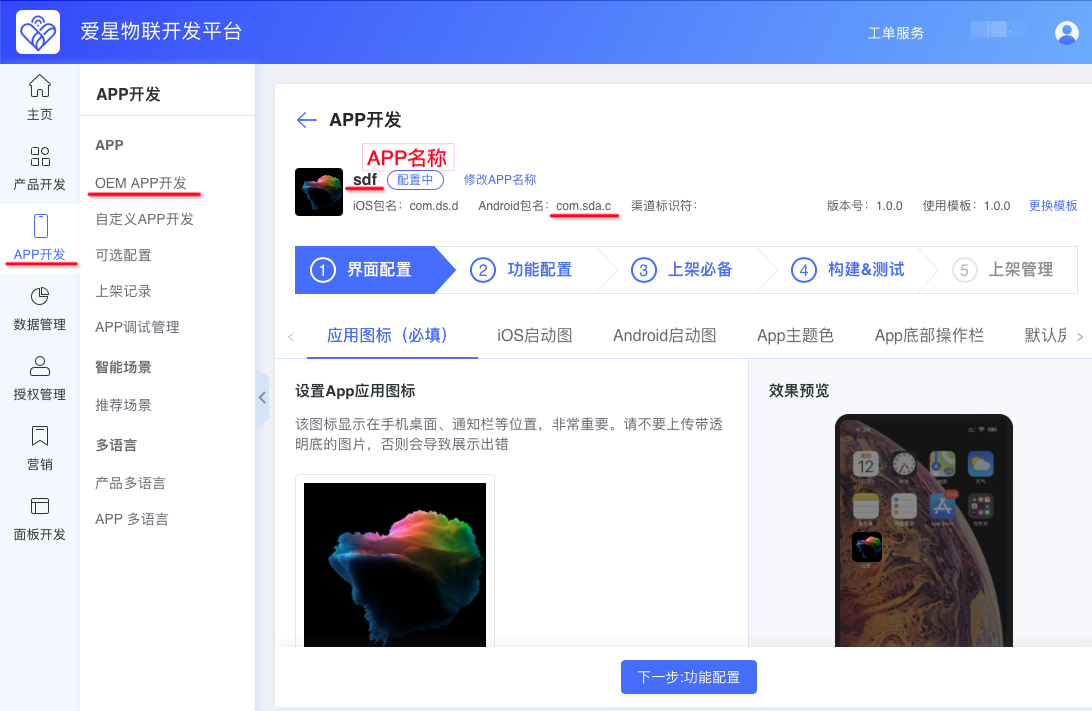
- Click Apply to Enable for Notification Bar Push Test Permission.
Note: This enables only the test push permission. Production push permission can be enabled only after the App has been published to an app store.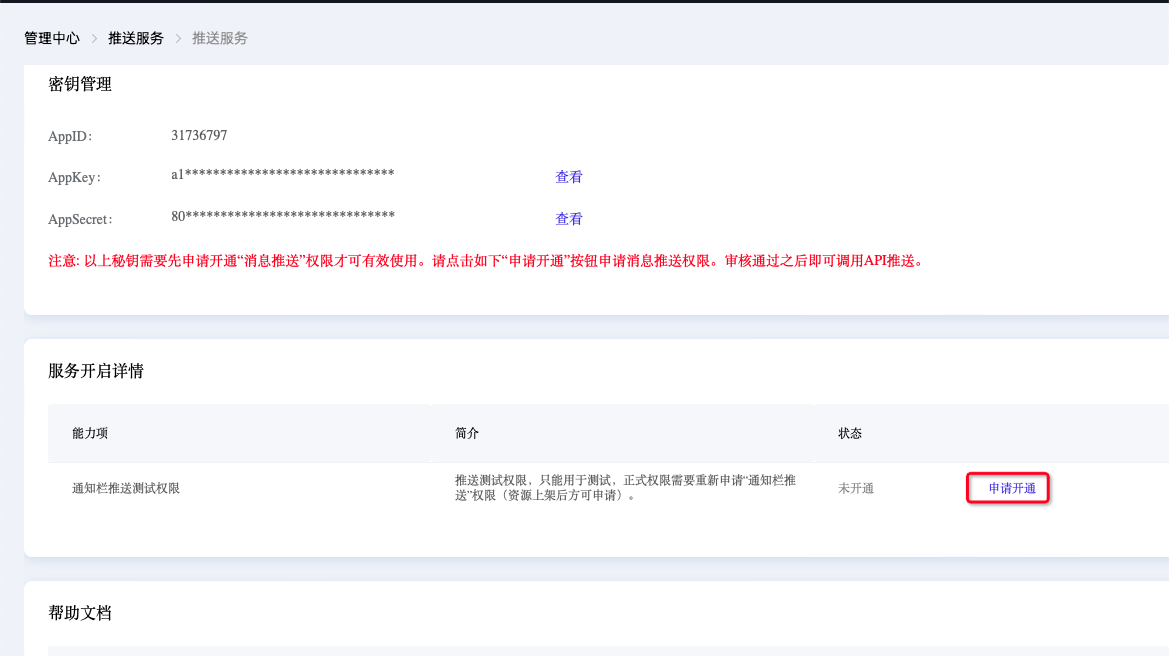
Check Agree, then click Submit Application.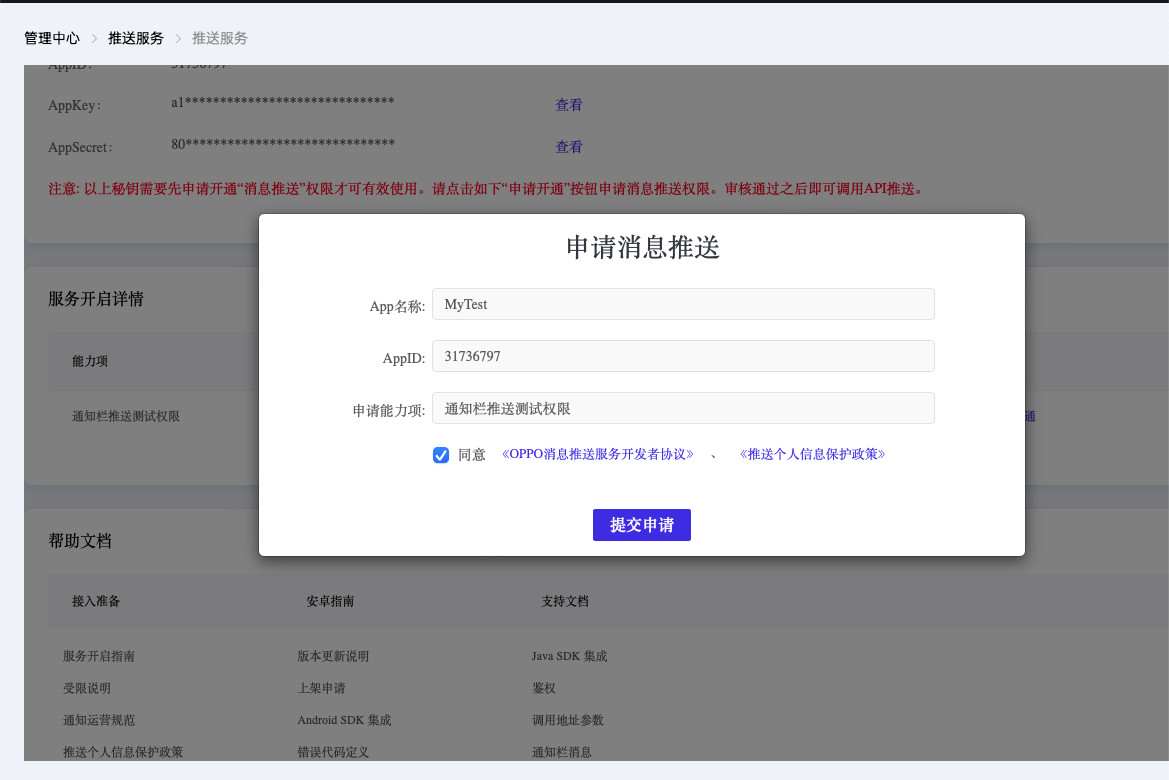
After the App has been published to an app store, return and apply to enable Notification Bar Push (Production) permission.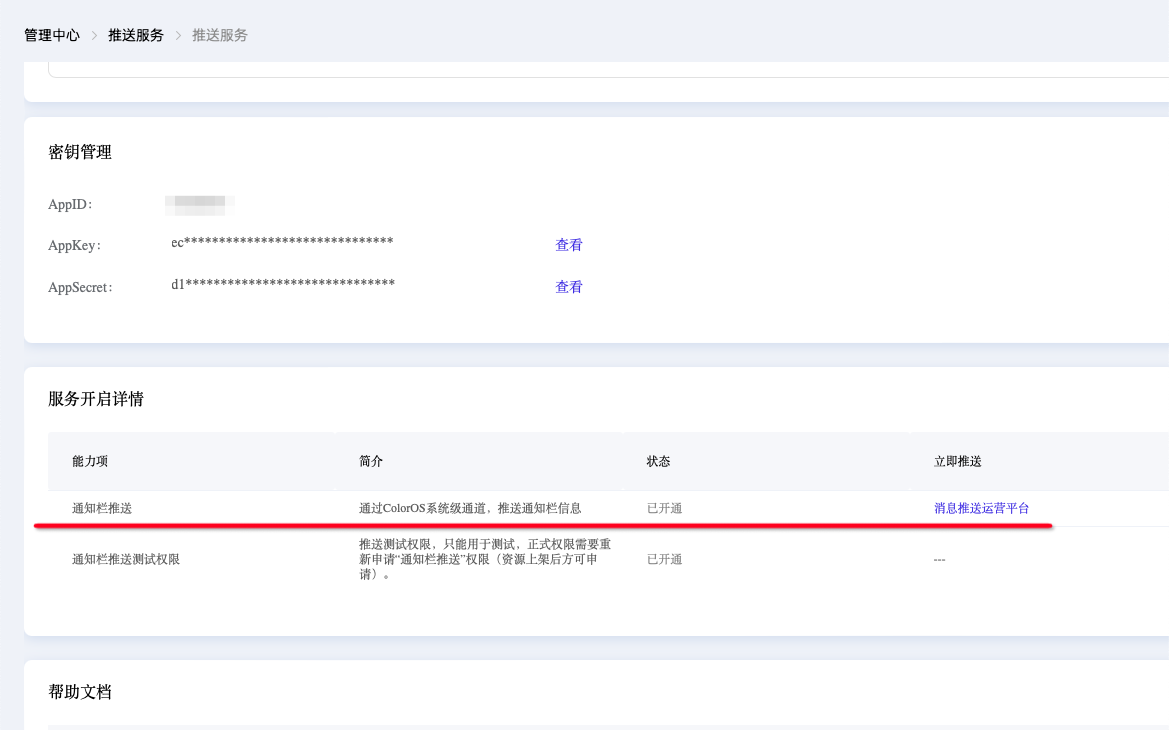
Wait for approval.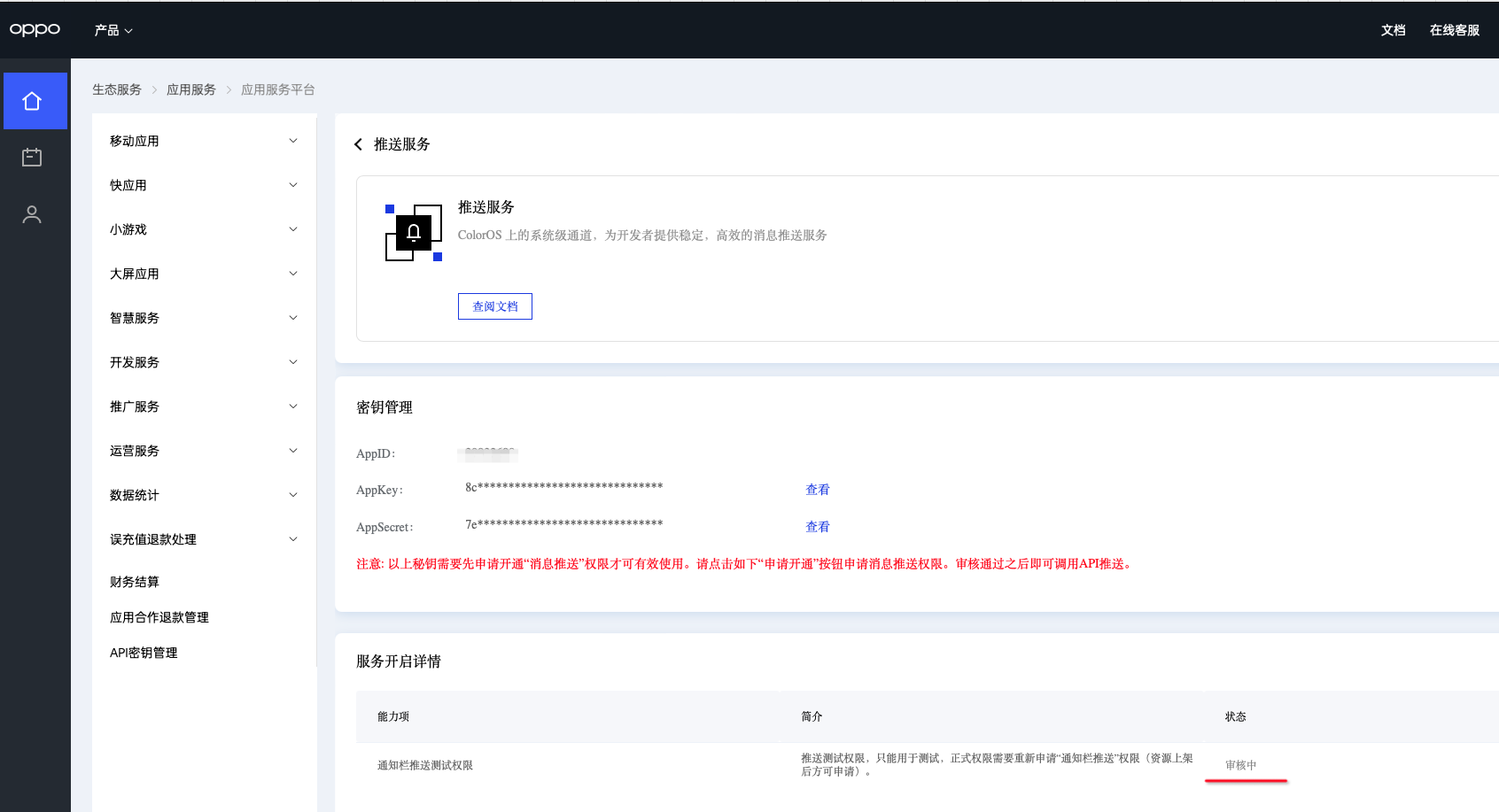
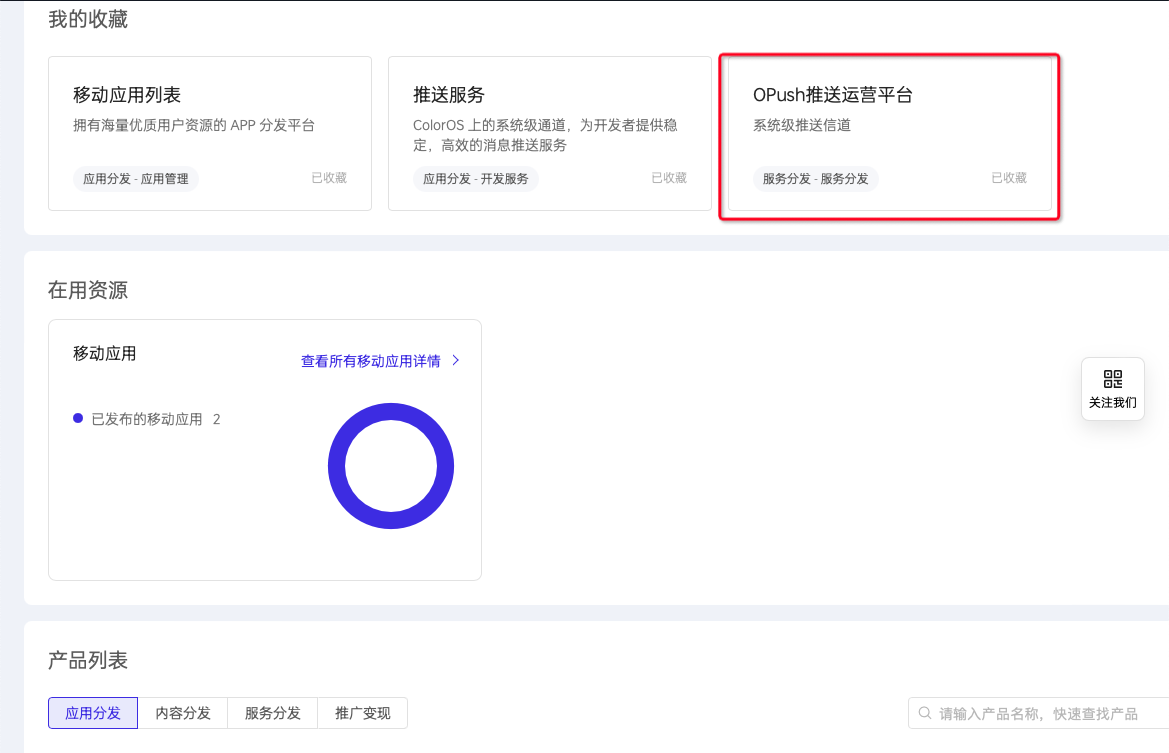
- After approval, from the Management Center click OPush Operations Platform.
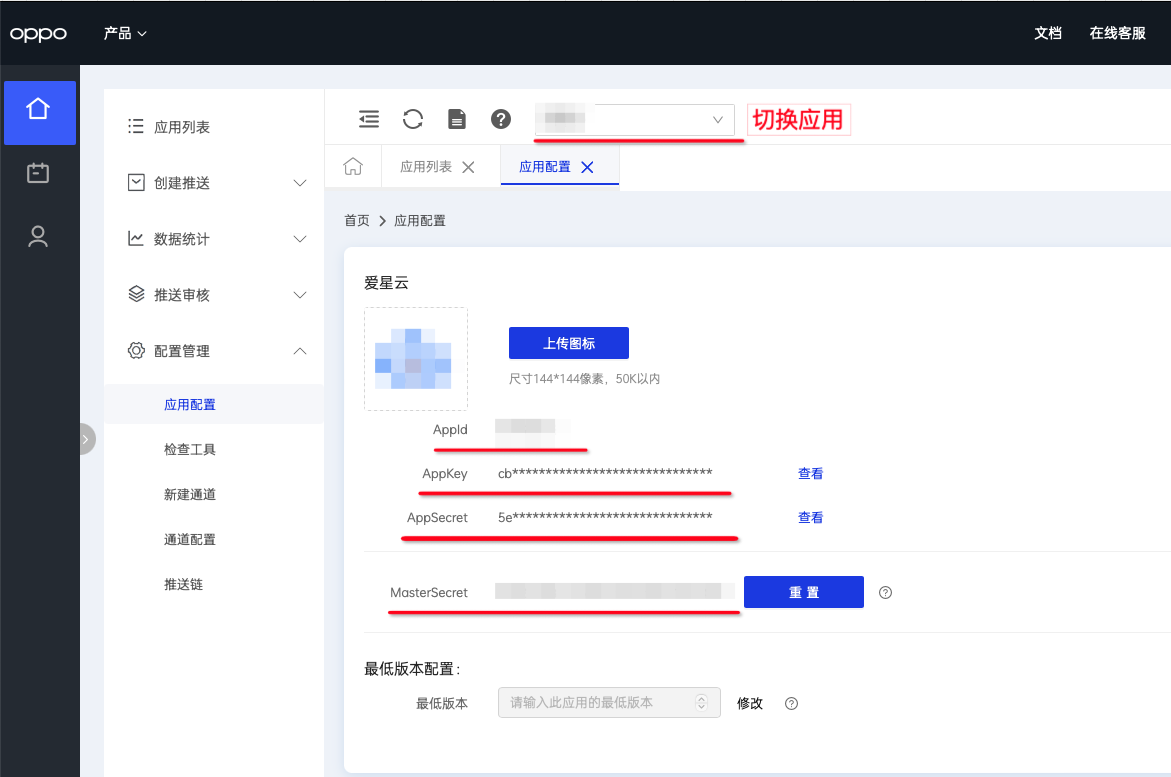
Click Configuration Management > App Configuration.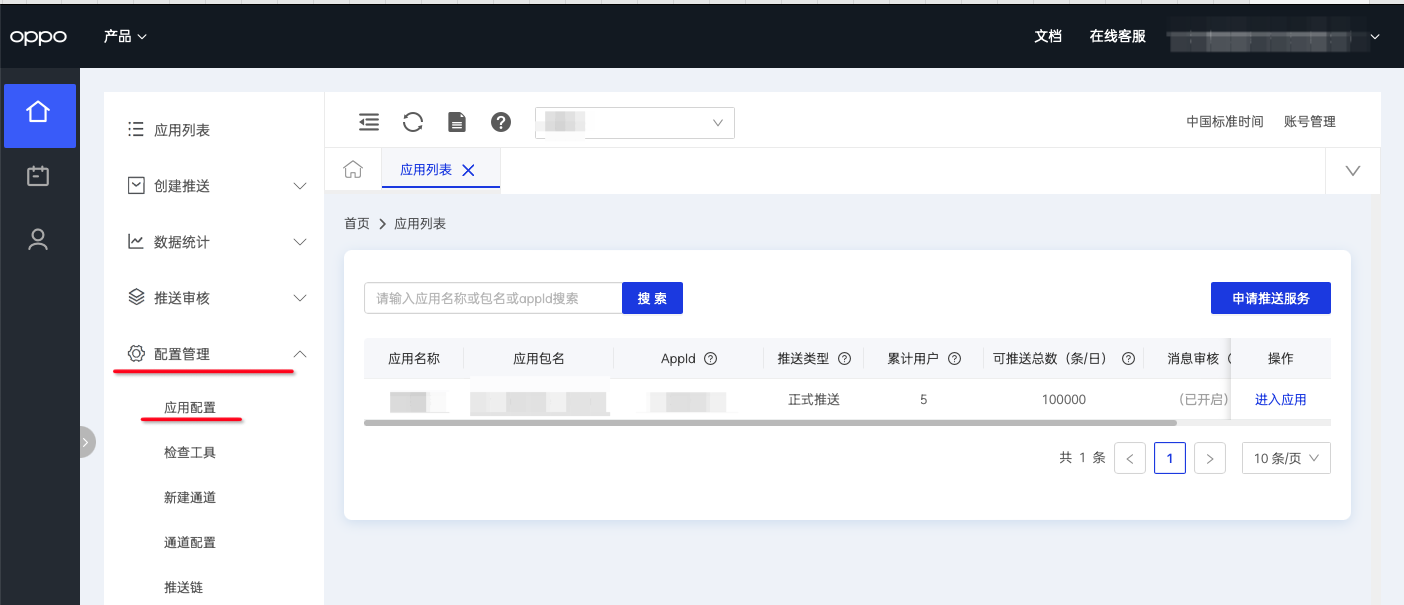
- Switch to the correct app, then copy AppId, AppKey, AppSecret, and MasterSecret to the Ubases IoT development platform.
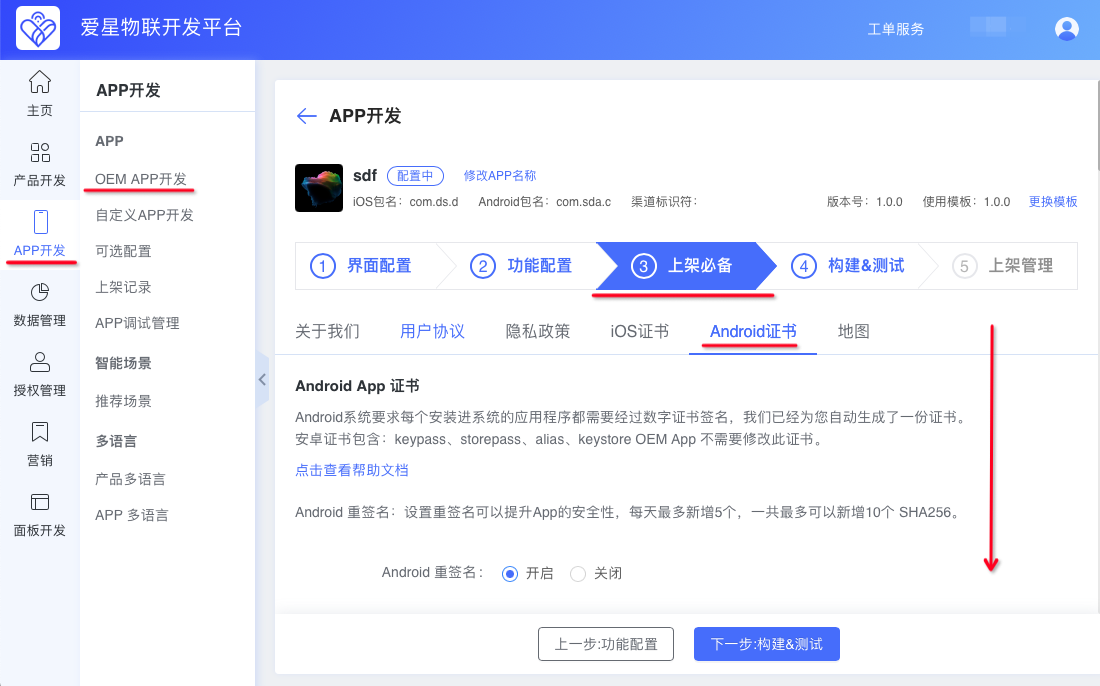
Paste them here, then click Save.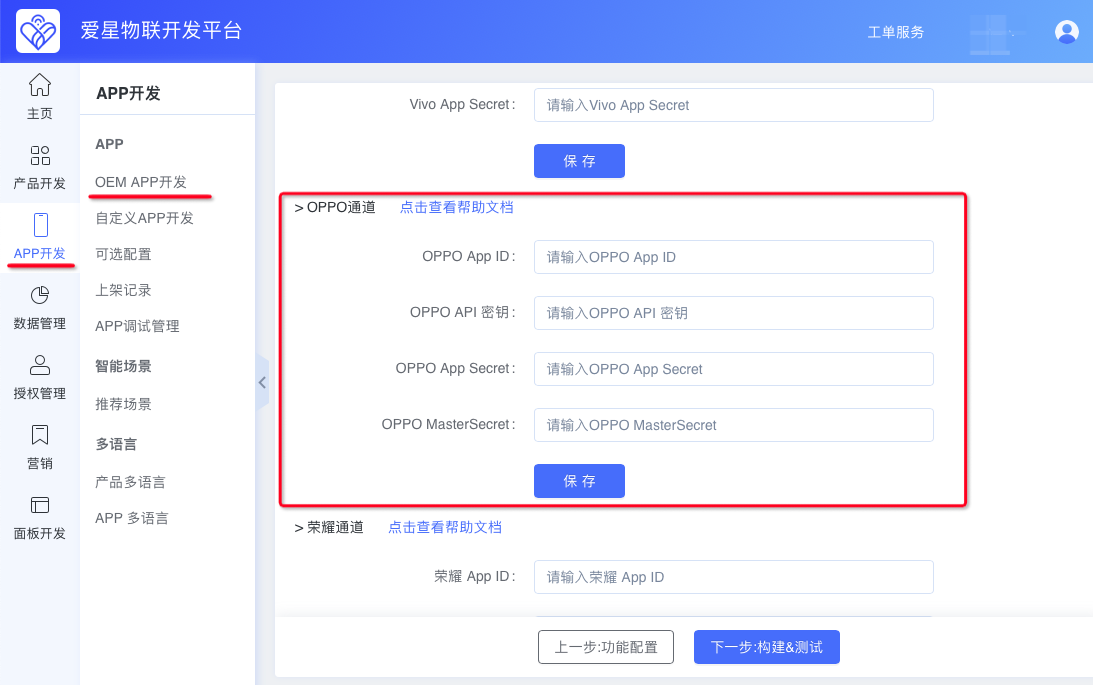
- Apply for private message channel permission. Enabling the private message channel allows unlimited message pushes.
Official docs: https://open.oppomobile.com/new/developmentDoc/info?id=12392
Follow the official docs to send an email. Replace the content below as needed. Keep the channel name and channel ID fixed (if the channel ID application fails, you may change it and then enter it on the Ubases IoT development platform). Complete the APPID and APP name in the attachment (at the end of this document). APPID is obtained in the steps above.
Send the email and wait for the reply with the application result.
邮件标题:私信通道开通申请——XX(别忘了替换成应用名称)邮件正文:
应用ID:XXX
应用名称:XXX
应用包名:XXX
私信专用通道名称: 设备和账号
私信专用通道ID: DeviceAccount
业务接口人联系微信: XXX
XX应用申请开通私信通道,并承诺遵守运营规则,仅在私信通道推送模板相关消息。
该通道对应的私信消息模板见附件:After approval, register on the platform:
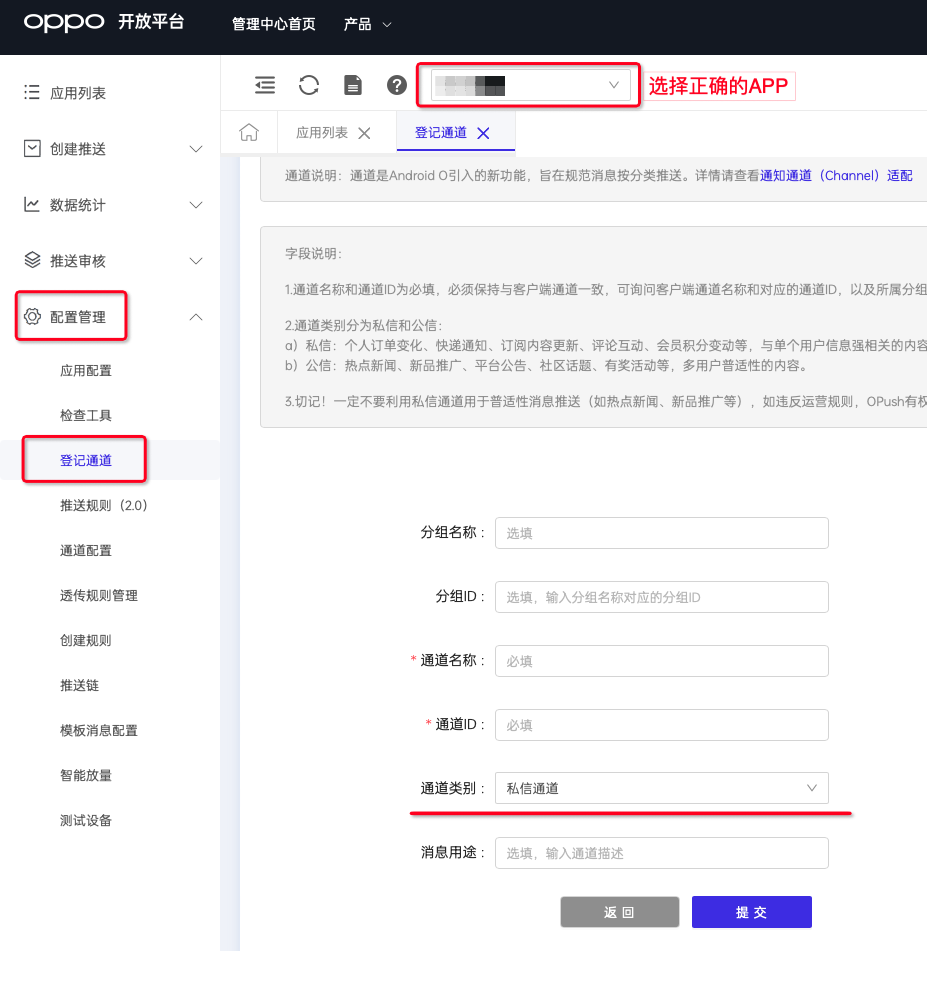
OPush Operations Platform > Configuration Management > Register Channel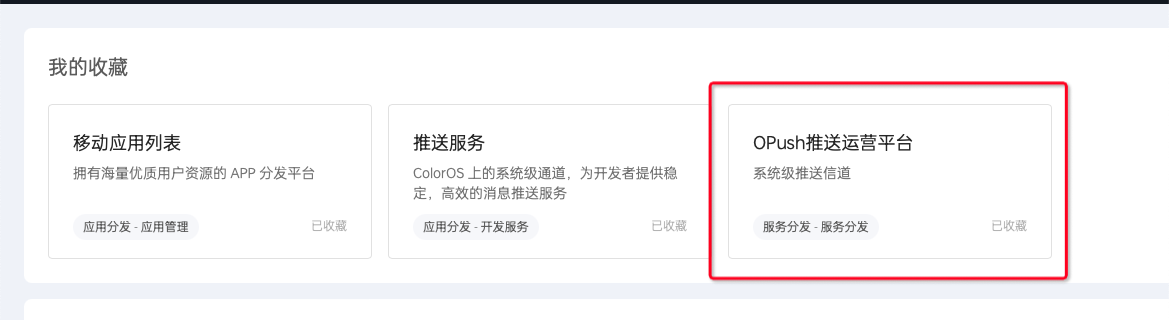
Select the correct APP, set channel type to Private Message Channel, keep Channel Name and Channel ID consistent with the email, then submit.