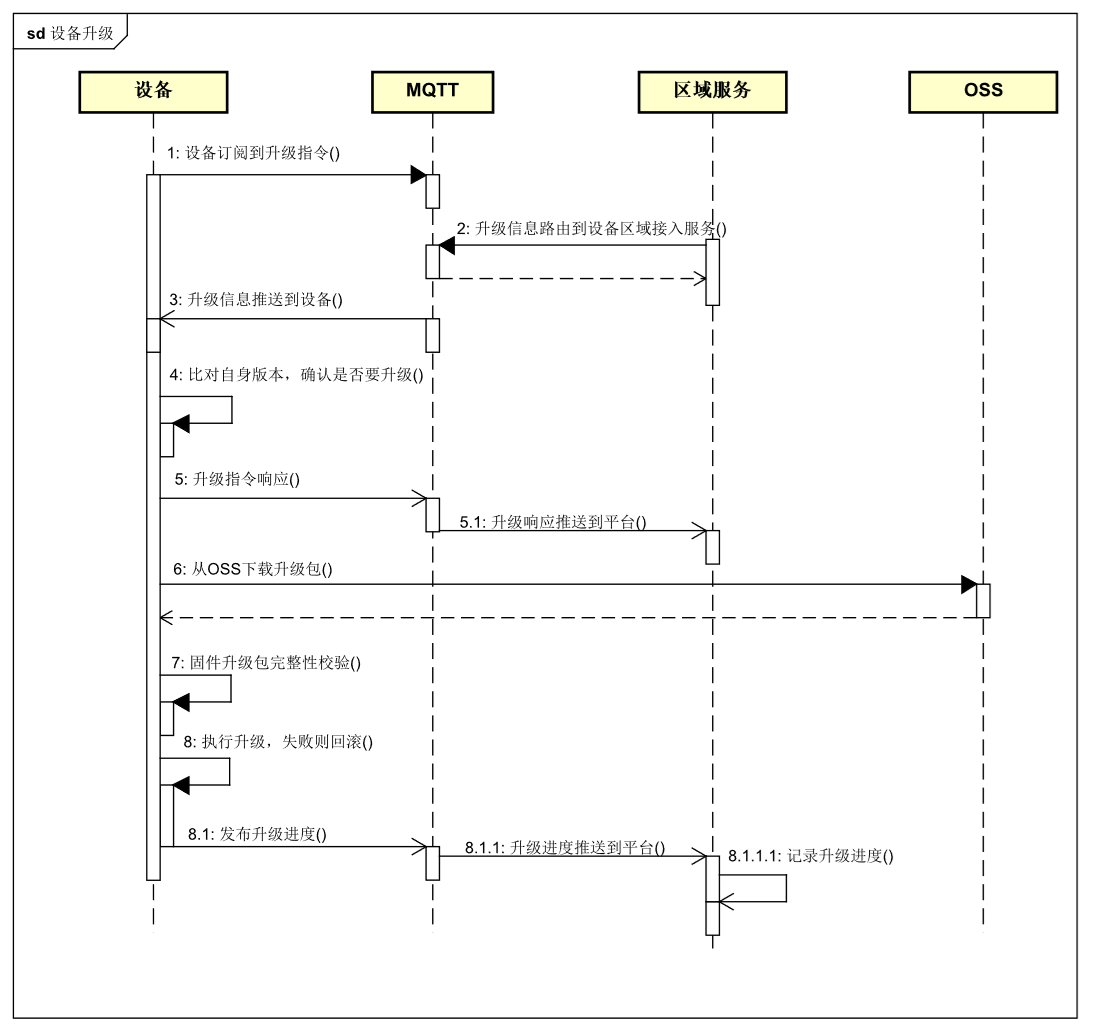
Module OTA
- Devices often need patches, feature optimization, or new capabilities during normal use. Ubases IoT provides a firmware upgrade module for this process. Because modules are provided by the platform, module firmware is also maintained by the platform.
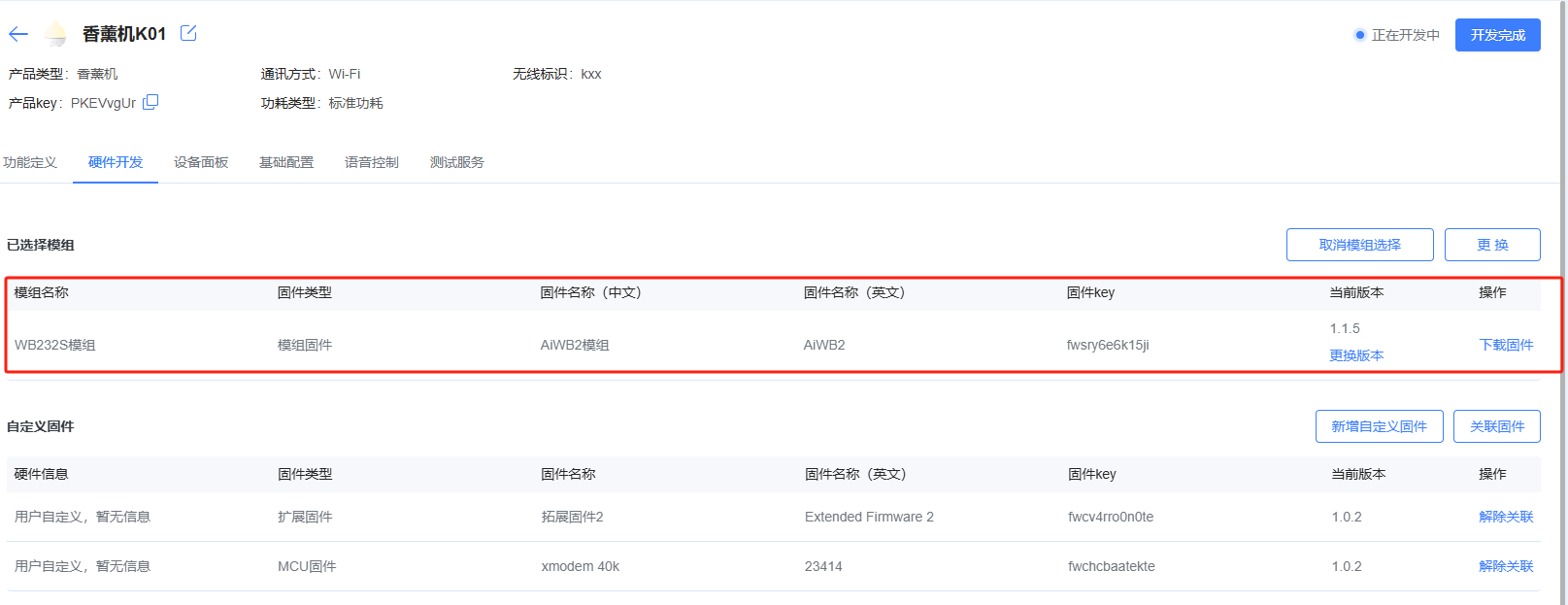
Select the required module for the product
Open Firmware OTA

- Click Add OTA

Select the pass-through module firmware version provided by Ubases IoT

Click “Publish”

Choose publish method (full / canary)

Publish by percentage / by count / by specified devices

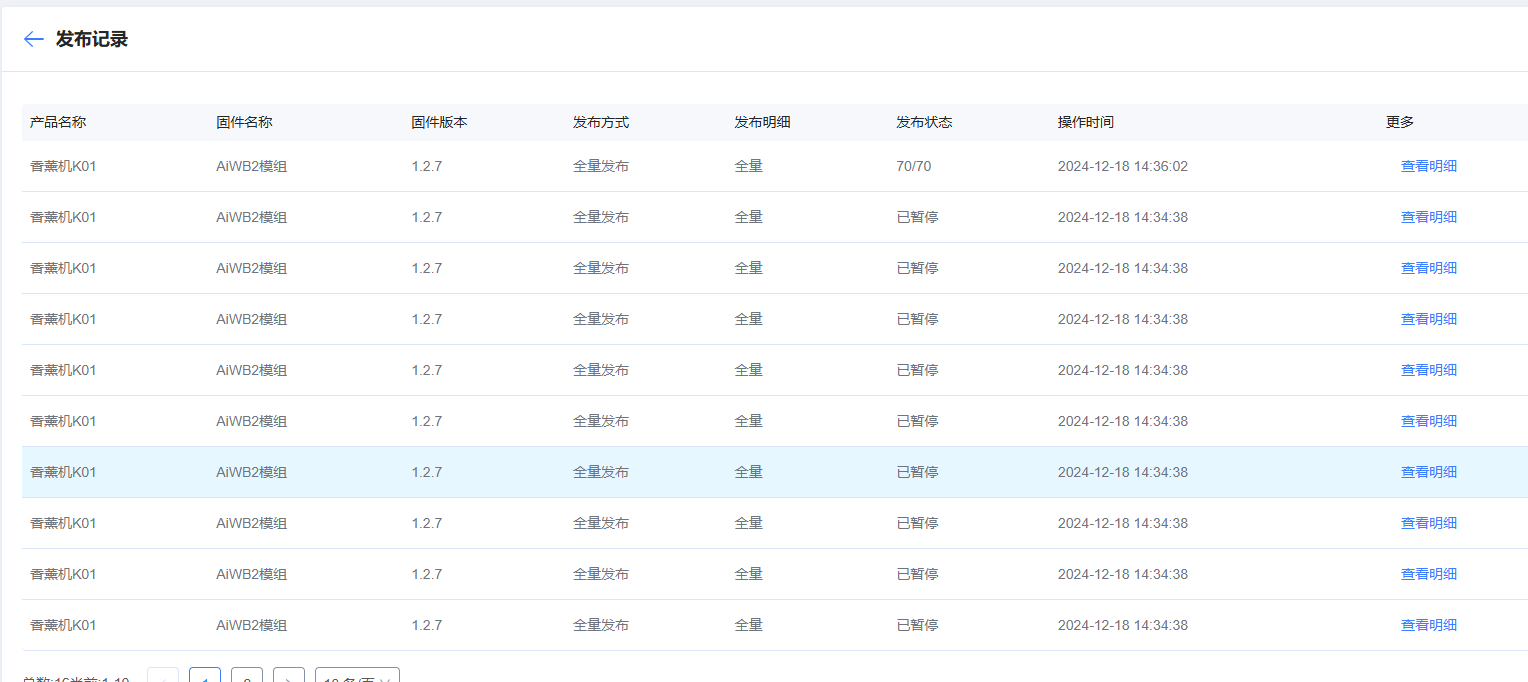
Open publish history to review status
- Open the App, go to the control page, and run the OTA upgrade. The App shows progress, then “Installing”, then “Install successful” after a short wait—module firmware upgrade is complete.



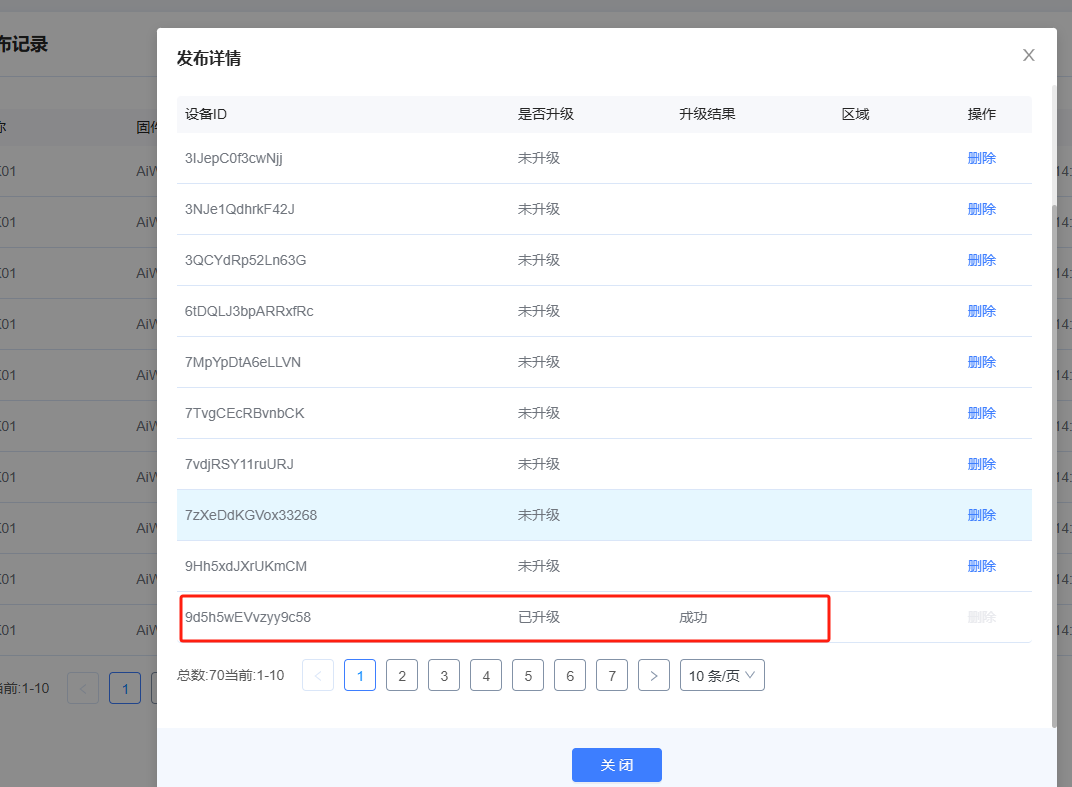
- View details to check upgrade status