

BW20 Series Flashing Guide
1. Download flashing tools
- BW20 flashing software: imagetool_for_ameba_d_plus_139704_.7z
2. Flashing tutorial
Run the flashing tool
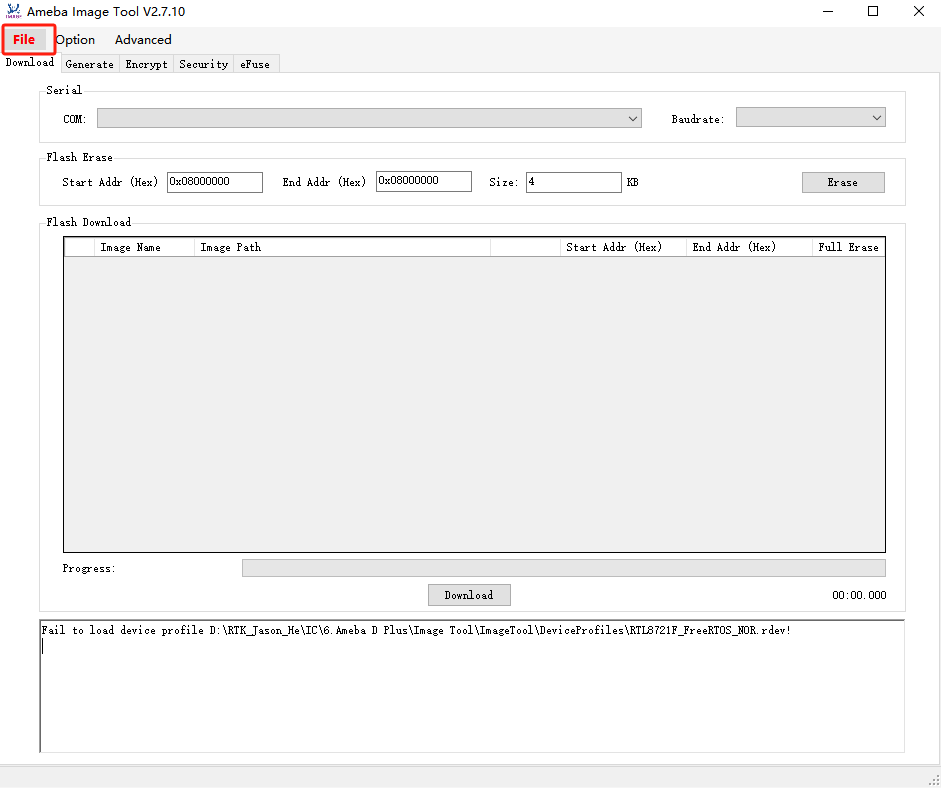
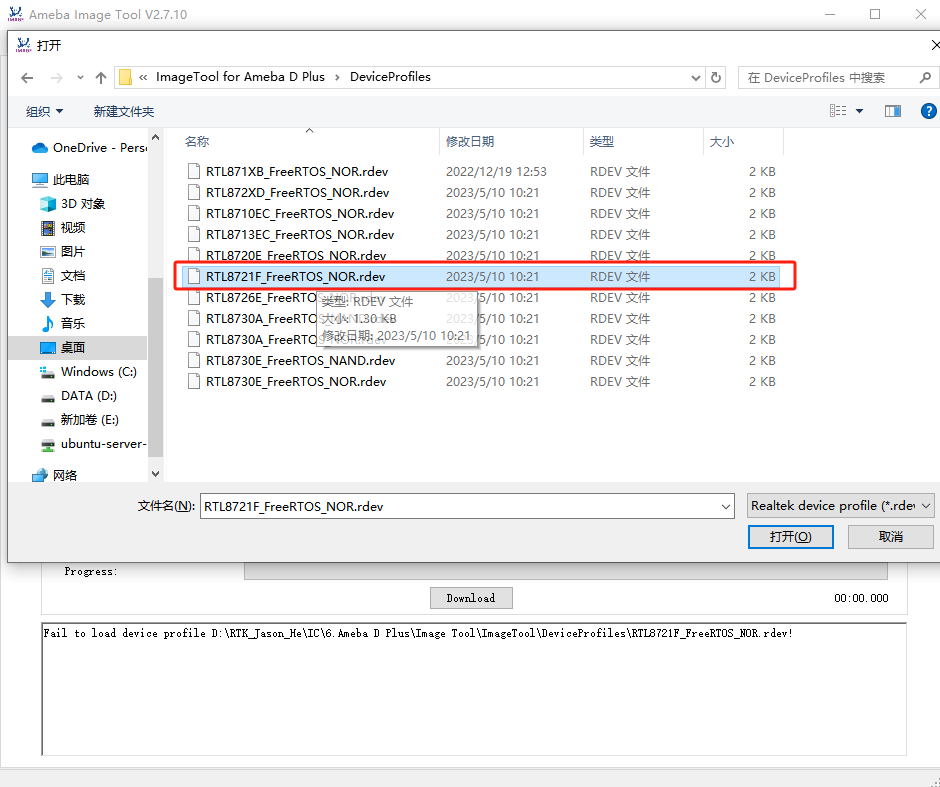
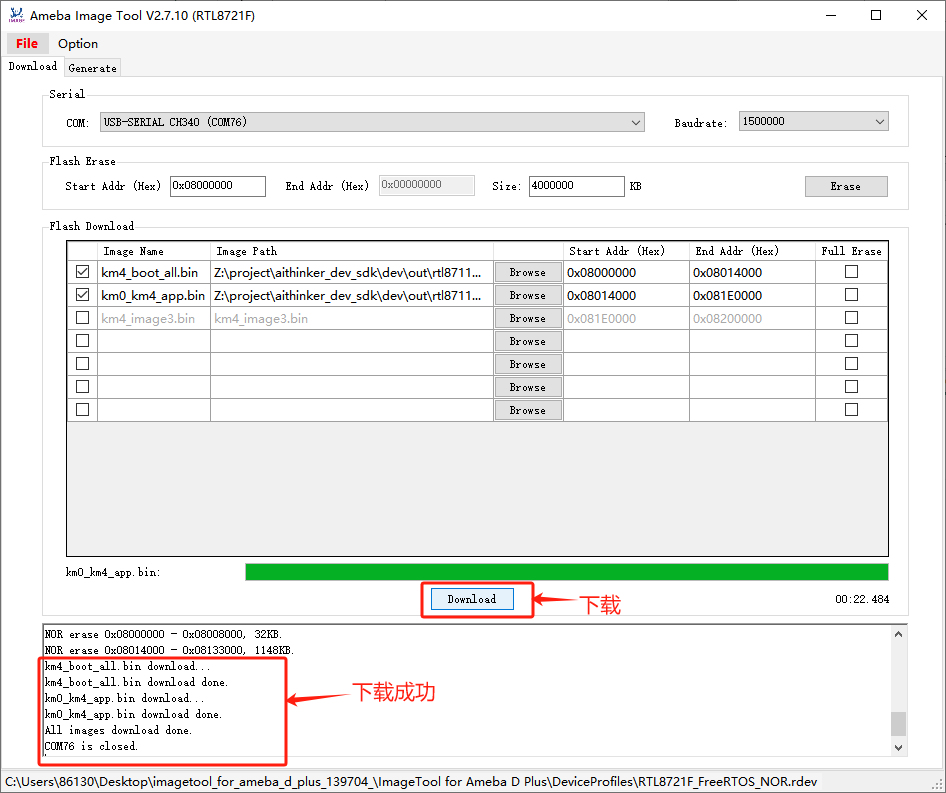
Click File→Open and select the RTL8721F_FreeRTOS_NOR.rdev file
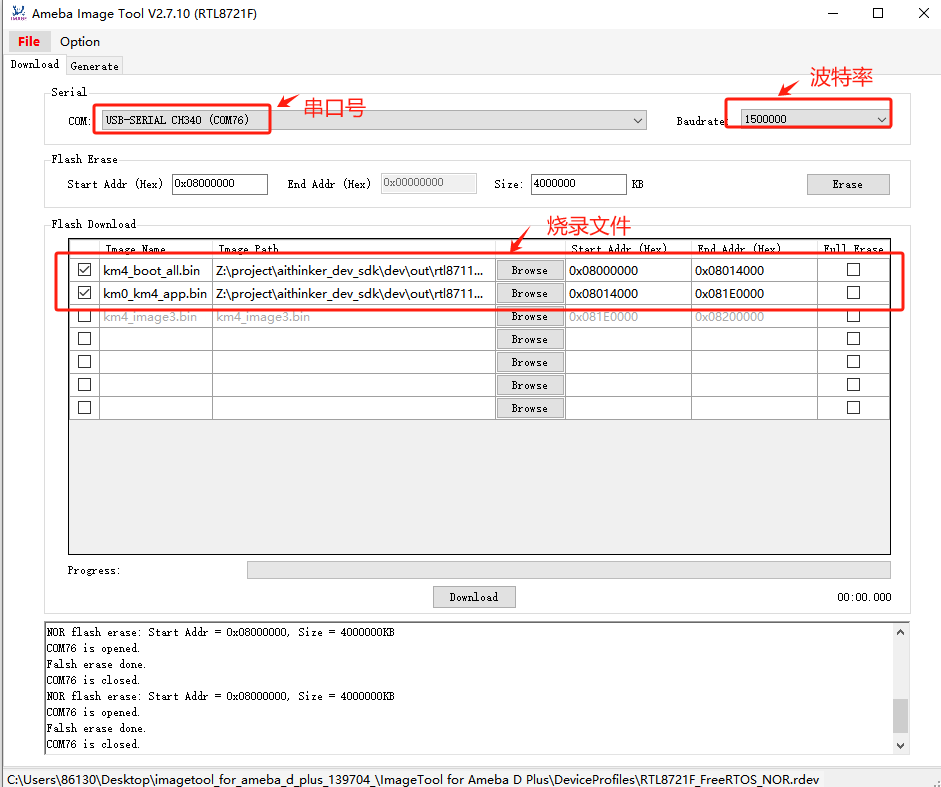
Select the port, baud rate, and firmware file
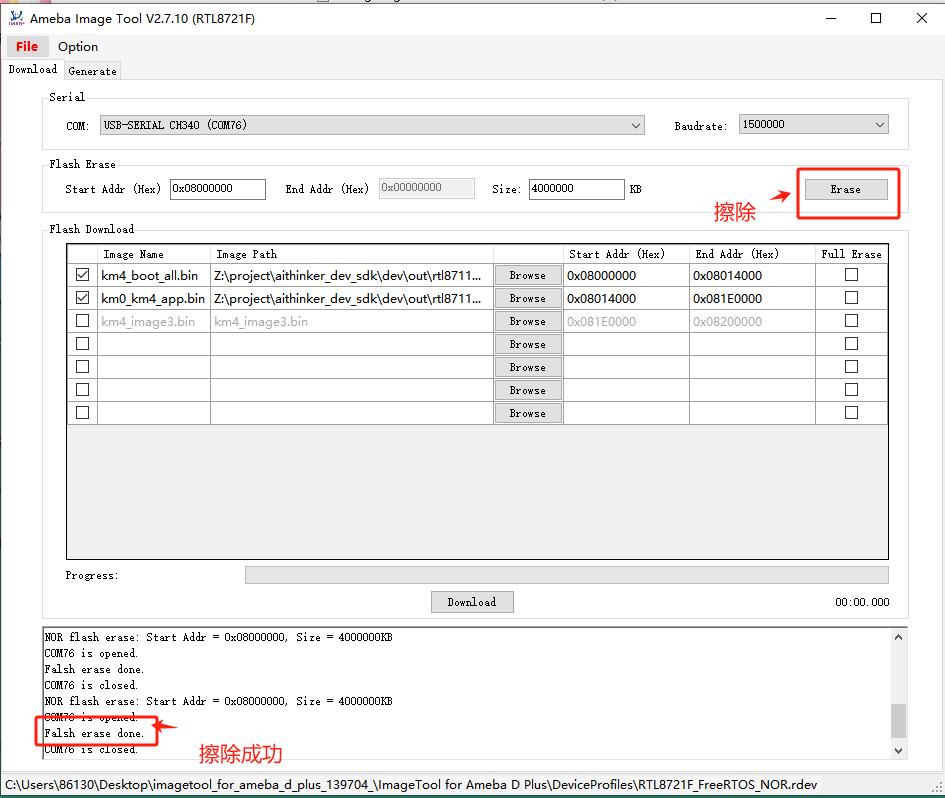
Put the device into flash mode and click Download. To erase flash first, click Erase, then Download. If erase is not needed, download directly.
3. Write device credentials
Write the device credentials with an AT command over the pass-through UART
① Format: AT+KEY=DeviceID,Username,Password
② Example: AT+KEY=SjtA0LLvoesd7t,qRMrBG,FVZrh2XekKMdmV