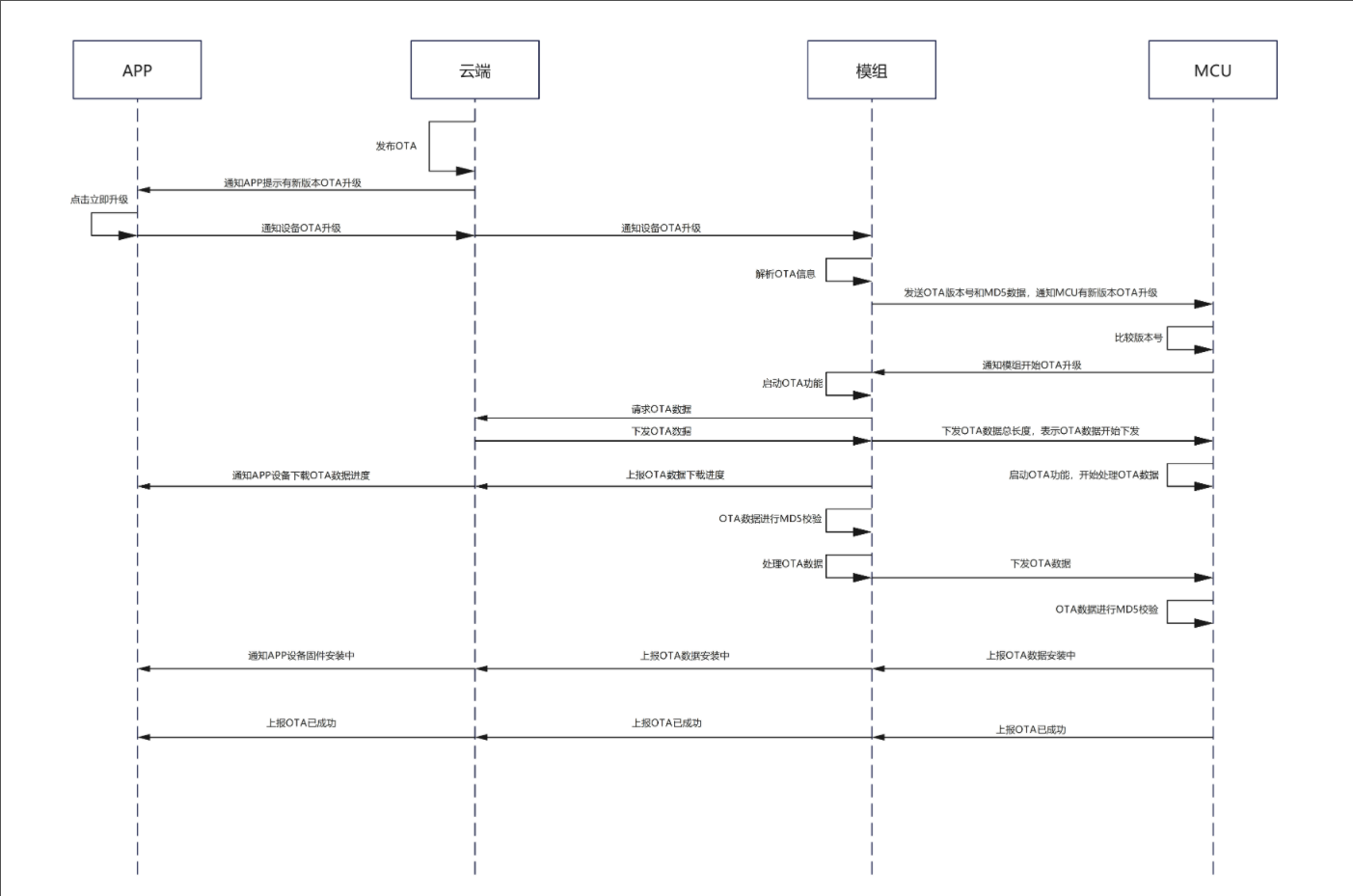
Extension Firmware OTA
- Peripherals controlled by the MCU—such as displays—may also require updates. Ubases IoT provides extension firmware OTA: the module transfers firmware to the MCU over XMODEM, and the MCU processes the data to update one or more extension firmware images. The developer maintains the extension firmware code and version information.
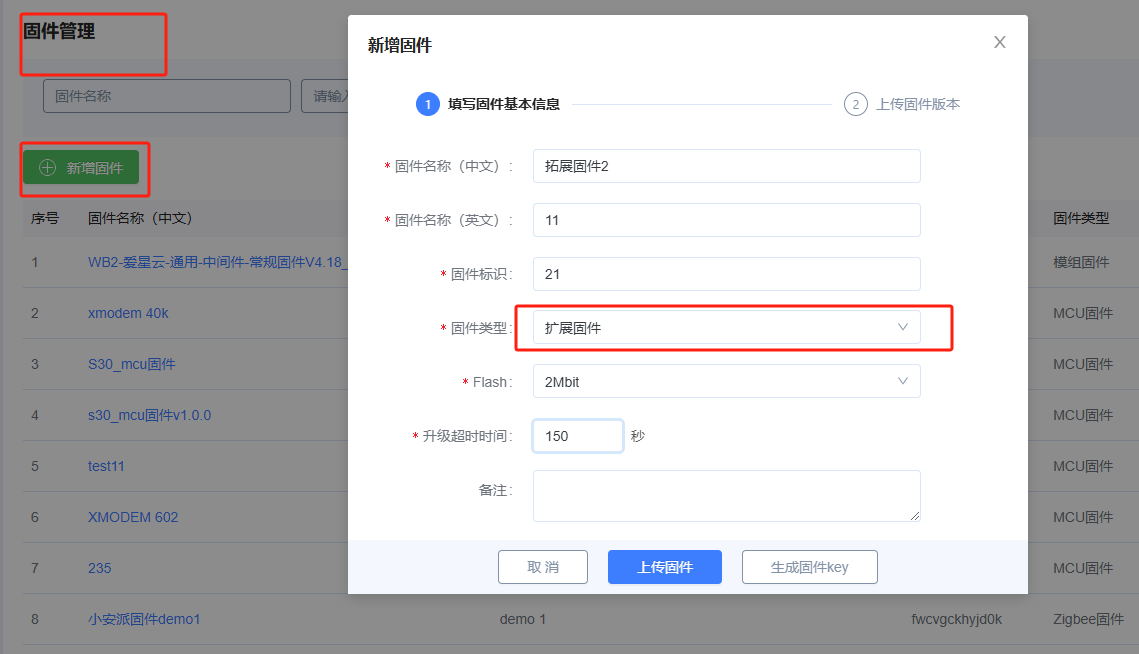
- In Firmware Management, add extension firmware and upload a version

- Associate the extension firmware created in the previous step with the product

In Firmware OTA, add an extension firmware OTA task

Same as module OTA: choose the publish method and target devices, then publish

After a successful publish, the App for the target devices displays an extension firmware OTA prompt. During the upgrade, the App displays the progress, followed by “Installing” and then “Install successful”. The extension firmware upgrade is then complete.



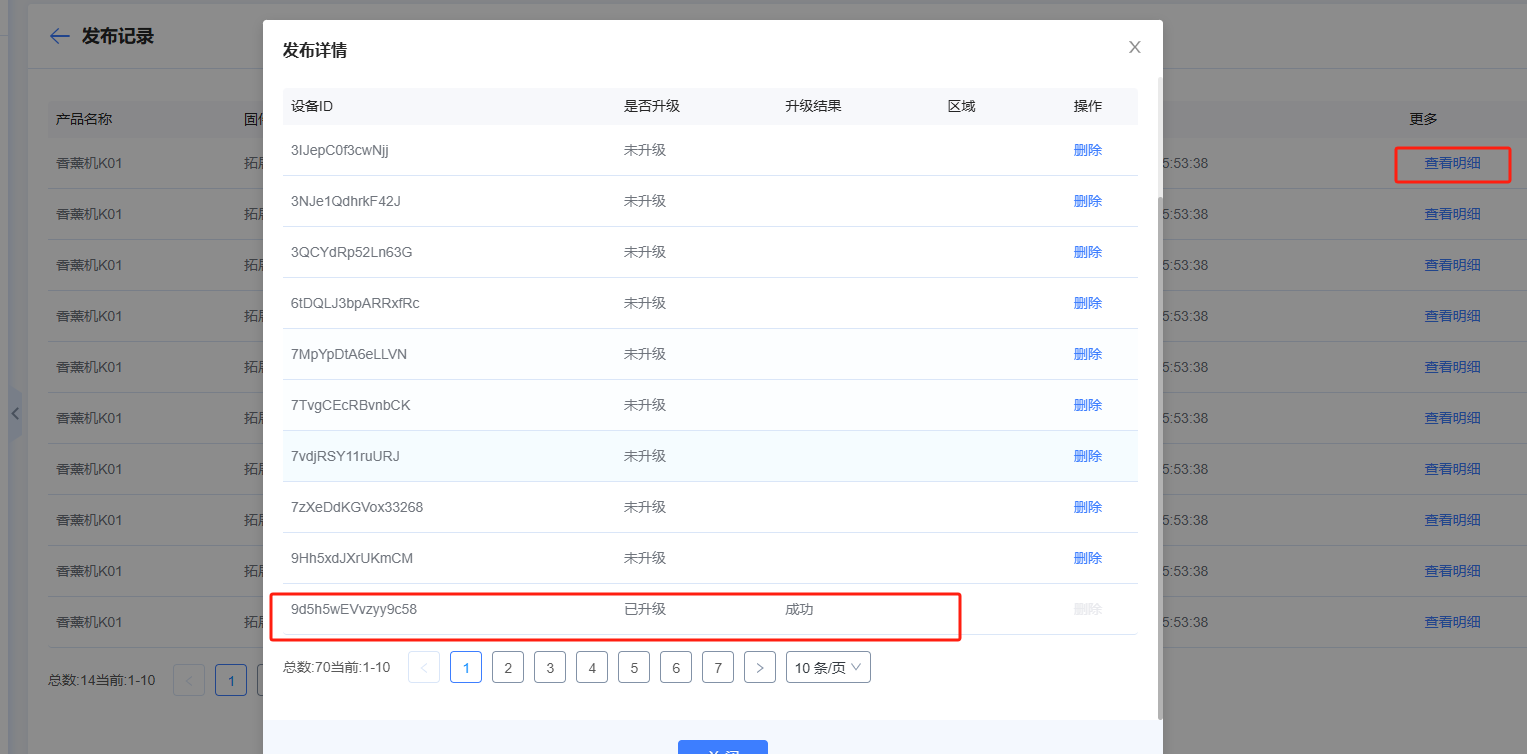
- View details to check upgrade status