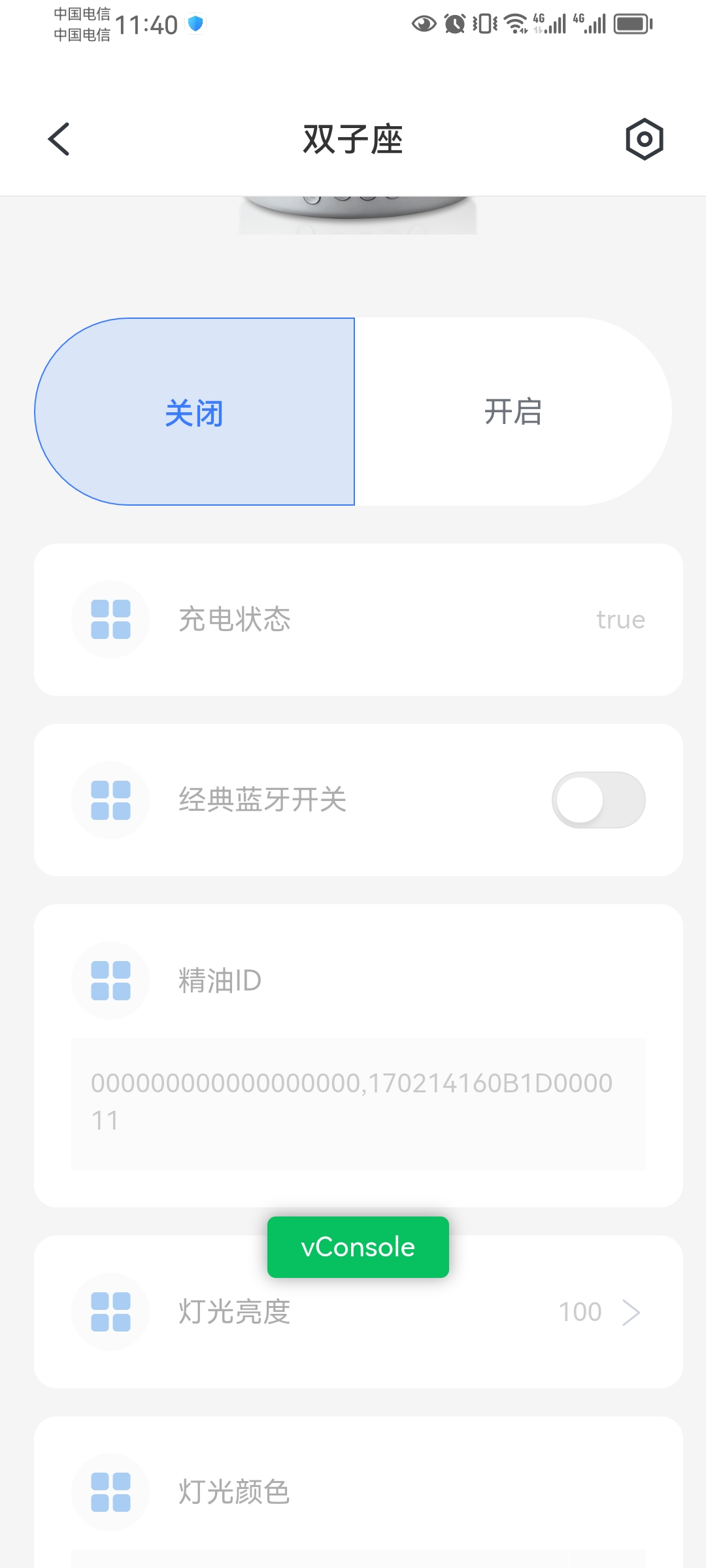
Custom Control Panel Development Guide
Framework repository: https://github.com/ubases/app-device-panel
I. Control Panel Framework Code Overview
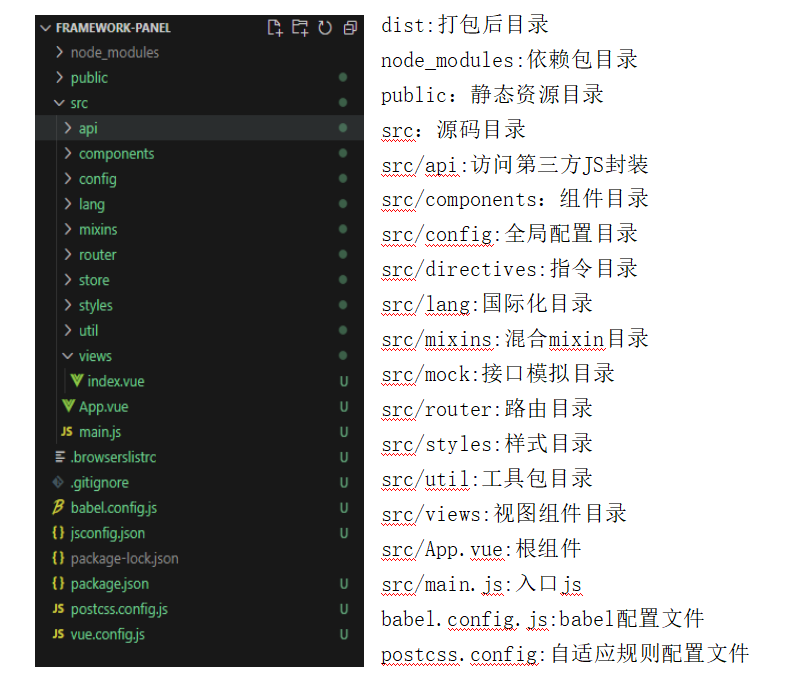
The control panel is built with Vue 2.x, Less, Vant UI, AntV F2, Animate.css, postcss-px-to-viewport, and related technologies.
II. Calling Native App Methods from H5
Related methods are encapsulated under src/api/cordova.js and can be extended according to Cordova conventions:
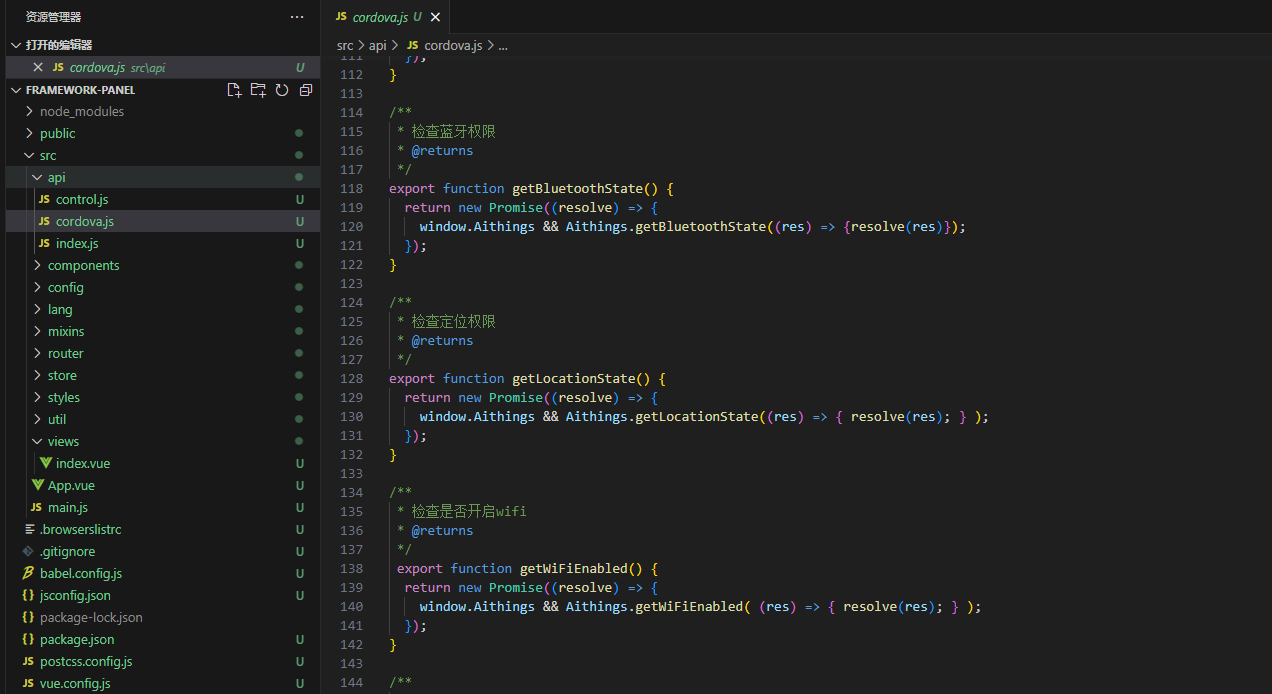
Usage:
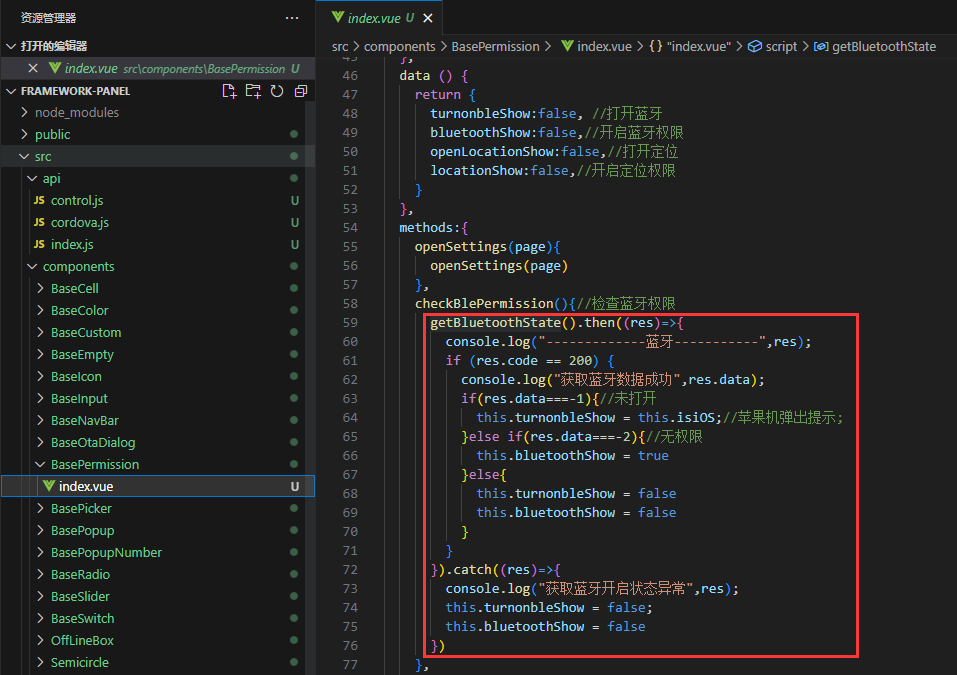
III. Calling Cloud APIs from H5
Related APIs are encapsulated in src/api/index.js and can be extended according to the cloud API definitions.
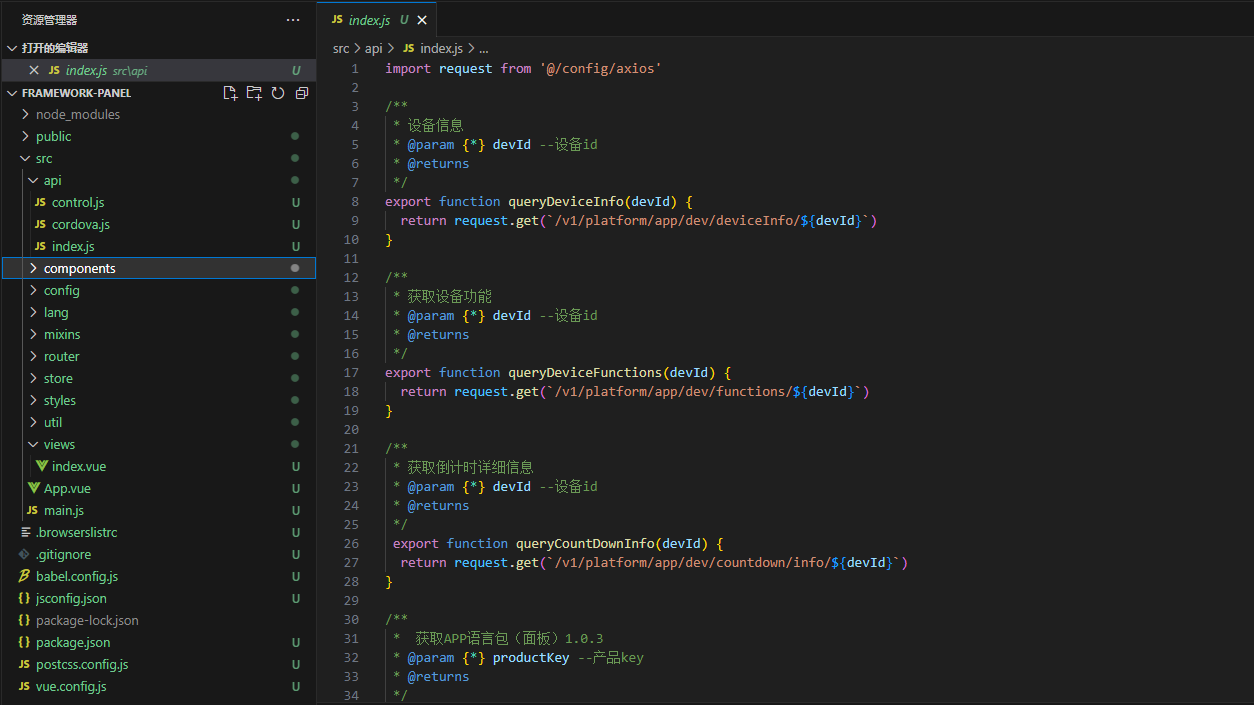
Usage:
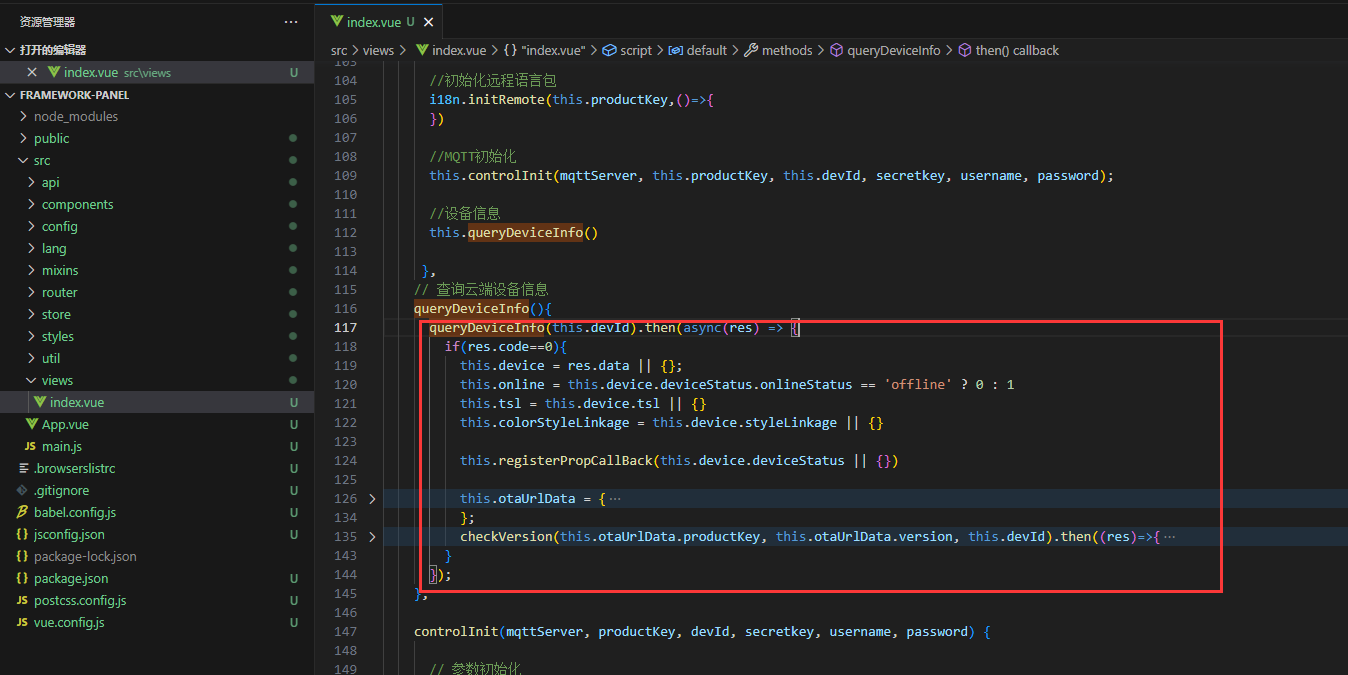
IV. Sending and Receiving Device Commands from H5
Device control and message reception are handled by src/api/control.js, which encapsulates MQTT communication and protocol parsing.
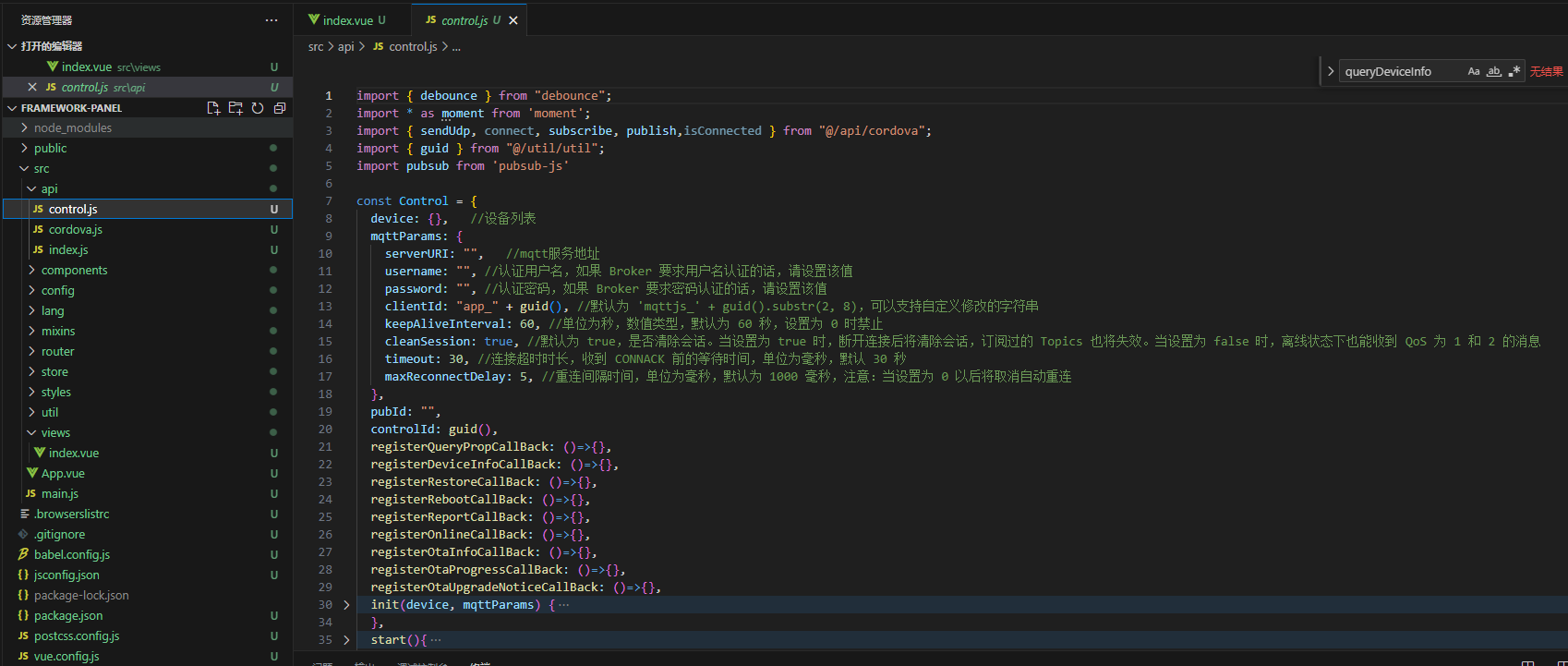
On the control panel home page, initialize MQTT with the parameters passed by the App:
Initialize parameters required by MQTT
Register related callback functions
Connect to the MQTT server and listen for message callbacks
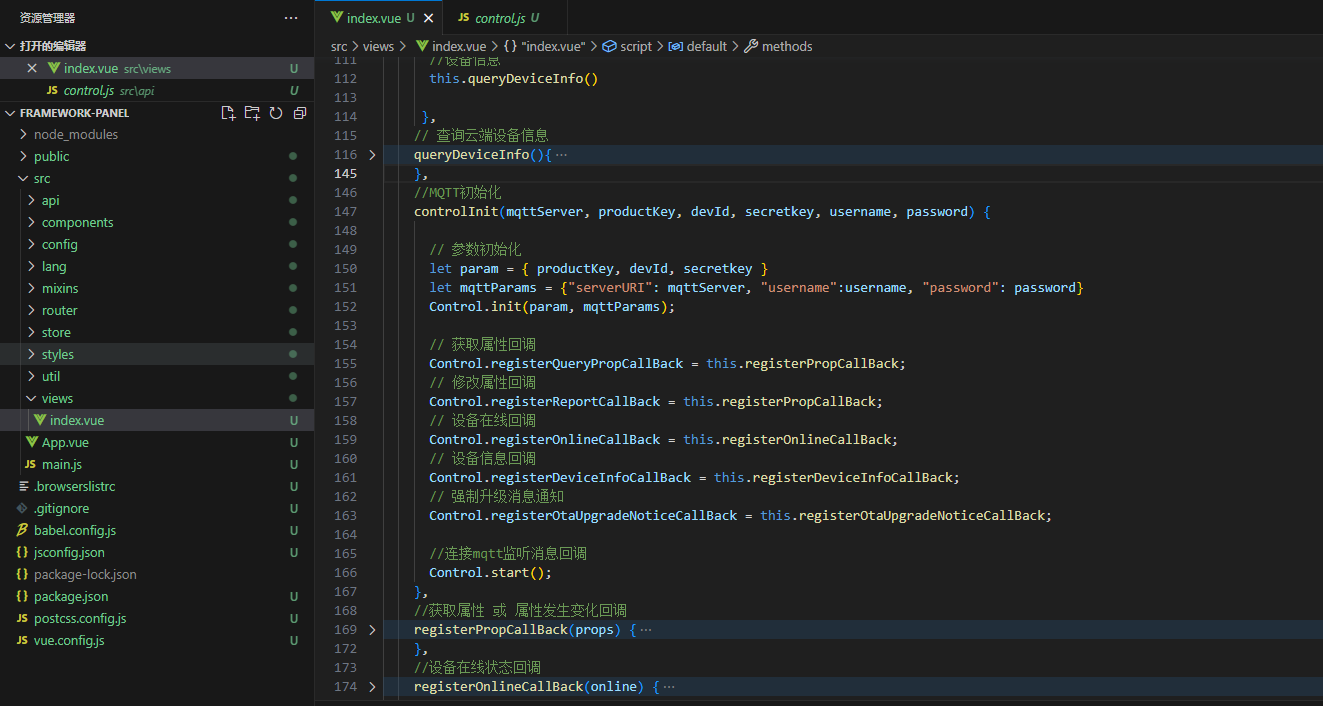
After the above steps, related topics are subscribed automatically. Handle received data in the corresponding callbacks:
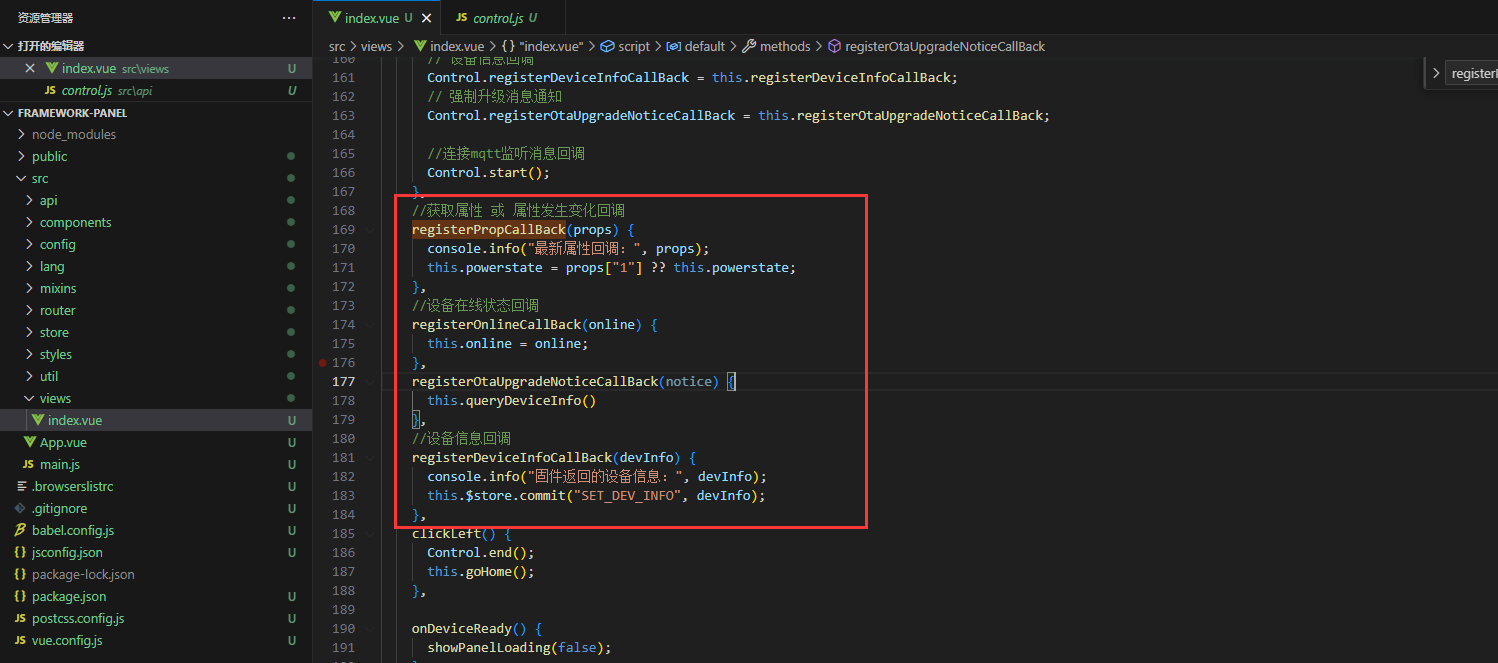
Send control commands as follows:
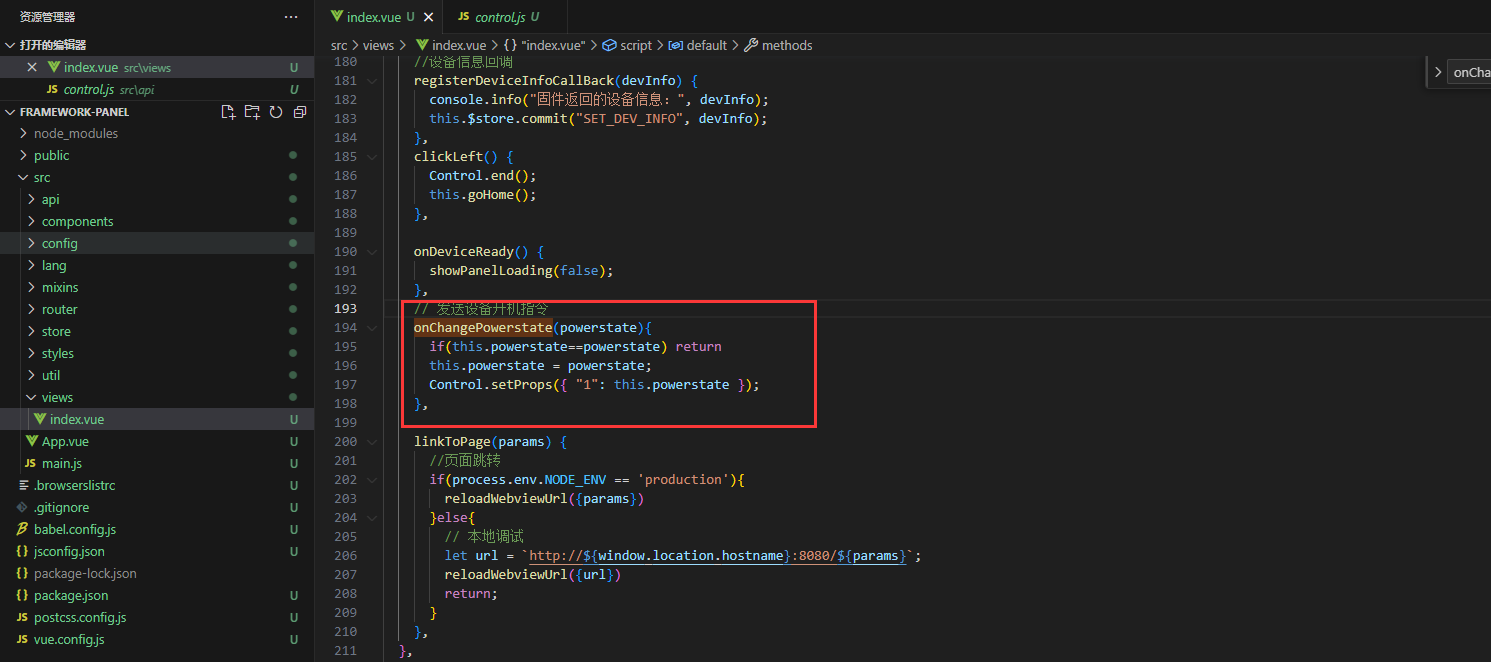
V. Build and Upload to Cloud Management Platform
Return to the project root and run
npm run buildto build the panel, then zip the files insidedist. Example: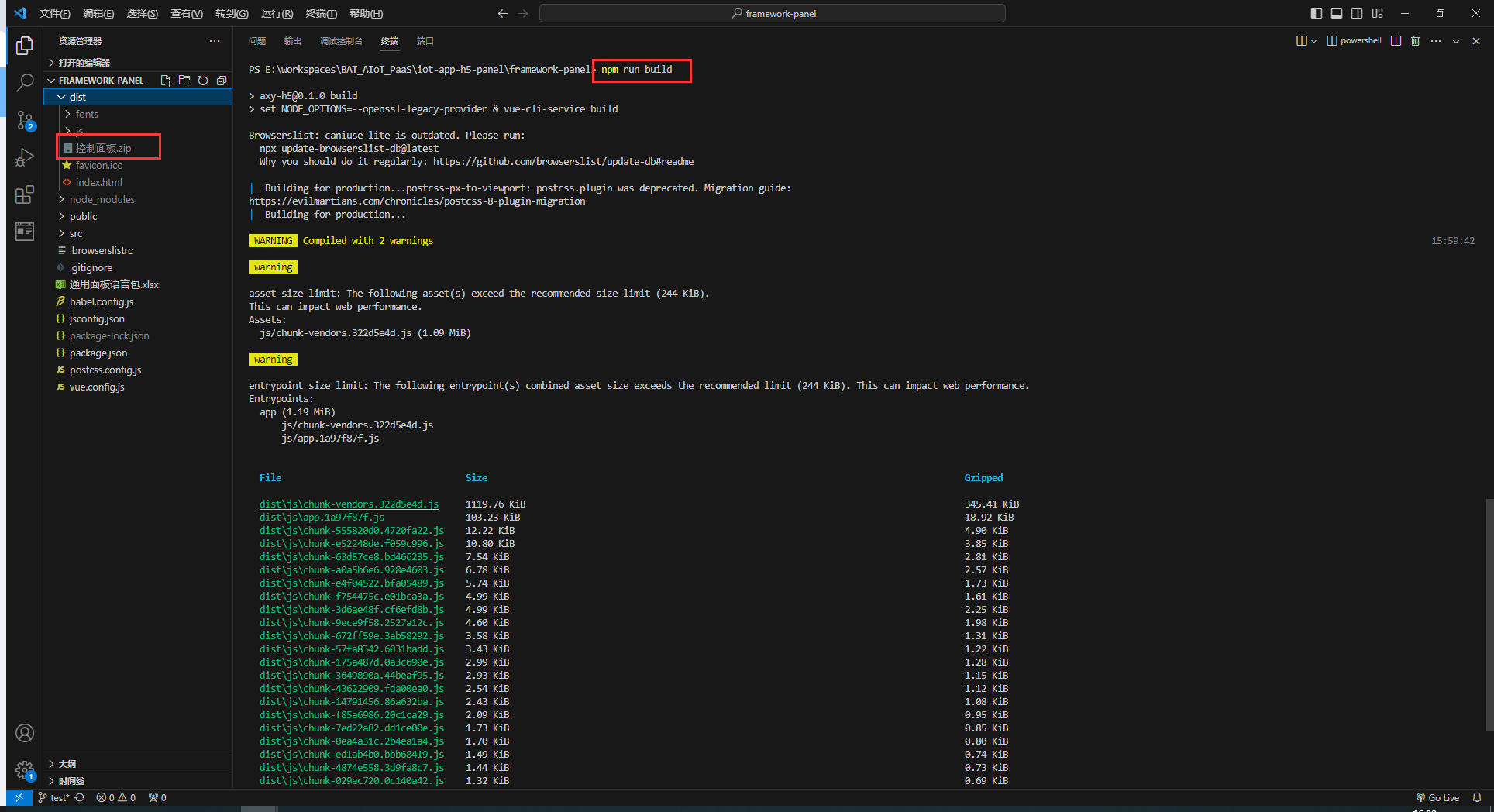
Upload control-panel.zip under Cloud Management Platform → Product Management → Control Panel
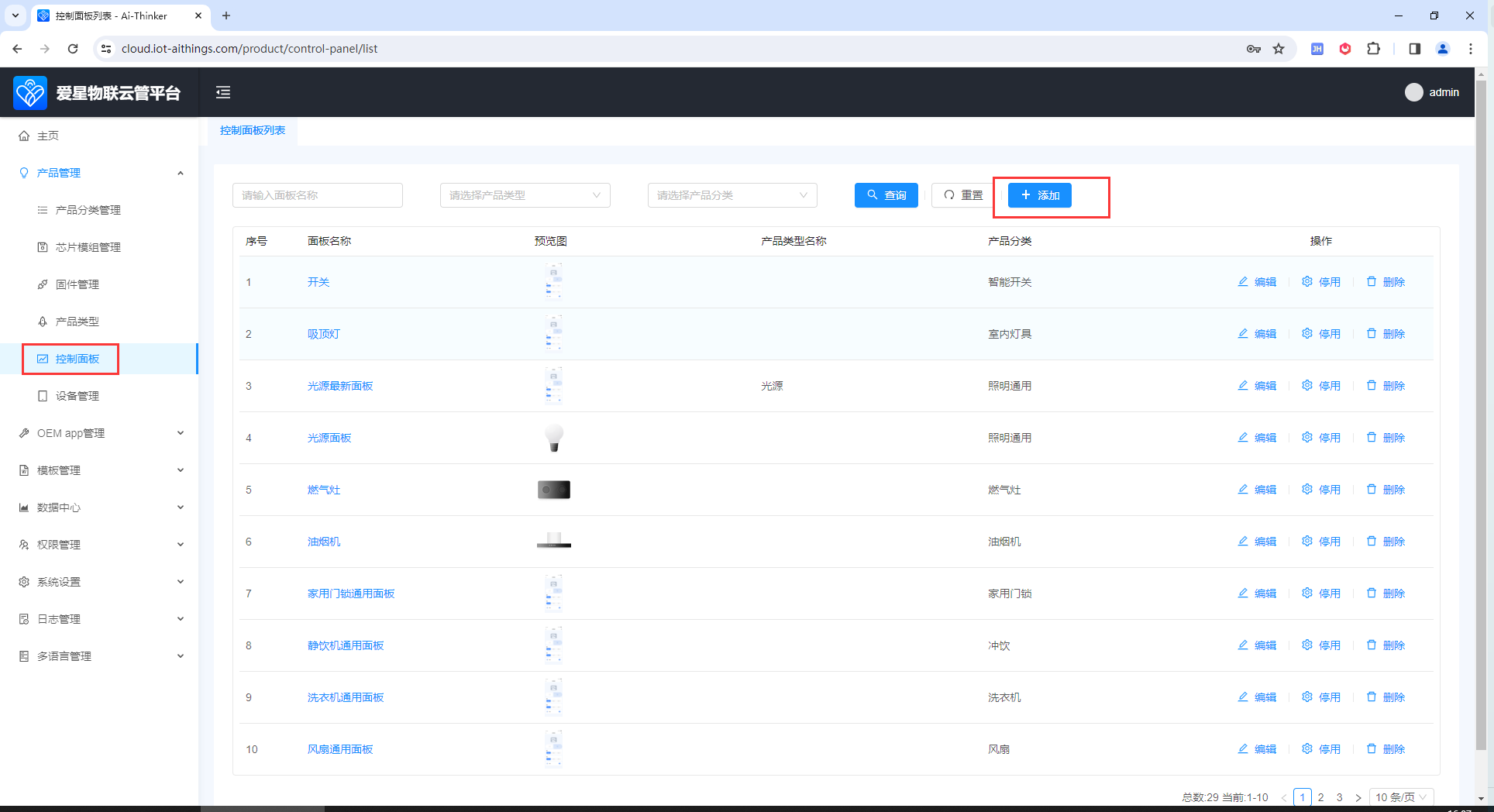
- Under Cloud Management Platform → Product Management → Product Type, when adding a product type, associate the matching control panel.
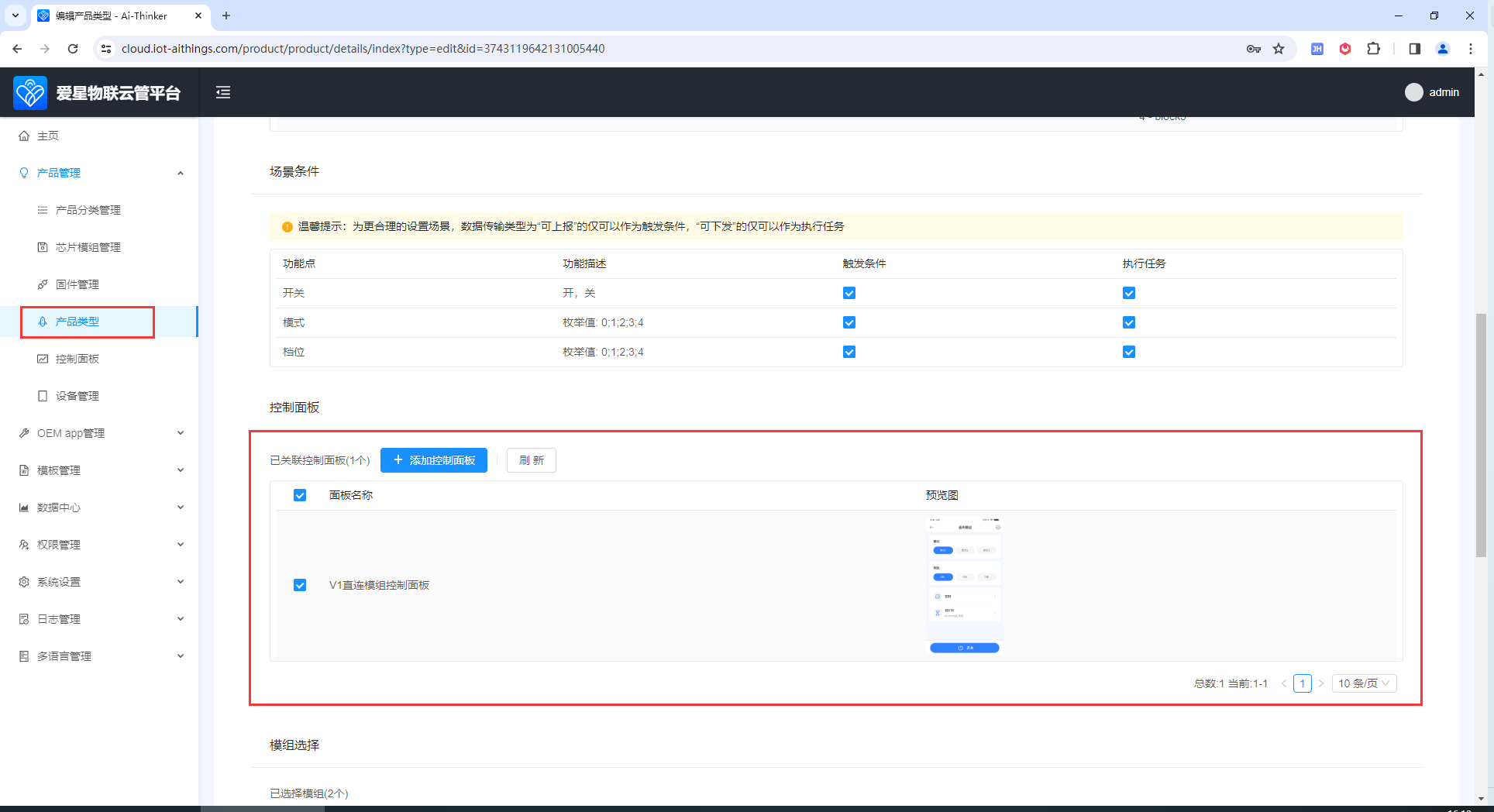
VI. Build and Upload to Development Platform
In addition to uploading via the Cloud Management Platform for all developers, you can also upload on the Development Platform for use only within the current workspace. 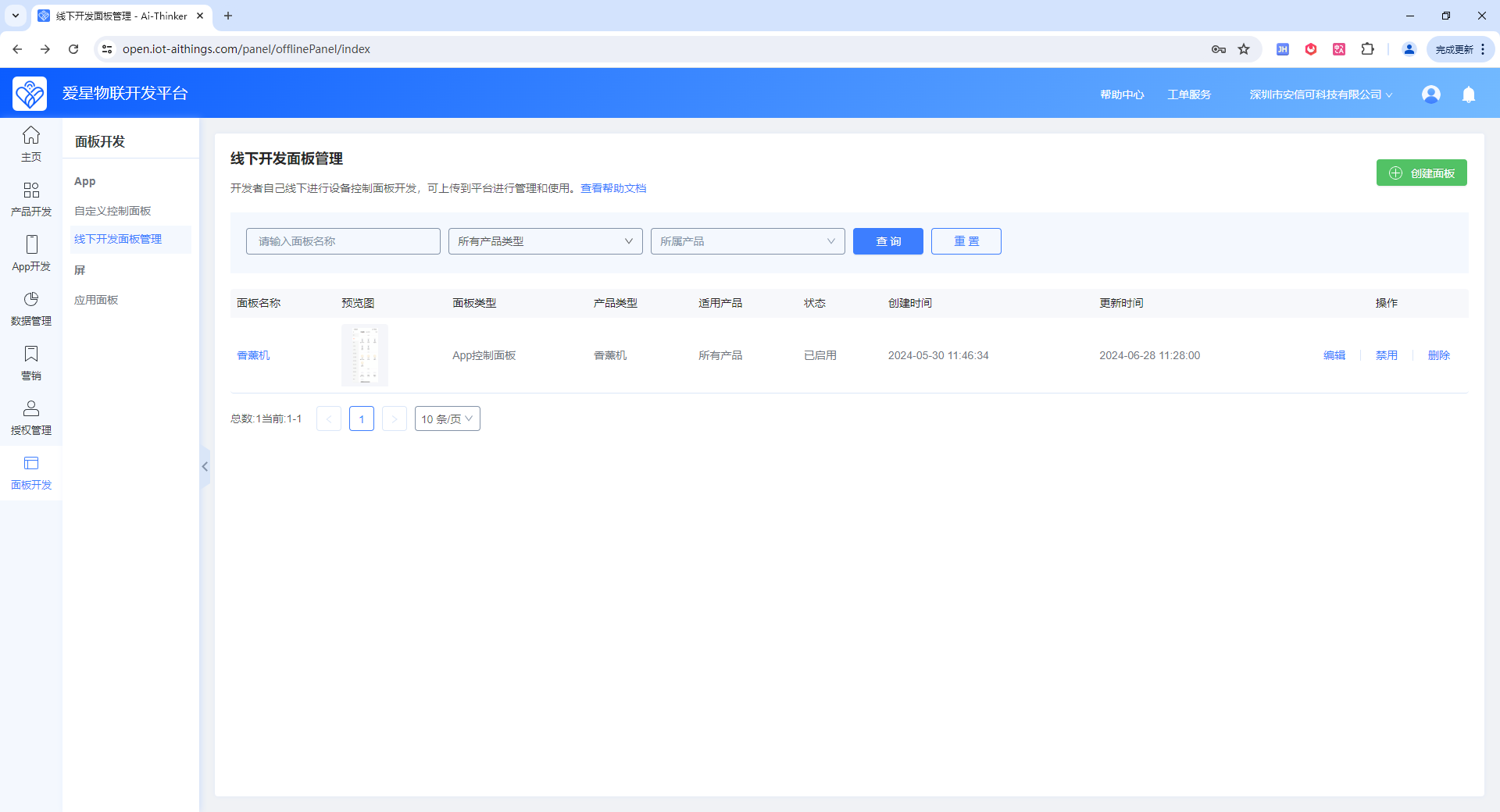
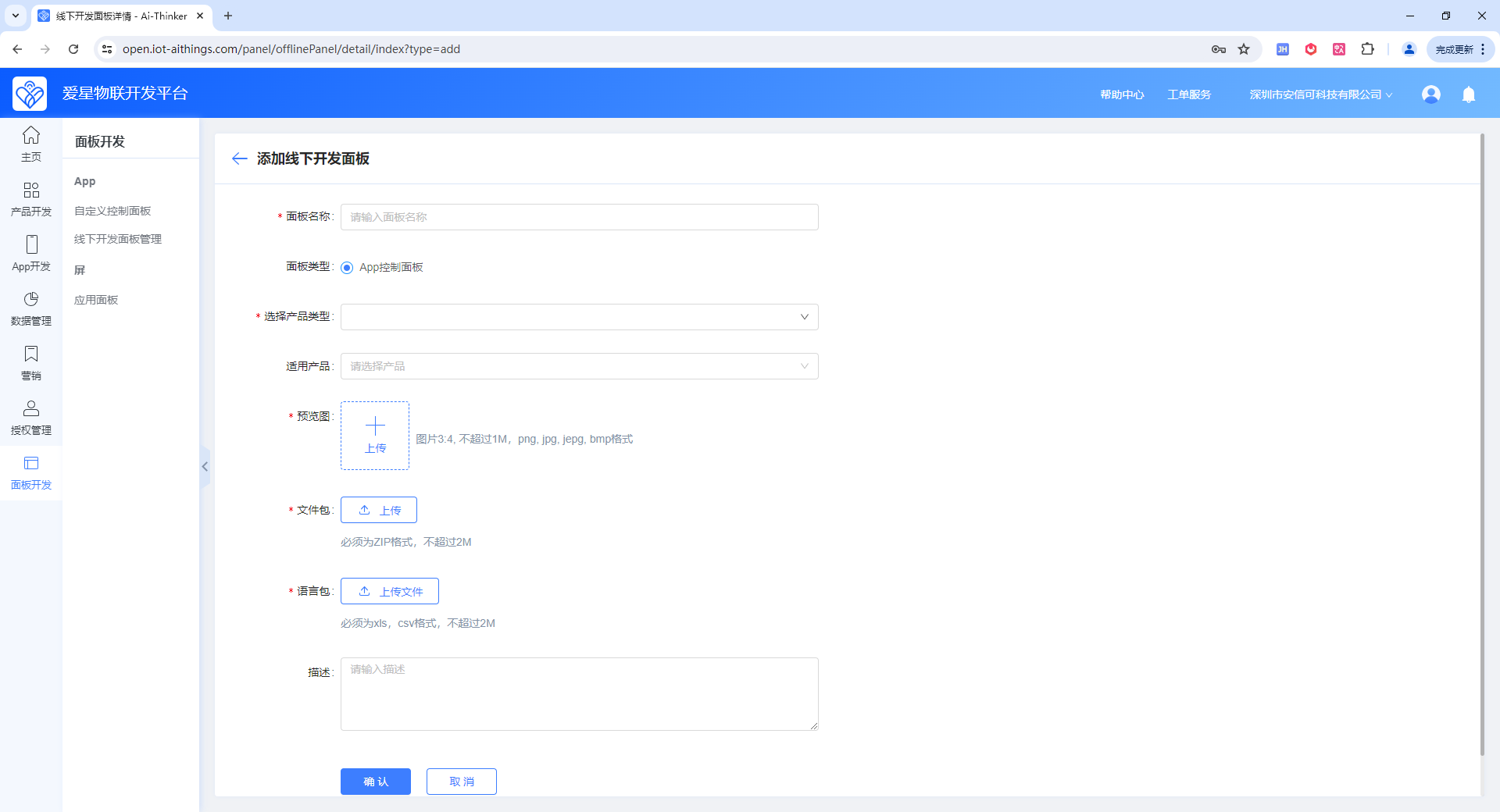
VII. Select a Panel on the Development Platform
On the Development Platform, click Product Development → Create Product or Continue Development
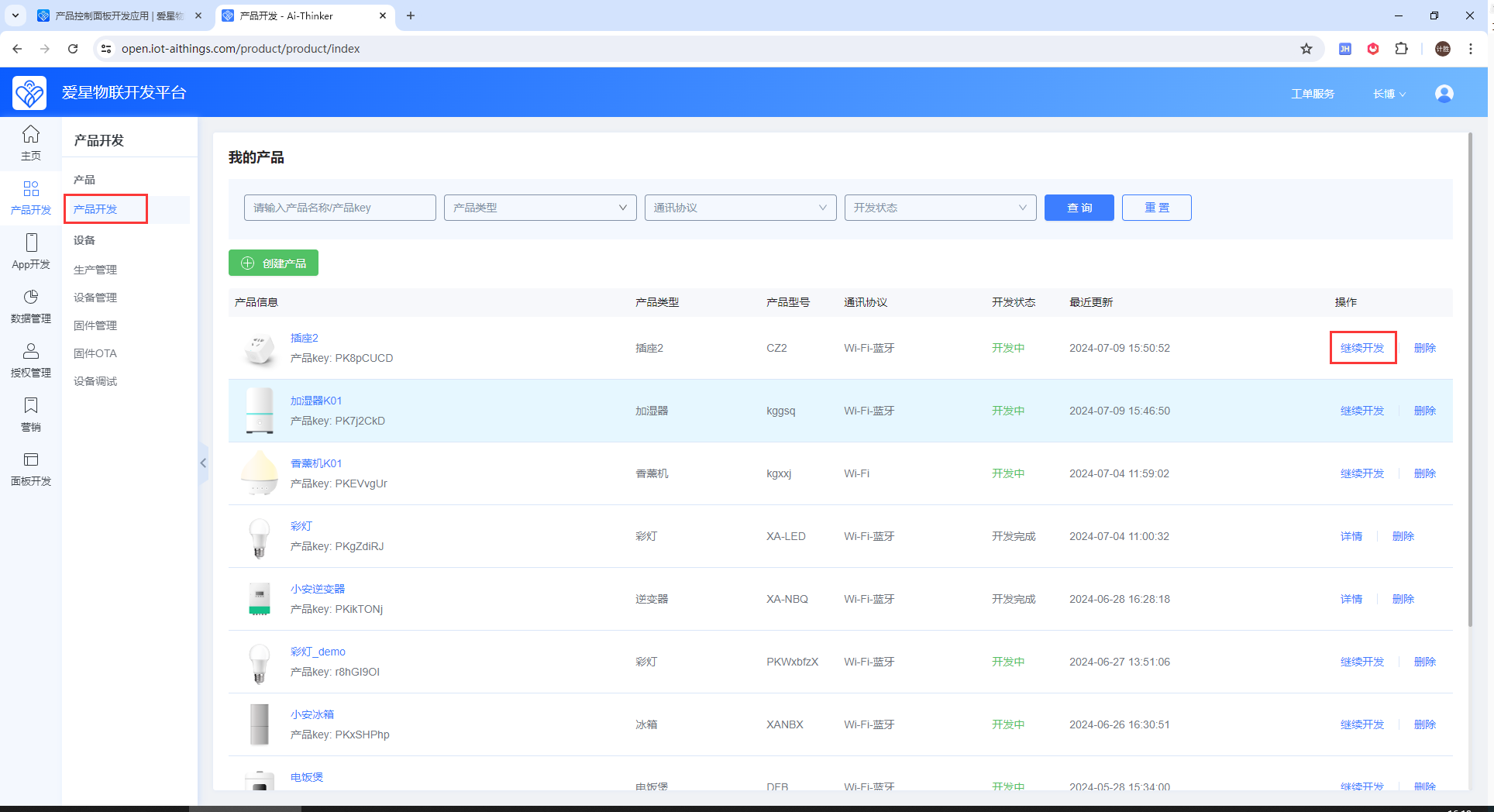
Click Device Panel → Change Panel
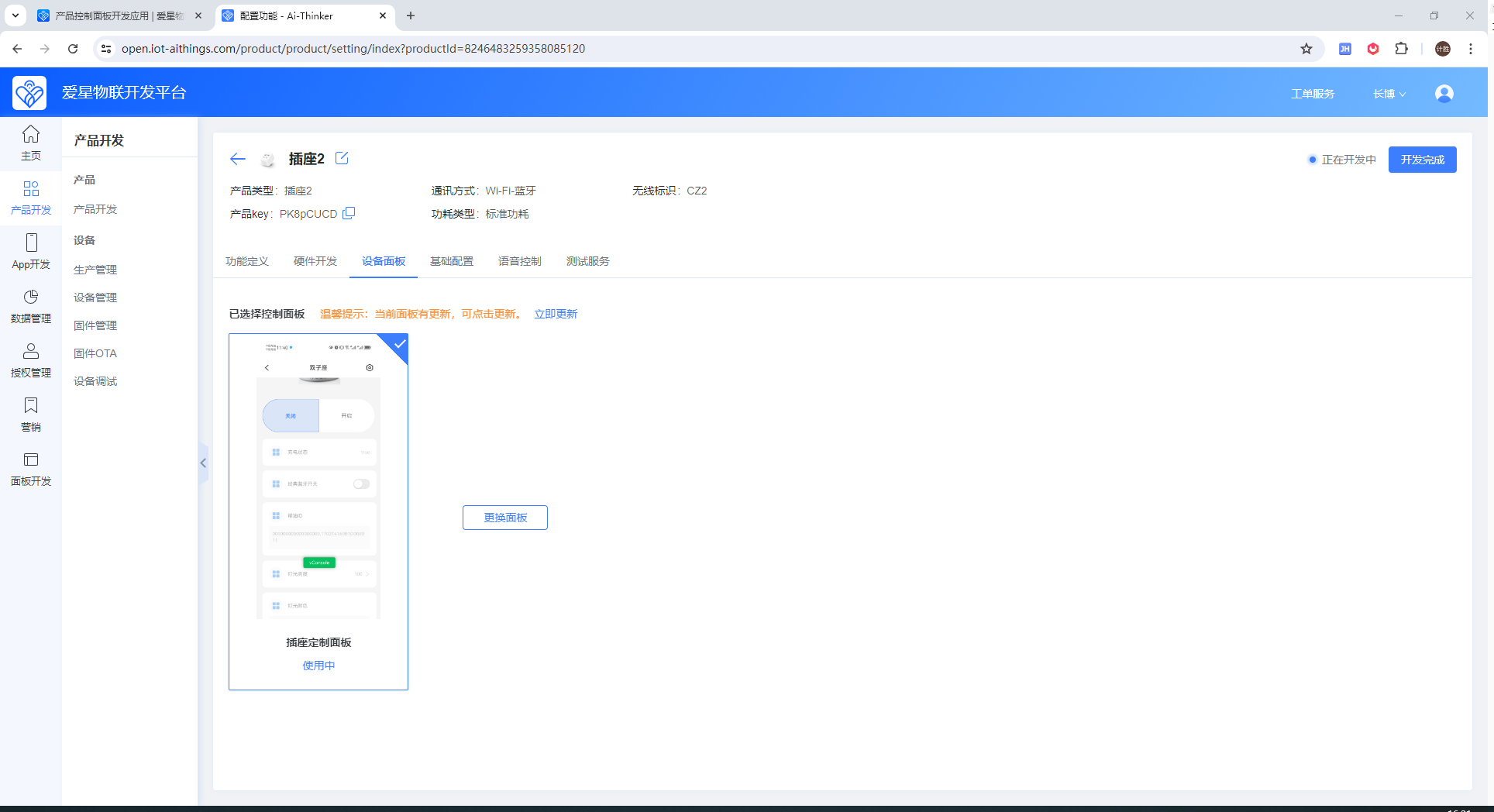
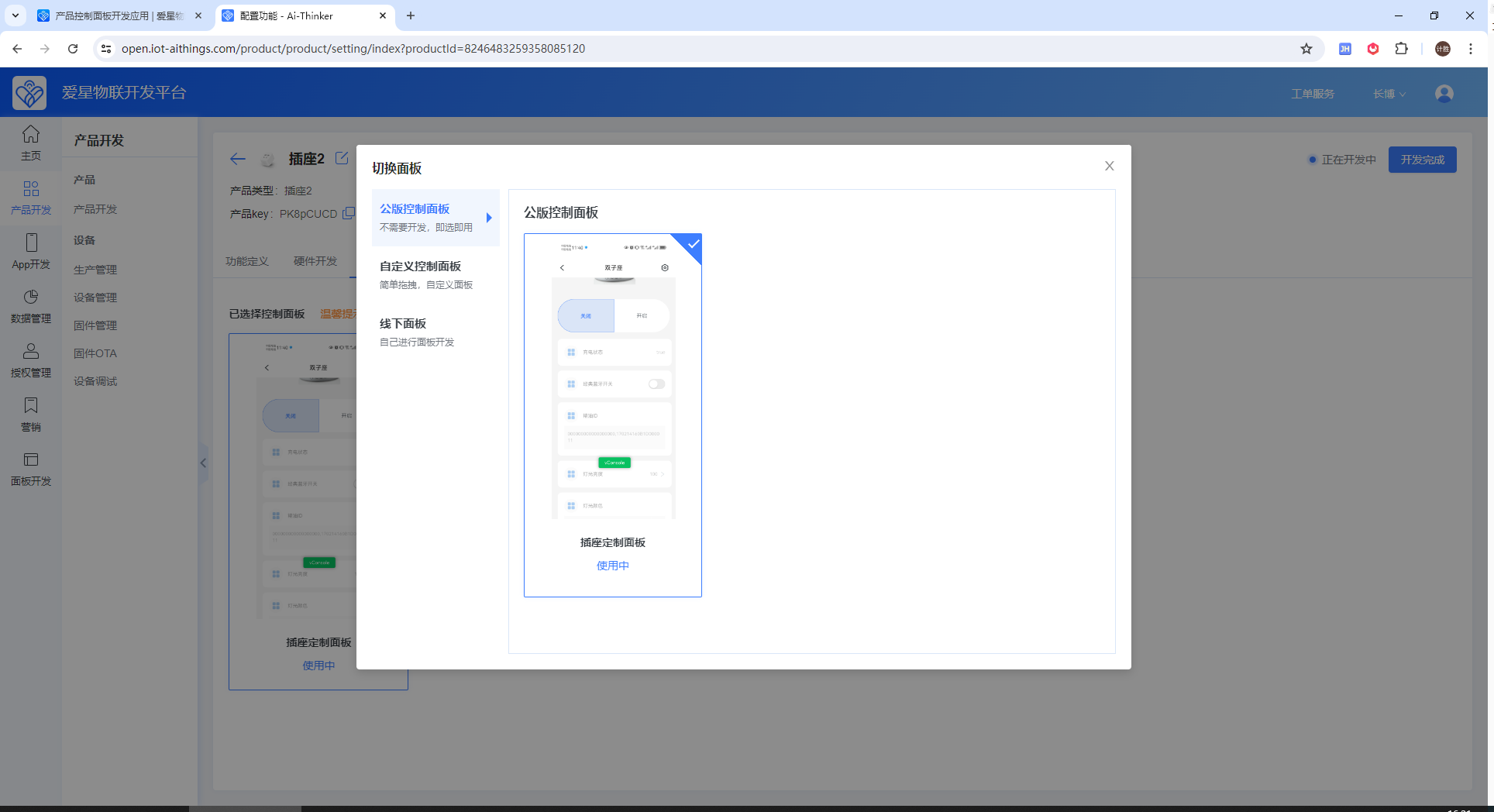
After completing the steps above, provision a device in the App and tap it to open the control panel. You can then view the latest panel content and perform integration testing with the device.