App Cloud Build Service
The Ubases IoT cloud build service allows developers to build OEM Apps through the public cloud. Use it as follows:
- Sign in to the Ubases IoT Open Platform and click App Development > OEM App Cloud Build Service in the left menu;
- On the OEM App Cloud Build Service page, enter the app name and confirm authorization to obtain the cloud build authorization key;
- Configure the build method for the enterprise or developer private cloud, and set the cloud build authorization key;
- Submit an OEM App build request and wait for the build result.
Apply for a Build Key
Sign in to the Ubases IoT Open Platform and click App Development > OEM App Cloud Build Service in the left menu;
Application URL: https://open.iot-aithings.com/appDevelop/cloudPackage/index
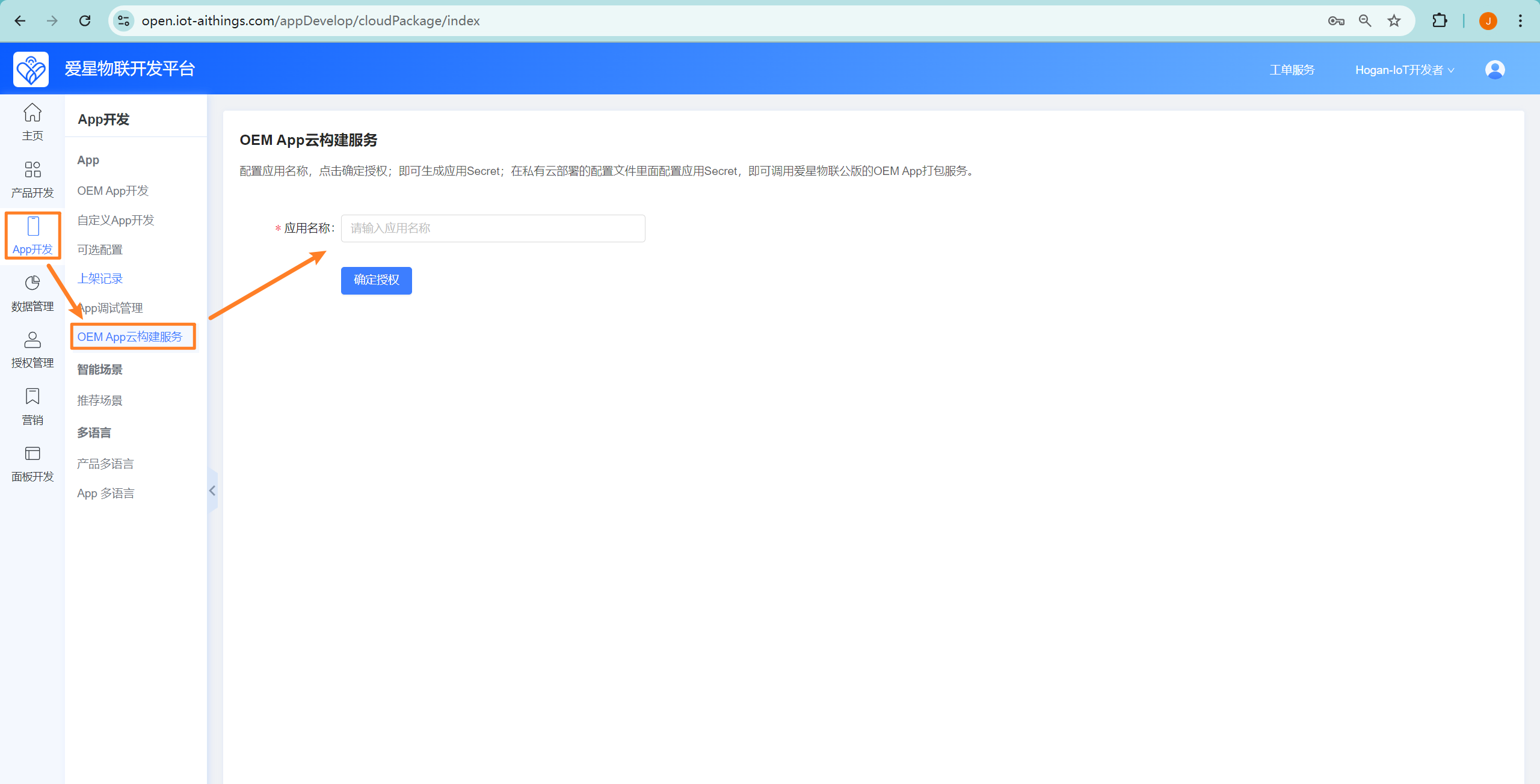
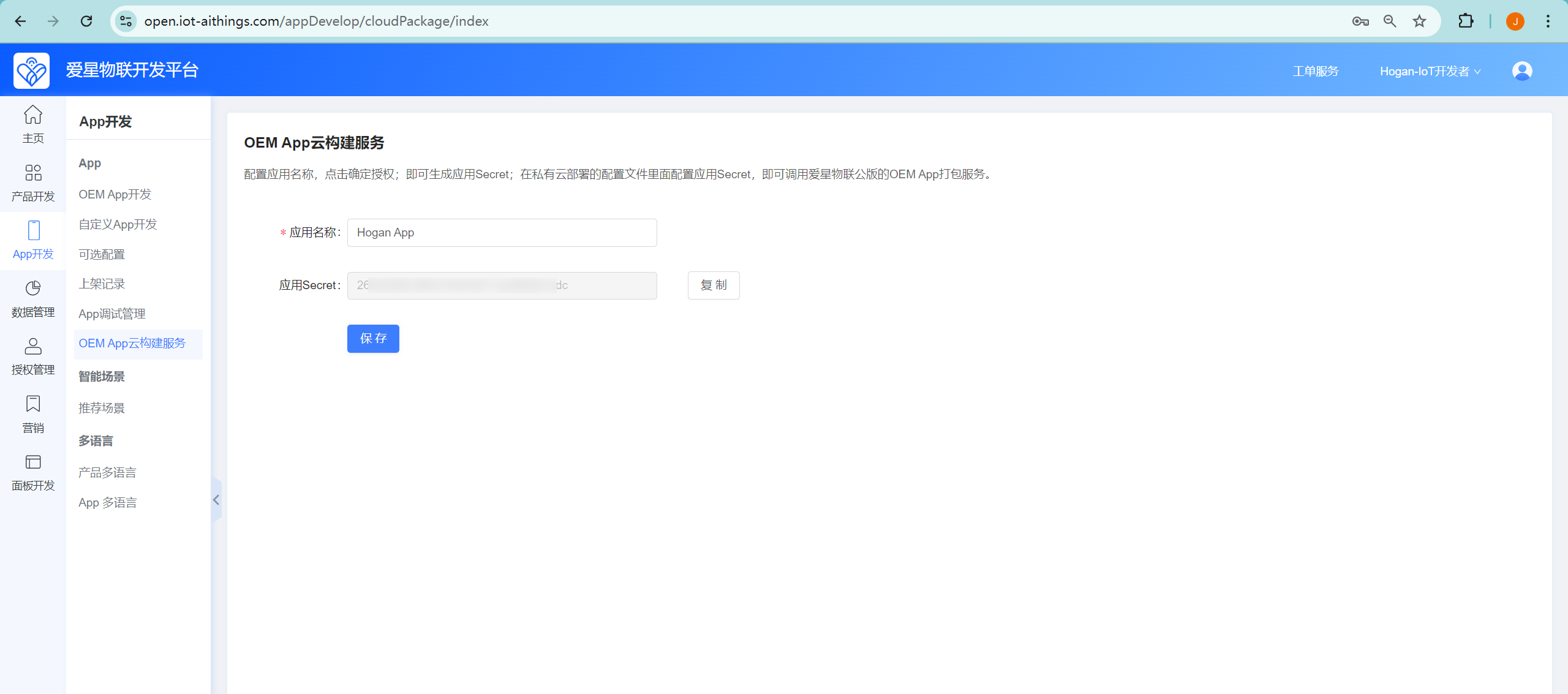
To apply for a key, enter the app name. After the key is generated, the page looks like this:
Private Cloud Configuration
Copy the app key to the buildKey field in the configuration file of the iot_app_oem_service service:
appBuild:
  buildNotify: "http://{你的开发平台地址}/api/v1/platform/web/open/oem/app/buildFinishNotify" # 配置开放平台的接口地址
  regionServerUrl: "https://{你的App访问接口地址}" #APP要请求接口的地址,用于首次打开App获取区域服务列表
  buildMode: 2 #打包方式,这里配置为2,表示使用云打包服务;
  buildKey: "xxxxxxxxxxxxxxxxxxcxxxxxx" #APP构建Key,公版平台云打包服务提供
  buildServerUrl: "http://open.iot-aithings.com/api/v1/platform/web/open/oem/app/cloud/appBuild" #APP构建云打包平台地址,公版平台云打包服务提供(固定为这个地址就好,不需要修改)
Parameter description
buildNotify: Used to send the build result and App package back to the enterprise or developer private cloud service
regionServerUrl: The API that the App calls after launch to obtain regional service endpoints (for example, regional servers deployed in China, the US, and other regions)buildMode: Specifies the build method. Set this to
2to use the cloud build service;
buildKey: The App Secret obtained from the public cloud build service
buildServerUrl: Fixed configuration that provides the build notification entry for the private cloud;
After changing the configuration, restart the iot_app_oem_service service:
# docker部署则容器进行重启
docker restart $(docker ps -q --filter name=iot_app_oem_service)

# 直接部署方式,则通过start.sh脚本重启
./start.sh iot_app_oem_service
App Build
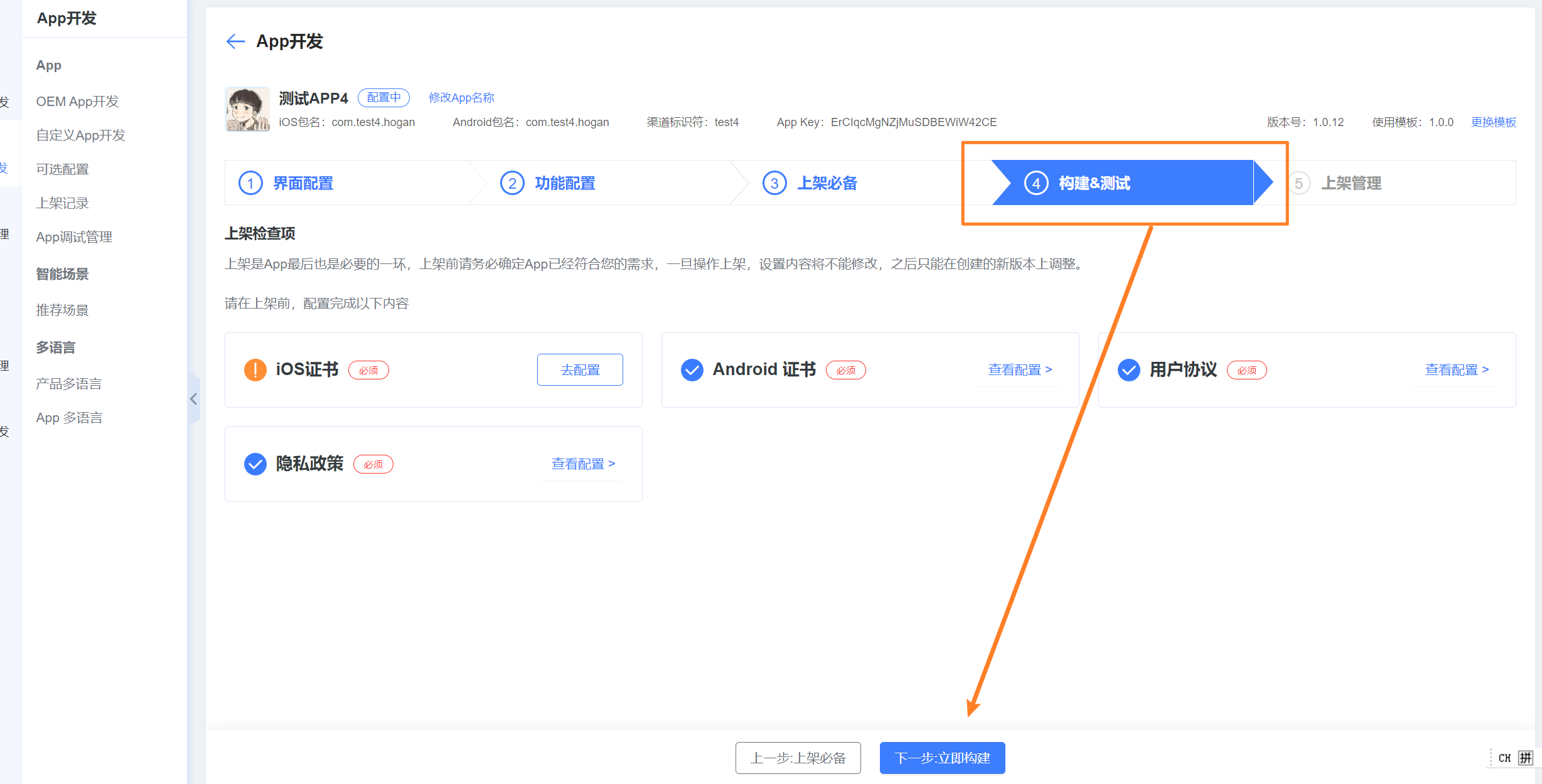
Go to App Development > OEM App Development, open the App details page, switch to the Build & Test tab, and click Next, Build Now:
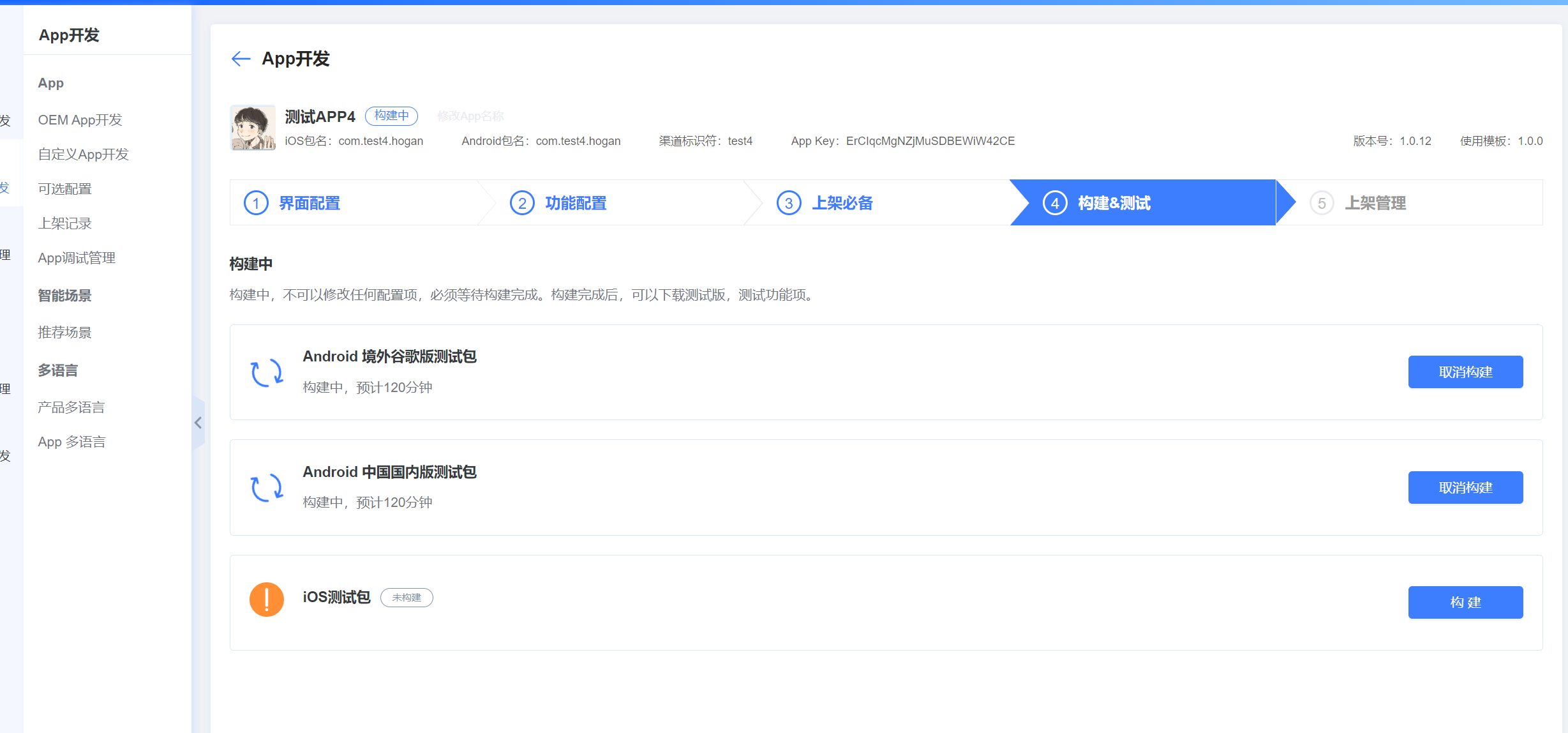
Select the App platforms to build, then click Build:
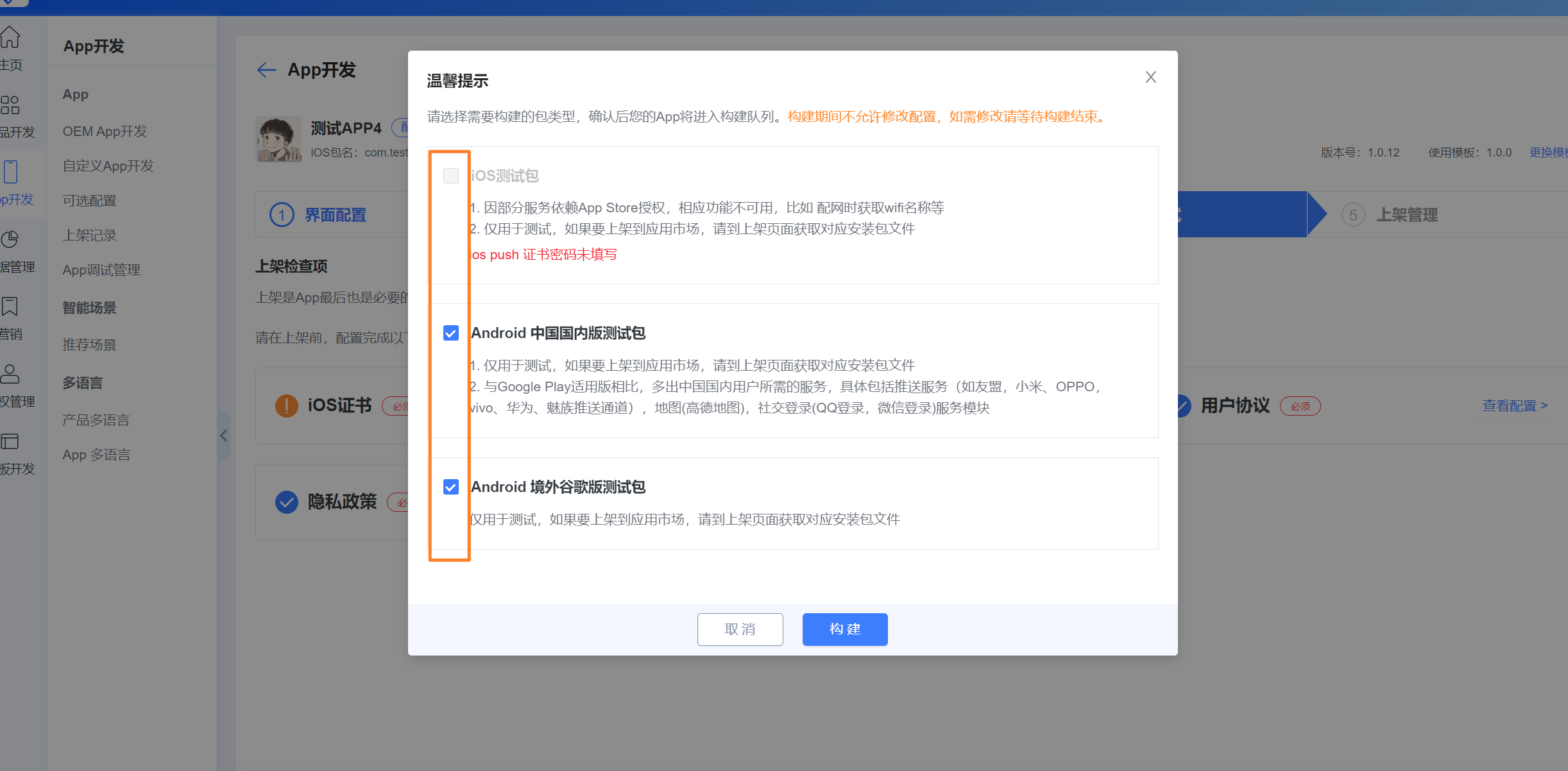
Finally, wait for the build to complete: