

Overview
With all the previous configuration done, you need to gather the following three key parameters for AiPi-PalChatV1 to connect to the Baidu RTC service. They are scattered across different pages, so this page explains where to find each one.
The Three Parameters
| No. | Parameter | Where to find it | Details |
|---|---|---|---|
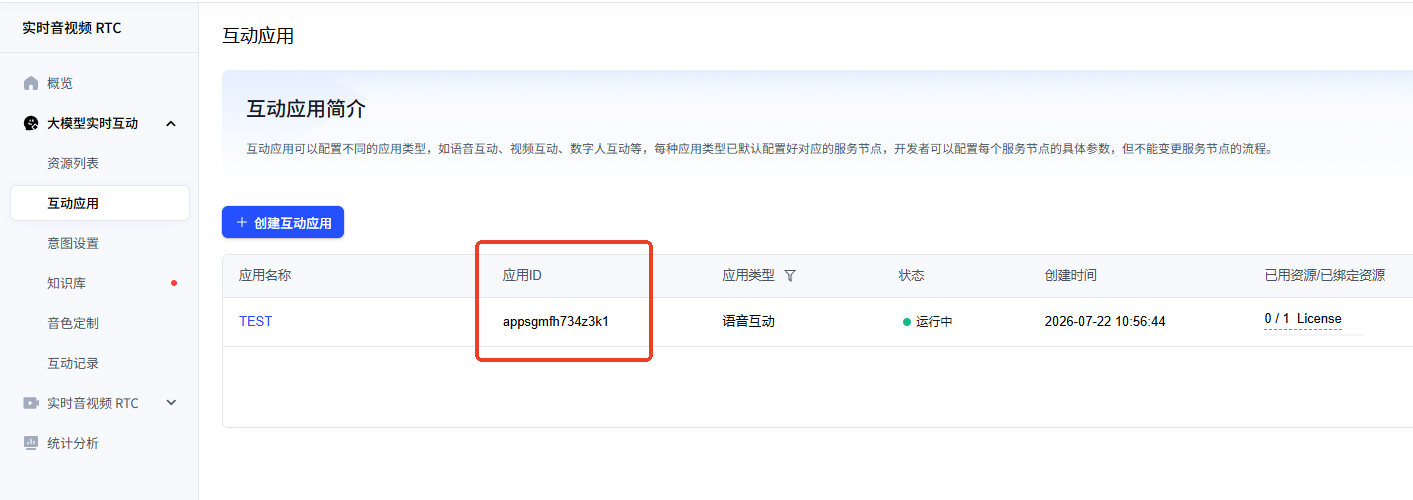
| 1 | Application ID | Interactive Application list | Open Interactive Application; the application ID is shown below the application name |
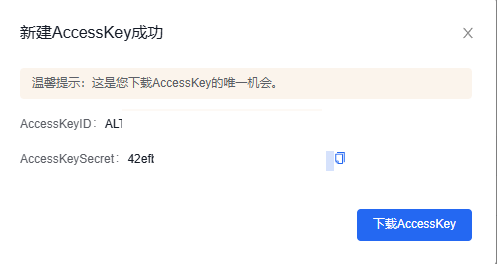
| 2 | Access Key / Secret Key | Security Credentials page | See Binding Resources — Step 4 |
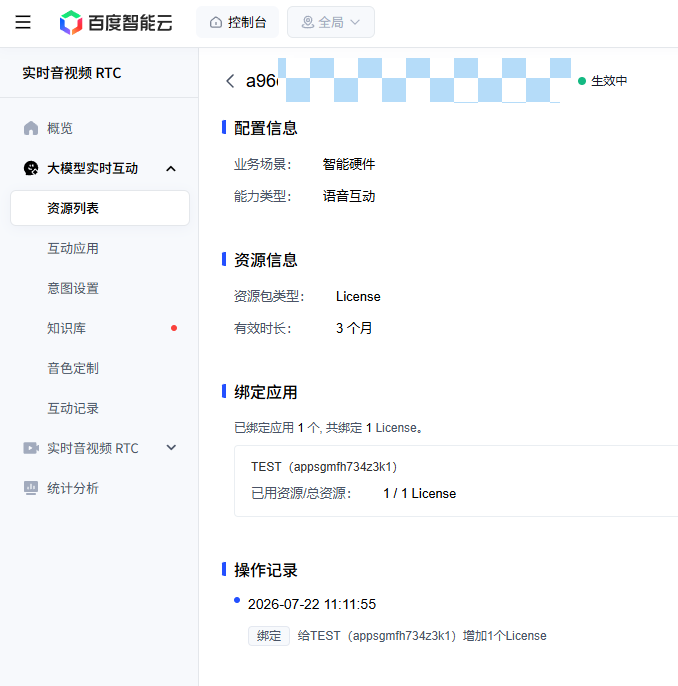
| 3 | Resource ID | Resource List page | Open Resource List and click the resource name to view the resource ID |
Open the Interactive Application list; the application ID is shown directly below the application name — just copy it.
See Binding Resources — Step 4: Get the Access Key for details.
⚠️ Keep it secret: The Secret Key is shown only once, at creation time, so be sure to save it properly. If you lose it, you will need to create a new Access Key.
Open the Resource List and click the name of the resource you have bound to open its detail page, where you can view the resource ID.
⚠️ Disclaimer
Security Warning
The Access Key and Secret Key are account-level sensitive credentials. If they leak, your account resources may be misused or unexpected charges may be incurred.
- Do not write the AK/SK into public documents or code repositories, or share it with others
- Do not expose the Secret Key in plaintext in screenshots
- Use a sub-user AK/SK with the minimum required permissions
- If you suspect the key has leaked, disable it in the console immediately and create a new one
This document only explains how to obtain the parameters. Any loss caused by poor safekeeping of the keys is the user's own responsibility.
Official documentation: Interactive Application | Resource List