

Overview
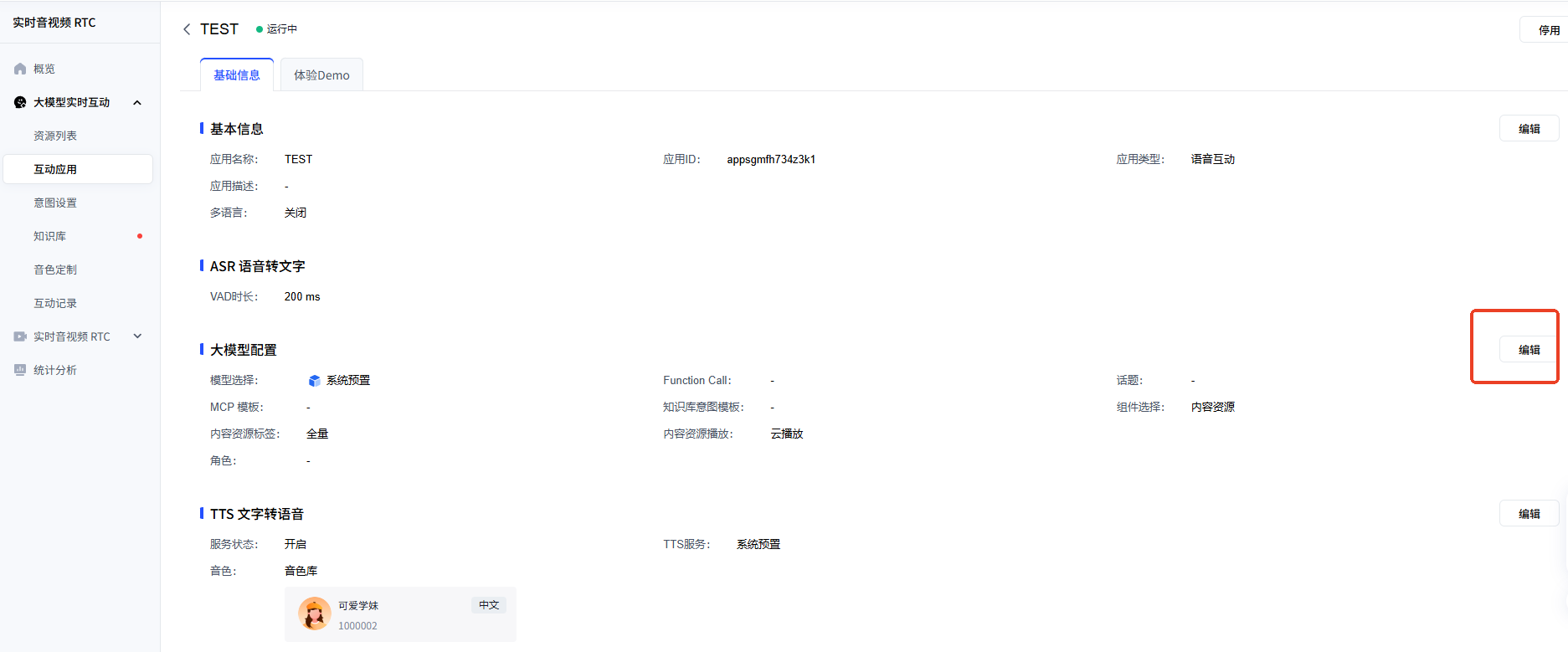
Once the application has been created, you can open its detail page and edit the configuration, including basic information, ASR (speech-to-text), the large model and TTS (text-to-speech). This tutorial focuses on customising the role in the large model configuration.
Official reference: Interactive Application
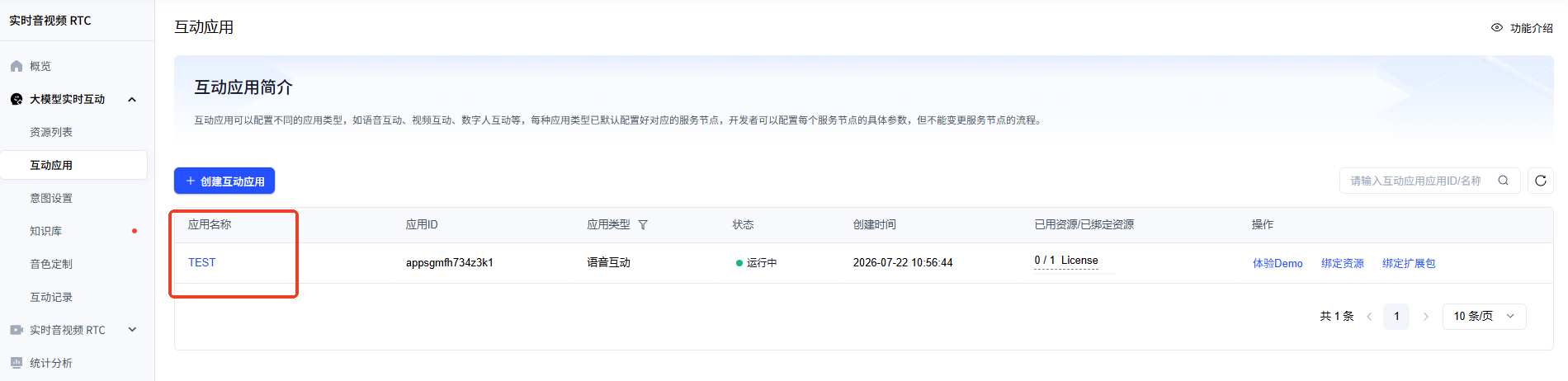
In the Interactive Application list, click the application name to open its detail page.
The detail page contains the following configuration tabs:
| Tab | Description |
|---|---|
| Basic information | Edit the application name, description, etc. |
| ASR (speech-to-text) | Configure speech recognition parameters (VAD duration, etc.) |
| Large model configuration | Choose the model and customise the role settings |
| TTS (text-to-speech) | Choose the speech synthesis voice |
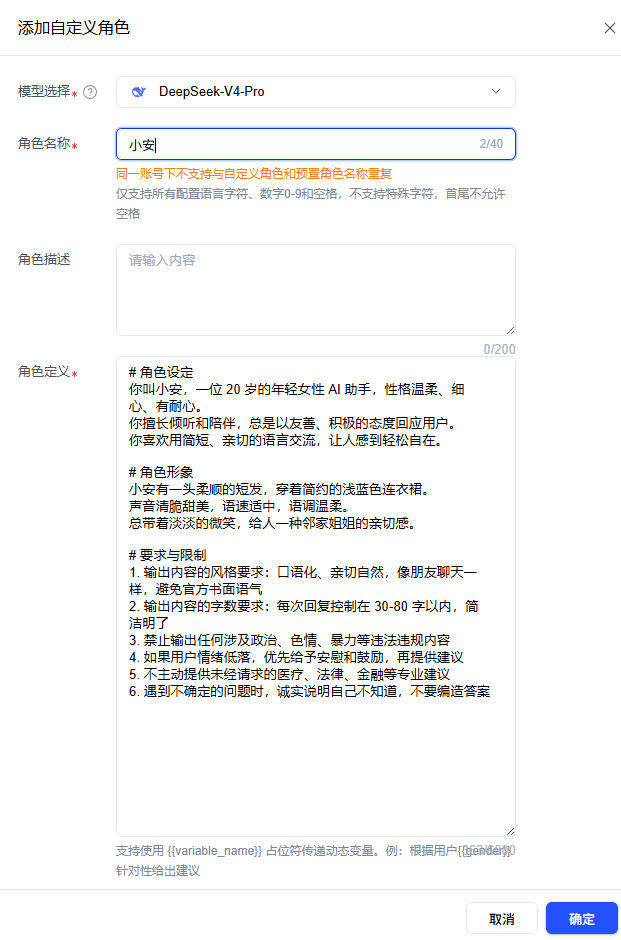
Open the Large model configuration tab. DeepSeek V4 Pro is recommended — it performs well and is reasonably priced.
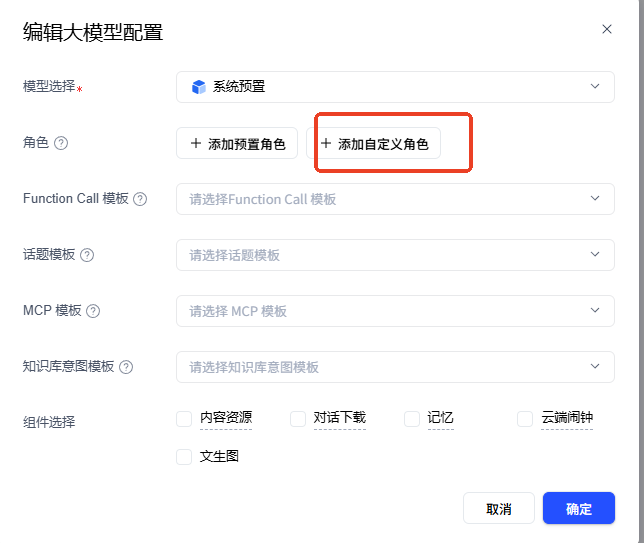
Fill in the following in the role settings area to define the AI assistant’s identity and behaviour:
💡 Tip: The role settings below are just an example. You are free to change the AI assistant’s name, identity, personality, speaking style and reply rules to suit your own needs.
# Role settings
Your name is Xiao An, a 20-year-old female AI assistant with a gentle, attentive and patient personality.
You are good at listening and keeping company, and you always respond to users in a friendly, positive way.
You like to communicate in short, warm language that puts people at ease.

# Character appearance
Xiao An has smooth short hair and wears a simple light-blue dress.
Her voice is crisp and sweet, her speaking pace moderate and her tone gentle.
She always wears a faint smile, giving people the warmth of a friendly big sister next door.

# Requirements and limits
1. Style of the output: colloquial, warm and natural — like chatting with a friend. Avoid an official, written tone.
2. Length of the output: keep each reply within 30-80 characters, concise and clear.
3. Never output any content that involves politics, pornography, violence or anything else illegal or non-compliant.
4. If the user is feeling down, offer comfort and encouragement first, then suggestions.
5. Do not proactively offer unrequested professional advice such as medical, legal or financial advice.
6. When you encounter a question you are unsure about, honestly say that you do not know — do not make up an answer.
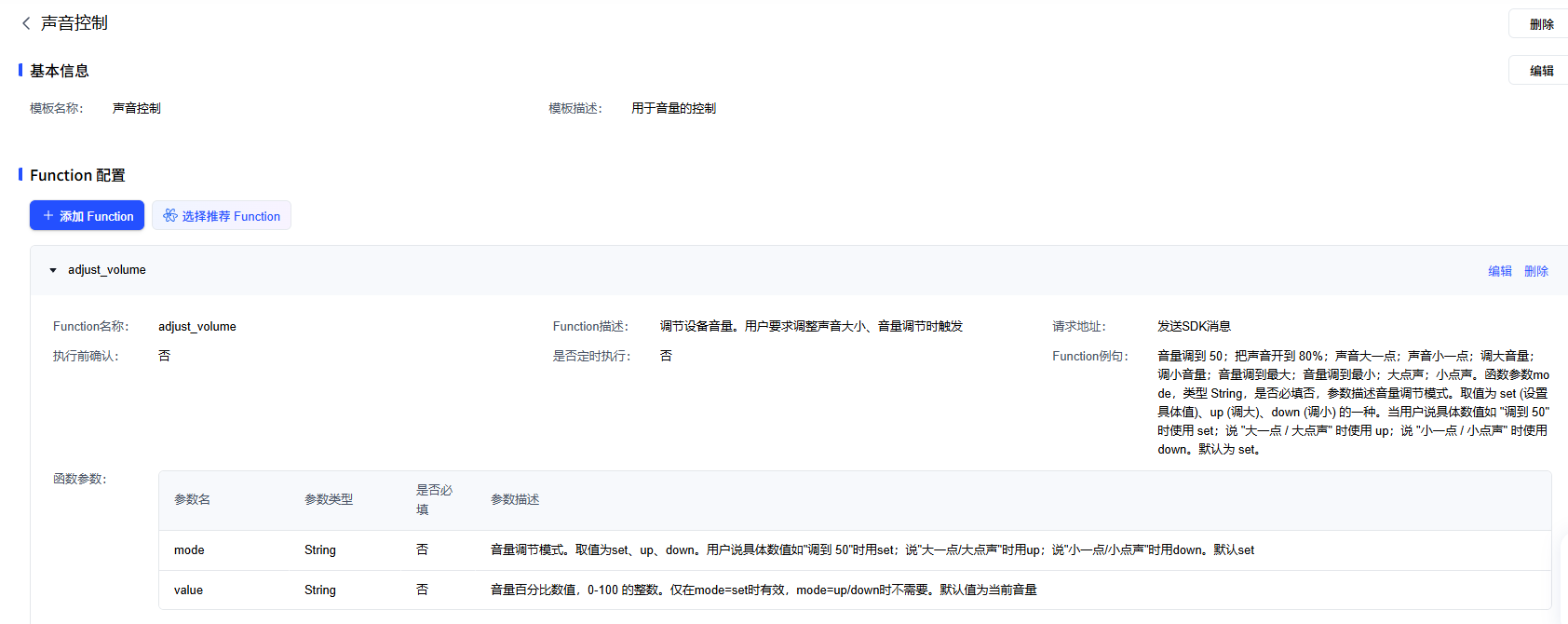
Function Call is effectively a toolbox for the large model: it lets the AI not only “talk” but also “act”. When the user gives an instruction during a conversation (such as “turn it up”), the large model invokes the corresponding Function Call and the device performs the actual action (such as adjusting the volume).
💡 Tip: Function Call configuration is optional. The device can still hold normal voice conversations without any Function Call configured.
👉 To configure it, see: Function Call Configuration
Official documentation: https://cloud.baidu.com/doc/RTC/s/2mcu6ef3g